
The monday App Marketplace offers ready-to-use, easy-to-use apps to extend the capabilities of the monday.com platform and adapt to the unique needs of your business’ workflows, processes, and projects.
But with great power comes great responsibility. Here are some privacy tips to keep in mind when installing apps from third-party developers in the app market.

Understanding who can install external apps
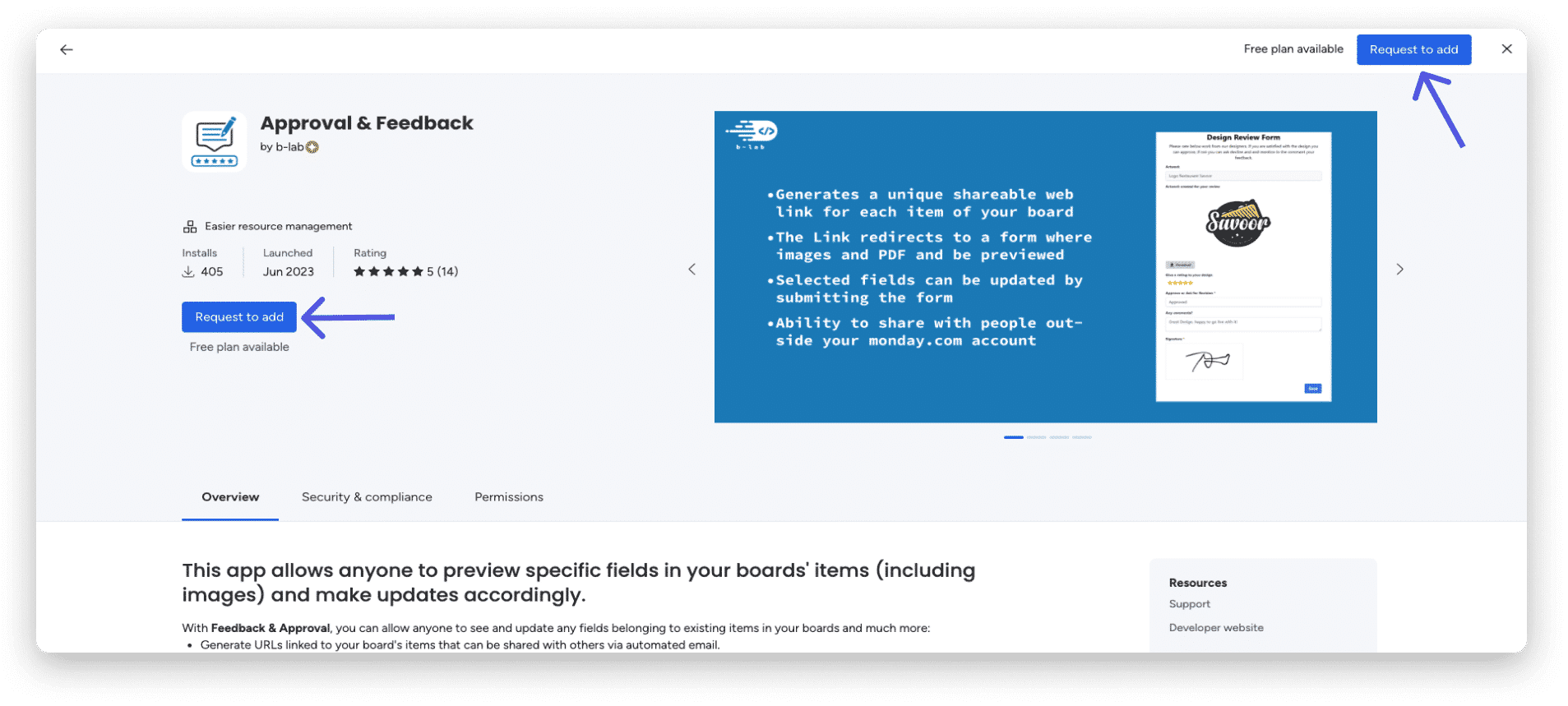
Only account administrators can install monday apps. If a non-admin user wants to install an app, they can ask an administrator to install the app for them by clicking “Request to add” on the app’s page in the marketplace:
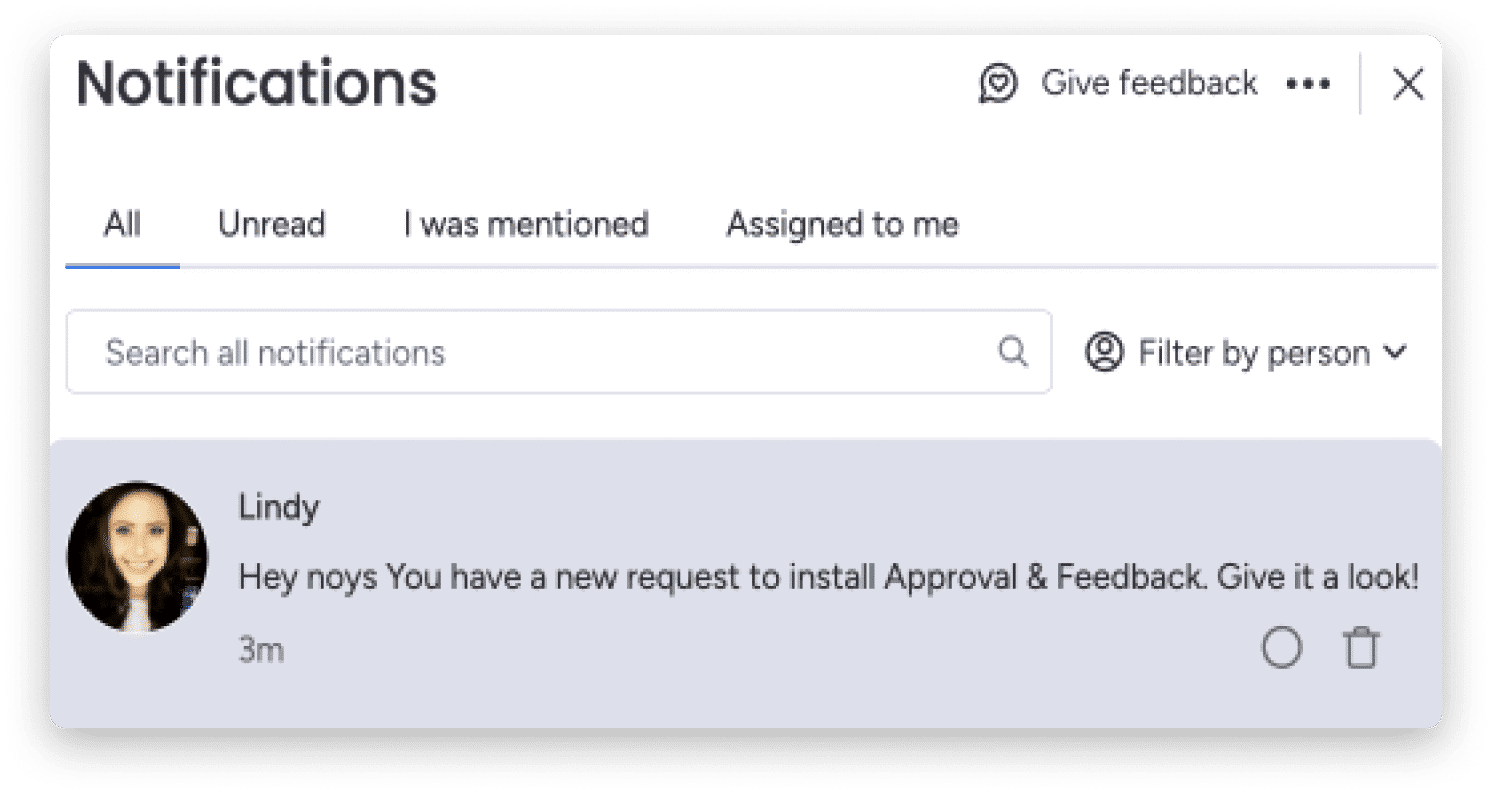
The manager will receive a notification in their notifications, like the one below, as well as to their email inbox.
Explore the apps in the app market
Featured apps are available in the app market for you to explore and install. Apps built by third-party developers will be marked with the developer’s name on the right side of the app description page. Each developer reports contact information for support, installation, and sales questions.

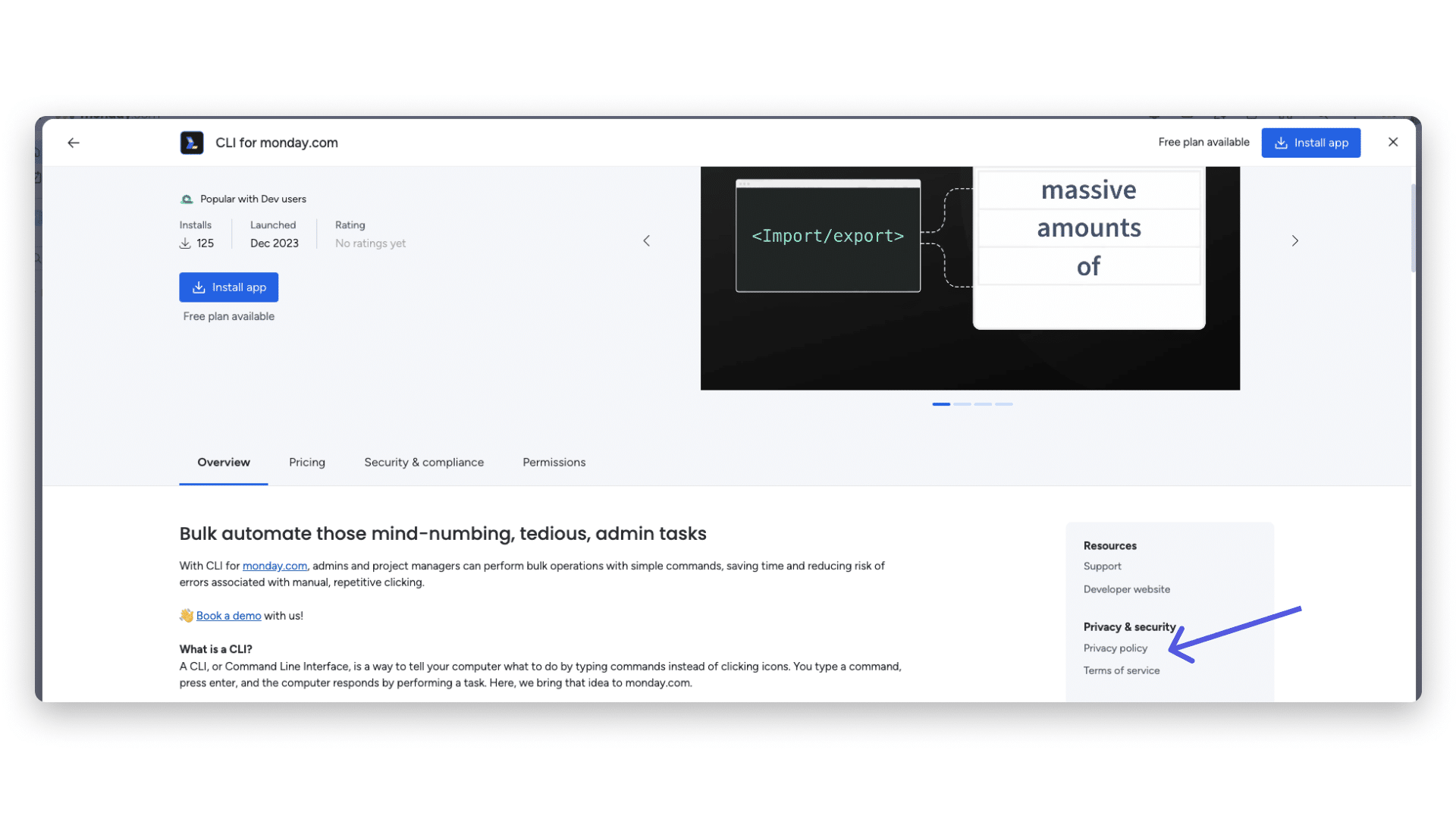
Some developers also provide detailed information about their security and privacy practices. If the app has provided this information, it will be linked here on the description page as shown below:
Review of security and app compatibility
To get a complete picture of the app’s security and compliance, we recommend checking out the security questionnaire on the app page! Here you’ll find a list of questions and answers that address various aspects of app security, privacy, and more, so you can feel confident and know everything before adding the app to your account.

Note: If an app’s security questionnaire is not filled out, it doesn’t mean the app is not secure, it simply means the app developer hasn’t shared that specific piece of information with us. If that’s the case, you can contact the developer directly to request more information!
App permissions approval
Each app requires specific permissions from your monday.com account. Each app permission (or domain) is specific to one part of the platform (e.g., boards, or feeds, or teams) and can be categorized as read access or write access. When an admin installs an app, they will see a list of the permissions the requested app is requesting and can approve (or cancel) the installation.

Define your organization’s approach
Build an approach or policy for installing apps based on your organization’s data management practices. Some factors to consider include:
- Which teams will benefit the most from the app?
- Does your IT or legal team need to approve this app before you start using it?
- Does the app have additional licensing costs? Do you need to budget for them?
Keep all of these factors in mind when considering which apps to download to ensure your organization manages its data securely.

Contact the app developer to learn more.
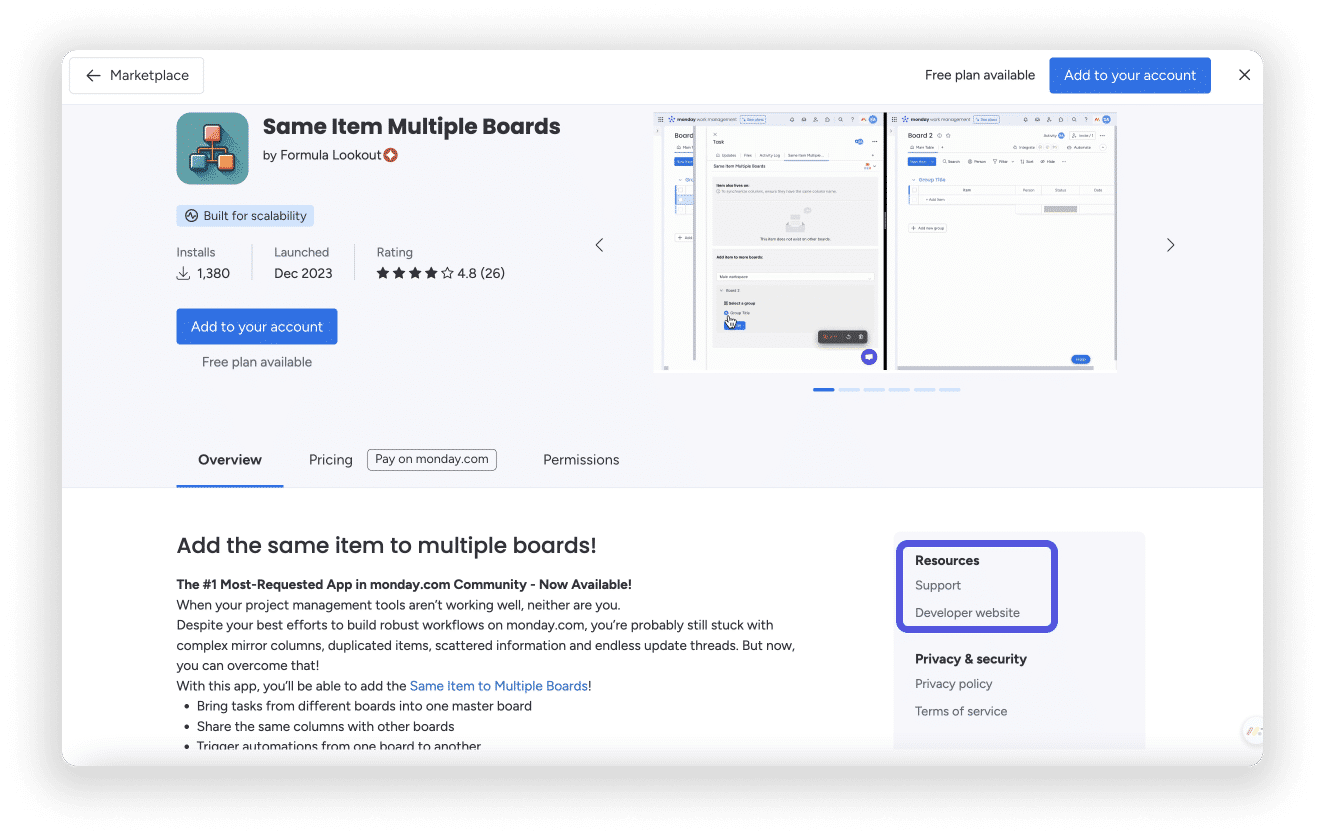
You can find the developer’s website and the option to contact support on the right side of the app page, or at the bottom.
Review our app marketplace security standards
To be included in our marketplace, all apps must meet a basic set of security standards. To learn more about our relationships with our marketplace partners, you can read the Marketplace Partnership Agreement here . Our security standards include the following:
- The app must use TLS 1.2 or higher to encrypt all its traffic.
- HSTS must be enabled with a minimum age of at least one year.
- The application must verify and authorize all requests.
- The app does not need to collect user credentials.
- Your application must store API tokens securely. They should not be registered, stored in client-side code, in public repositories, or accessible to end users.
- Request only the OAuth realms needed for the documented use of the app.
- Do not retrieve or store data that is not required for the documented use of the application.
- Tracking cookies (and more) that will track users outside the scope of the app should require user consent.
- HTTPS certificates must be valid and have an expiration date of at least one year from the application submission date.
- You must own the domain name you use for your app, the app’s privacy policy, support, and landing page URLs, or obtain the appropriate consent from the domain owner.