
 Available on Enterprise plans only. Please note: This feature is being gradually released to Enterprise accounts, so if you don’t see it on yours yet, it’s coming soon.
 Want to maximize your workflows on monday.com but aren’t sure what capabilities are available? There are countless options for automating complex workflows with the many features and functions in workflows. Read on to learn more about what might be most beneficial for your needs.
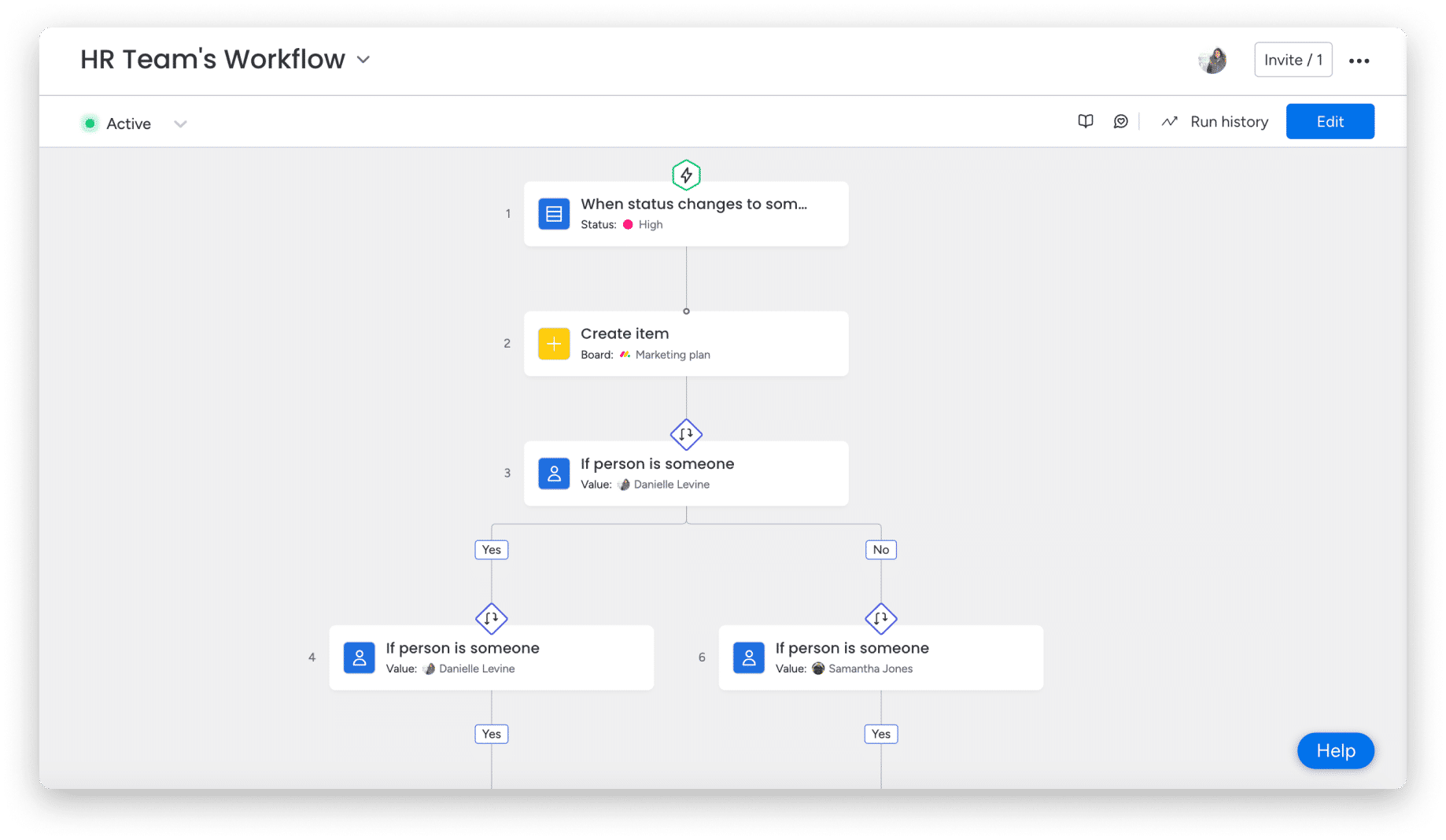
What features are available in workflows?

Delaying your workflows
If you need to pause your workflow steps for a certain amount of time, you can add a delay. There are a wide range of options once you select the delay block , allowing you to create a flexible schedule that suits your needs. For more information on the delay block, read here. 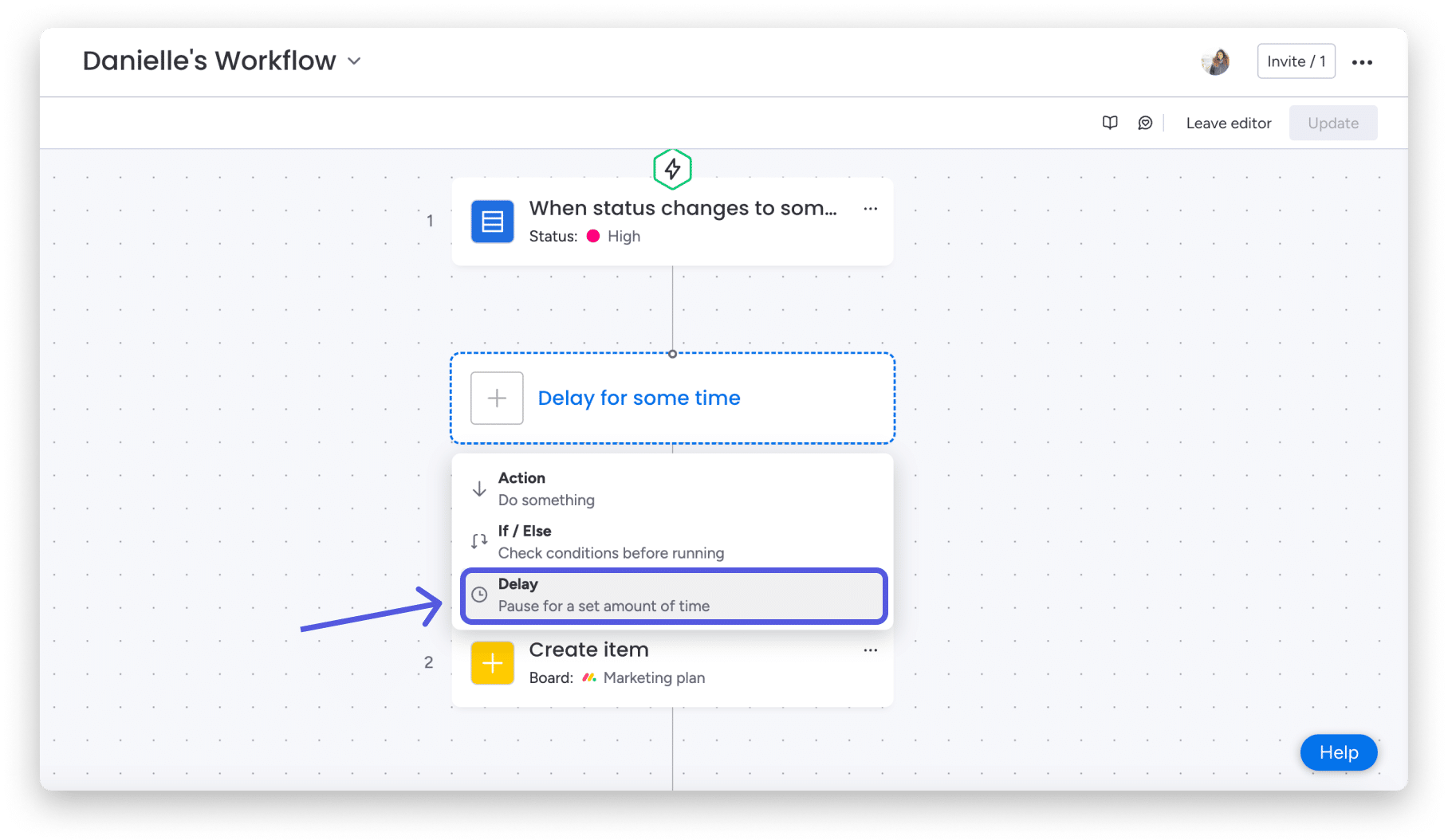
Getting item data from the previous step
If you want to get information from a step you used in a previous flow block, you can use the Get Item Data action block. This will automatically populate the information from the step you selected. You can even add that data to an item in a completely different board! 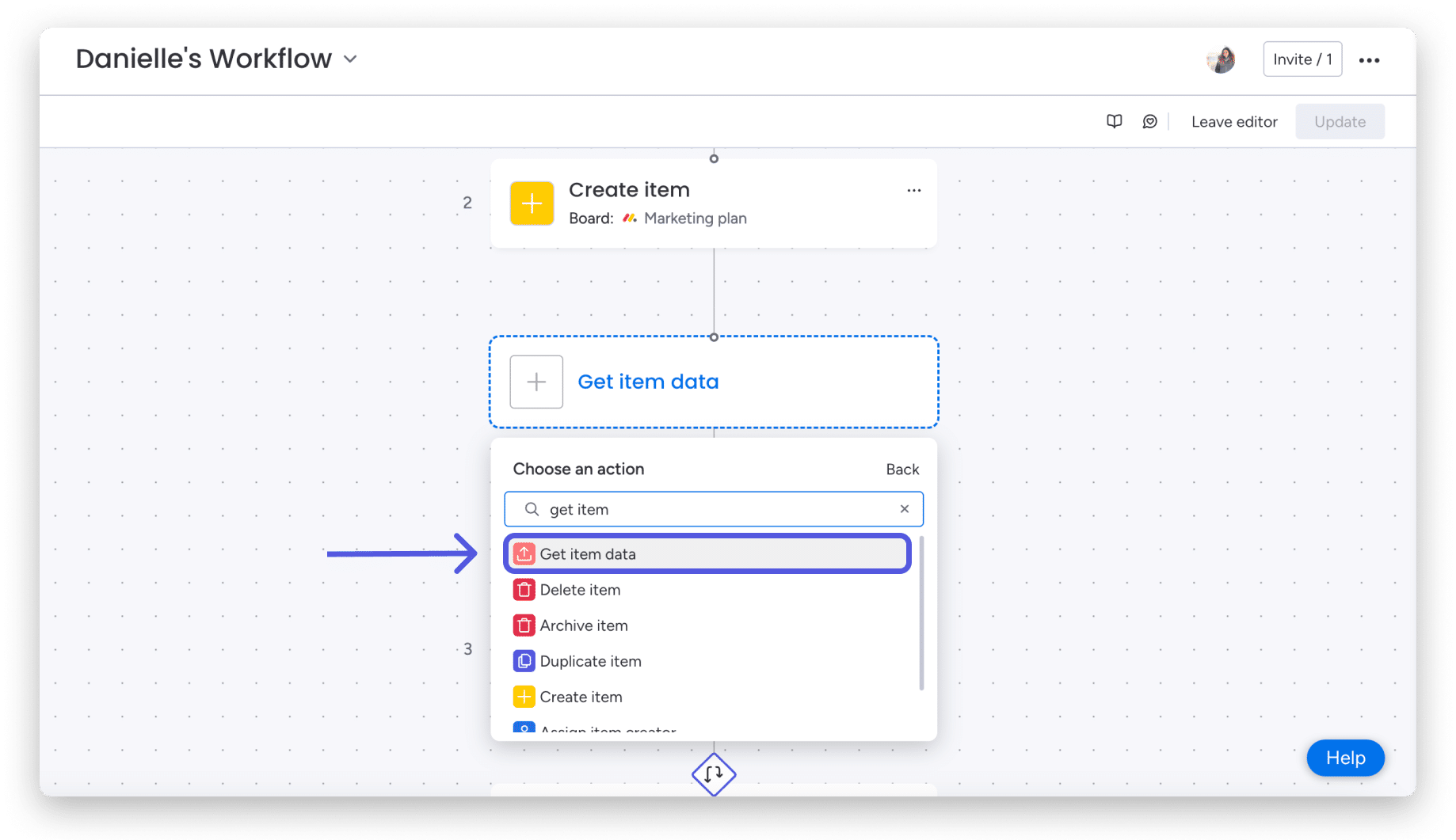
Combining sub-items
Subitems can be integrated into almost any workflow capability. Create, manage, and automate subitems with the same flexibility as you use for items.
There are unique triggers and actions for subitems, as well as support for existing action blocks that can be performed directly on subitems. This means that you can use the subitem ID instead of the item ID to change columns, notify directly, delete, archive, and other actions.
You can also use existing conditional blocks on subitems.
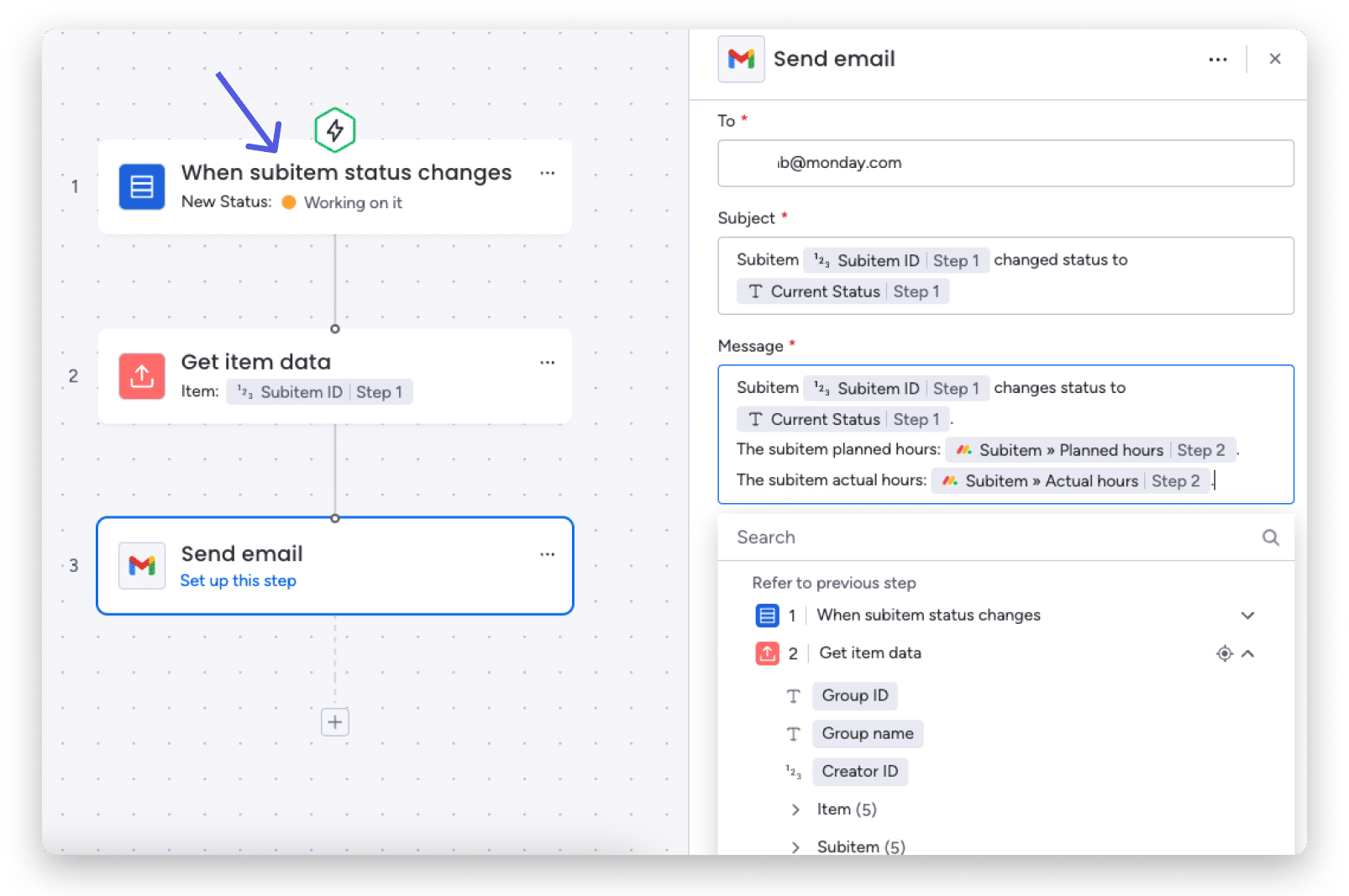
Another capability is to extract sub-item data using the block to get item data and use its column values in all other blocks.
For example, here is a workflow where we would like to send an email with content from a subitem:
Replicate your workflows
Duplicate any existing workflow without having to build it from scratch. This way you can easily use the logic and structure of the same workflow for different projects on different boards.

Change value in any column
The Change Column Value action block allows you to change the value of any column in the table. 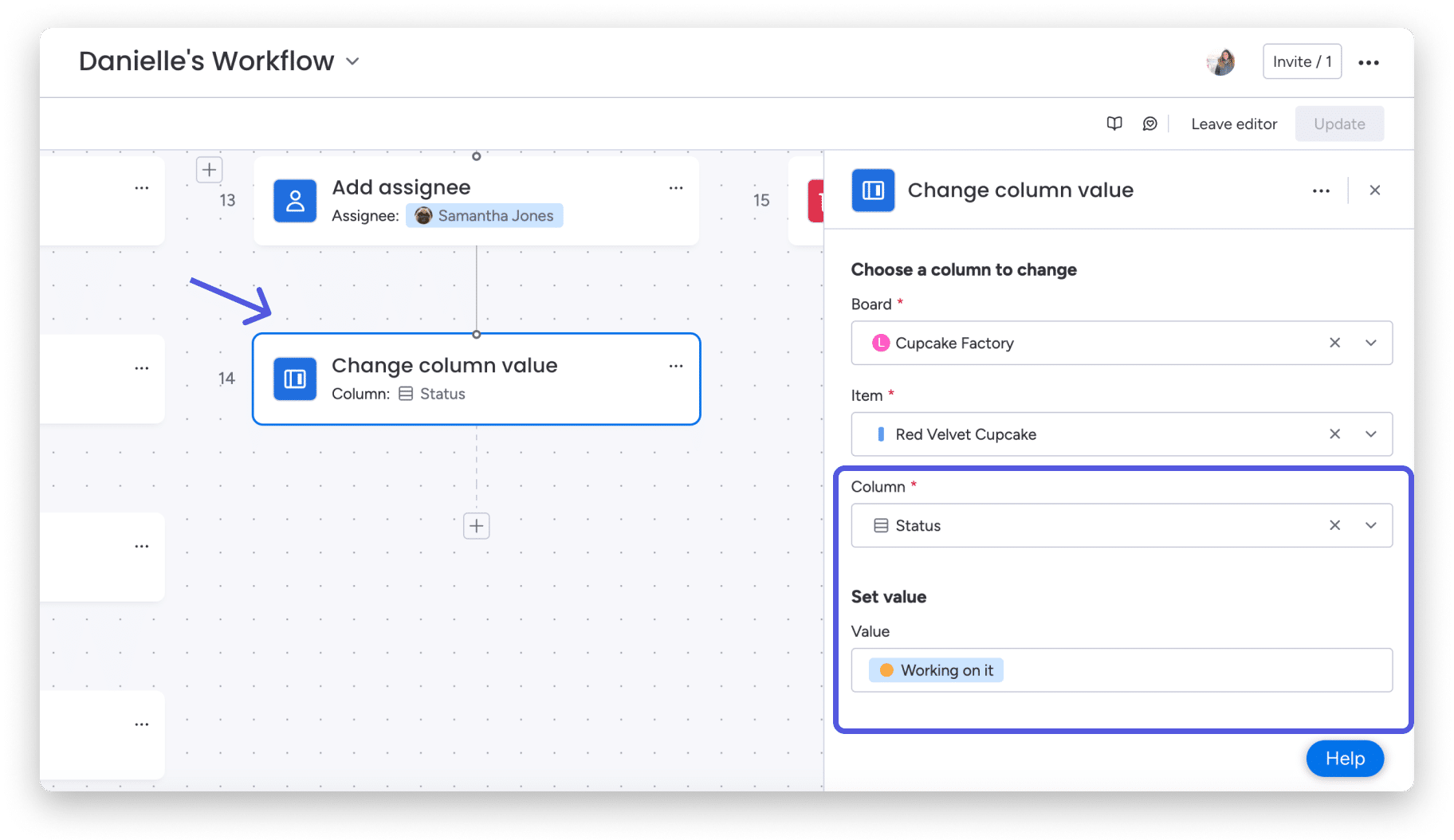
You can change the value of any column in this dynamic block, which automatically adjusts the column to the selected value. 
Creating a board and duplicating board blocks
The Create Board action block helps you automate one of the most basic building blocks of any monday.com process: creating a board! This block allows you to reuse boards directly in your workflow. 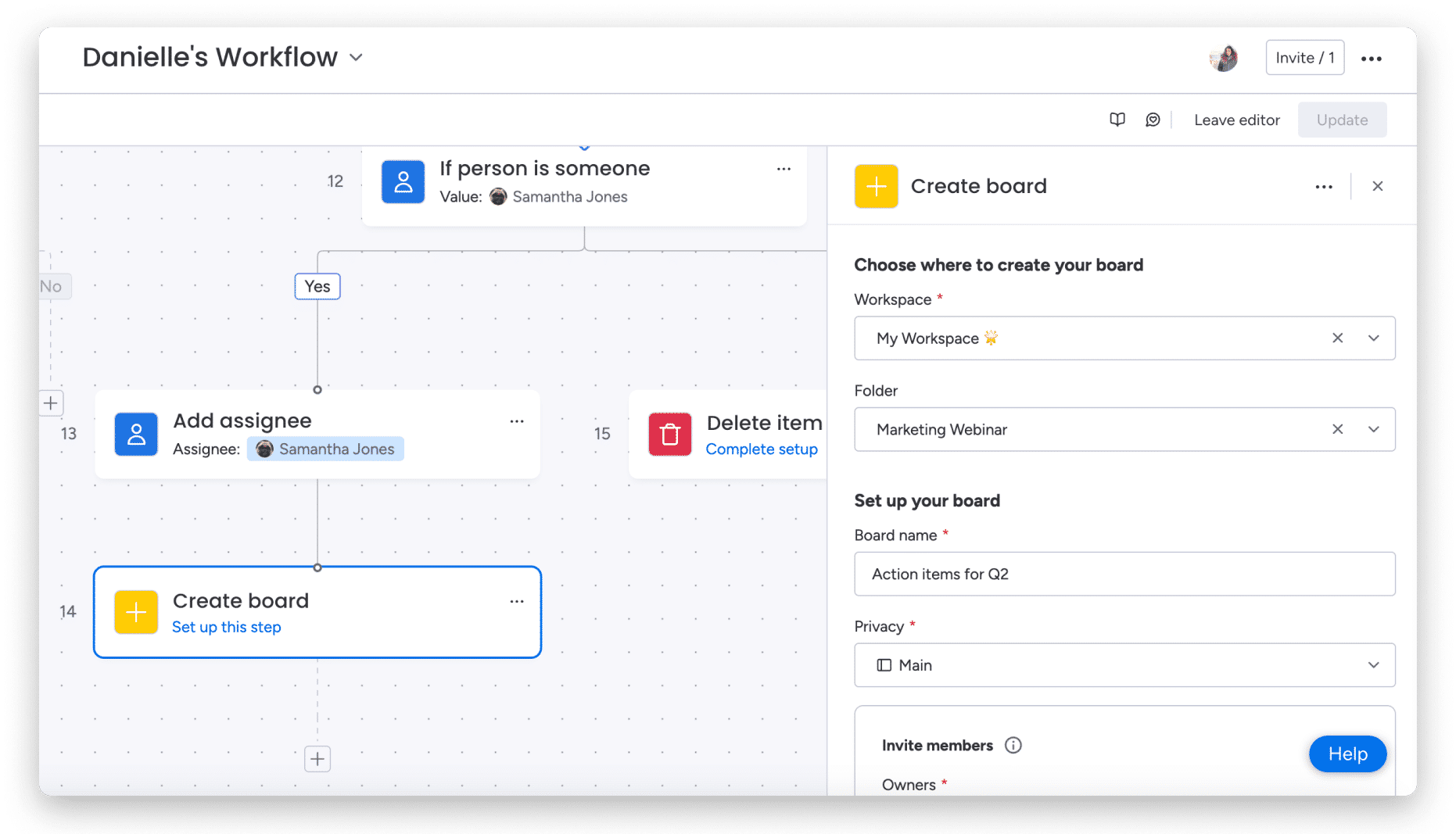
Additionally, you also have the option to use the Duplicate Board block to duplicate an existing board. You can choose to duplicate just the board’s structure or also the content, as well as manage board members and board owners. 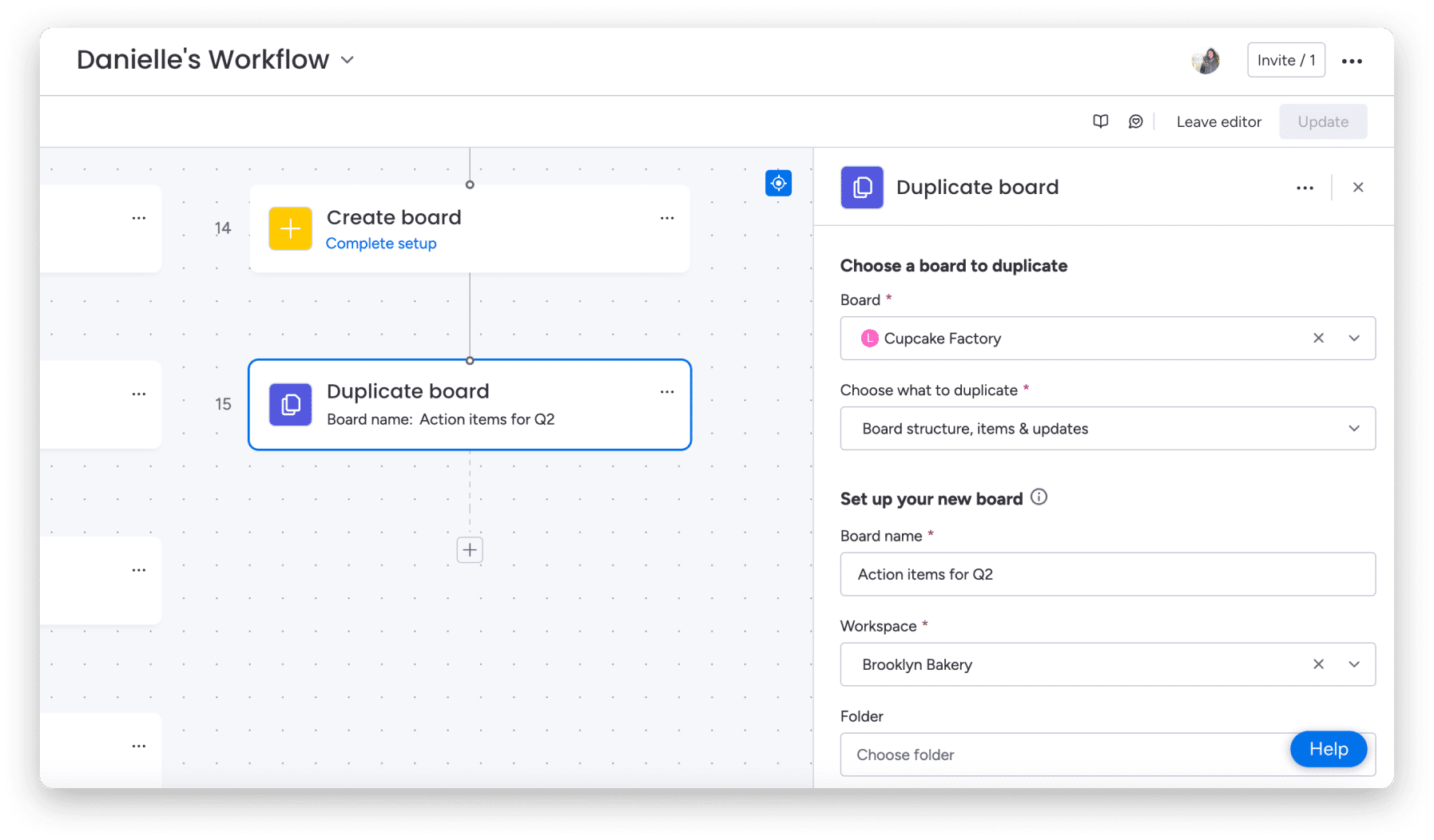
Date push and date setting
In both the Push Date and Set Date blocks, you can set a custom date for your workflow steps.
The Date Setting block gives you the flexibility to set the date as a custom date, today, or the date from a previous step.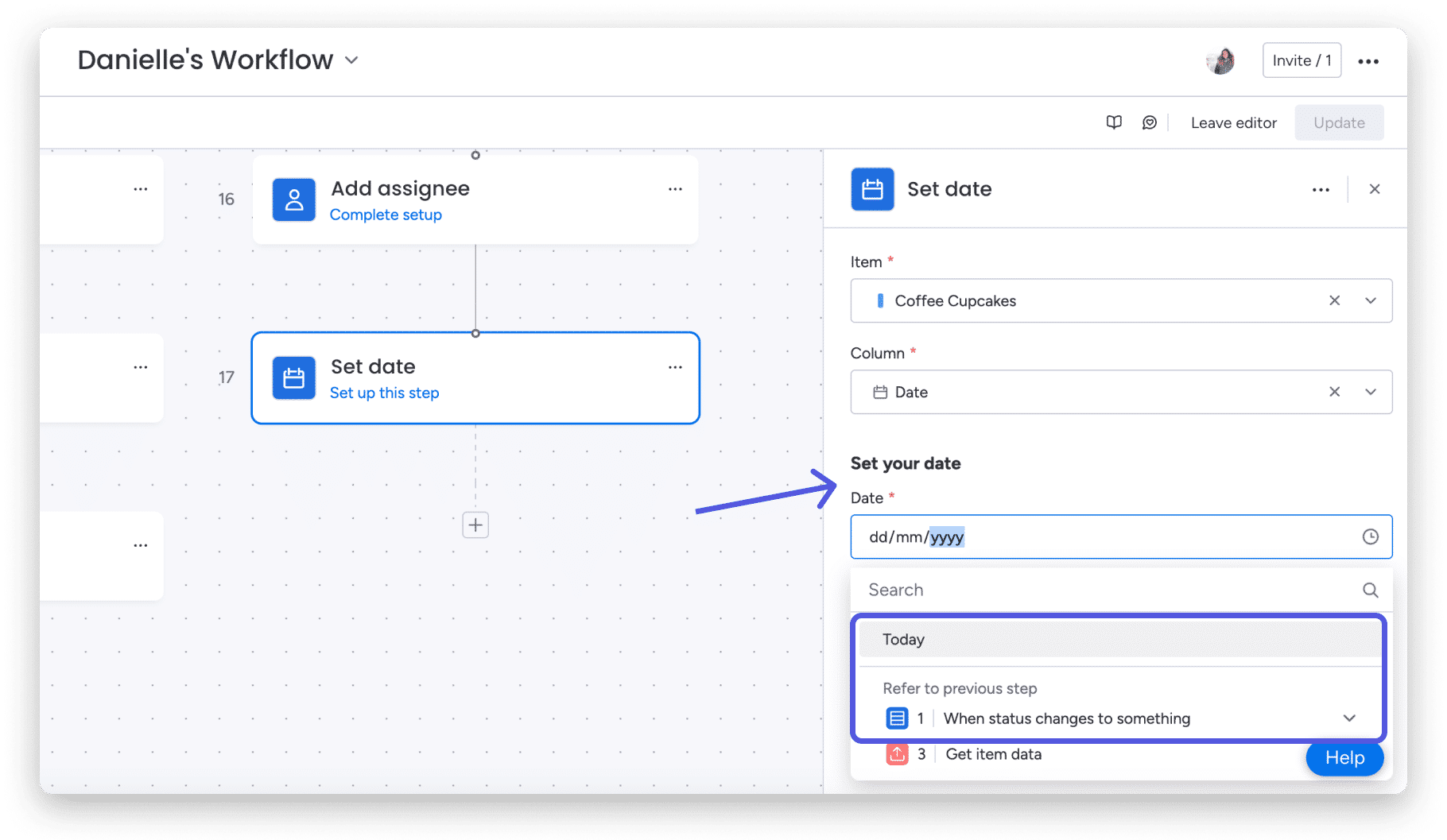
The Date Push Block allows you to push the date by a custom interval, such as days, business days, weeks, or months. You can also select the duration from a previous step. 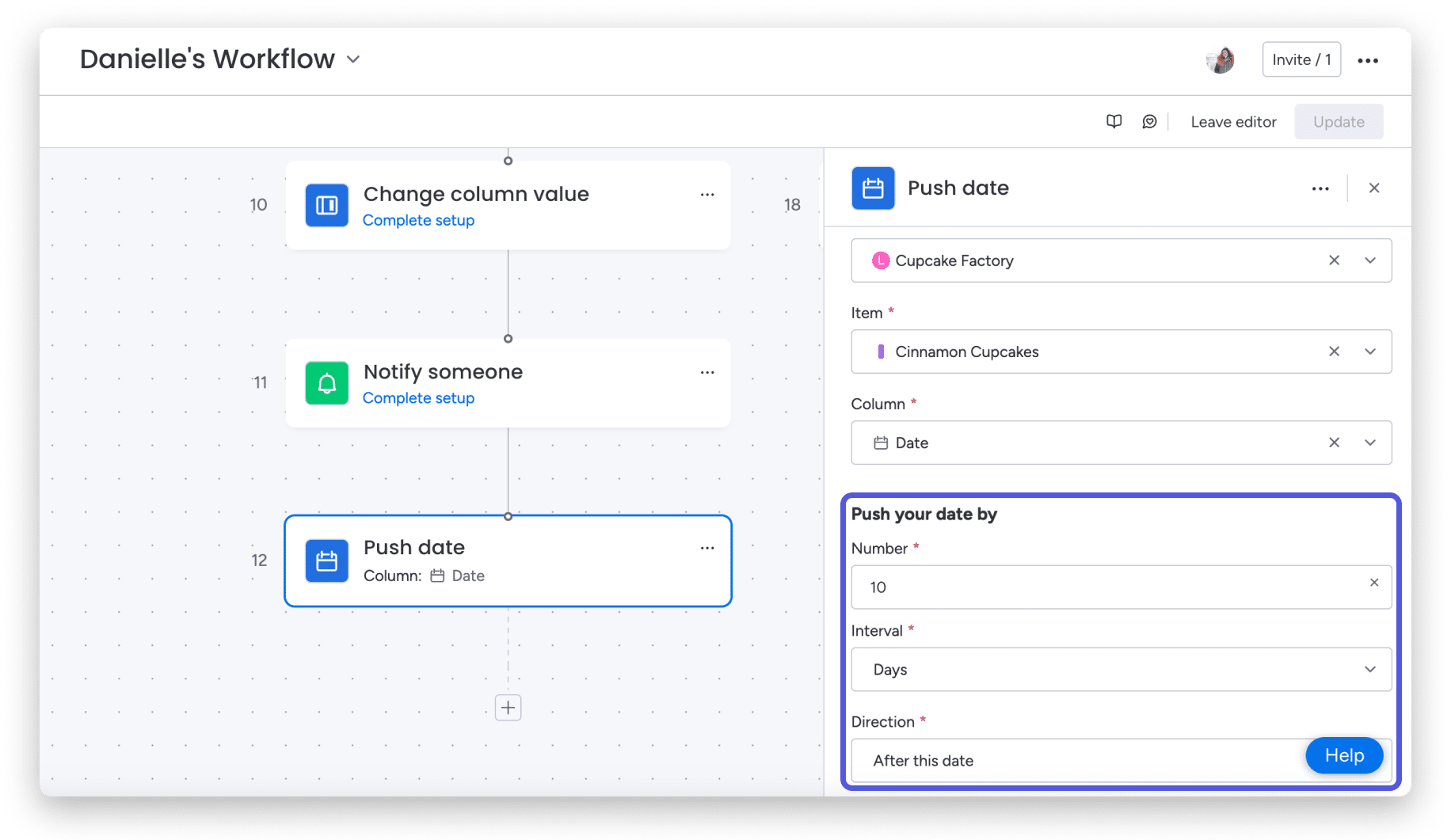
Using the operator user
When working with any block that allows a people value, you can choose to use the triggering user, which means you can set them as a person in the rest of your workflow.
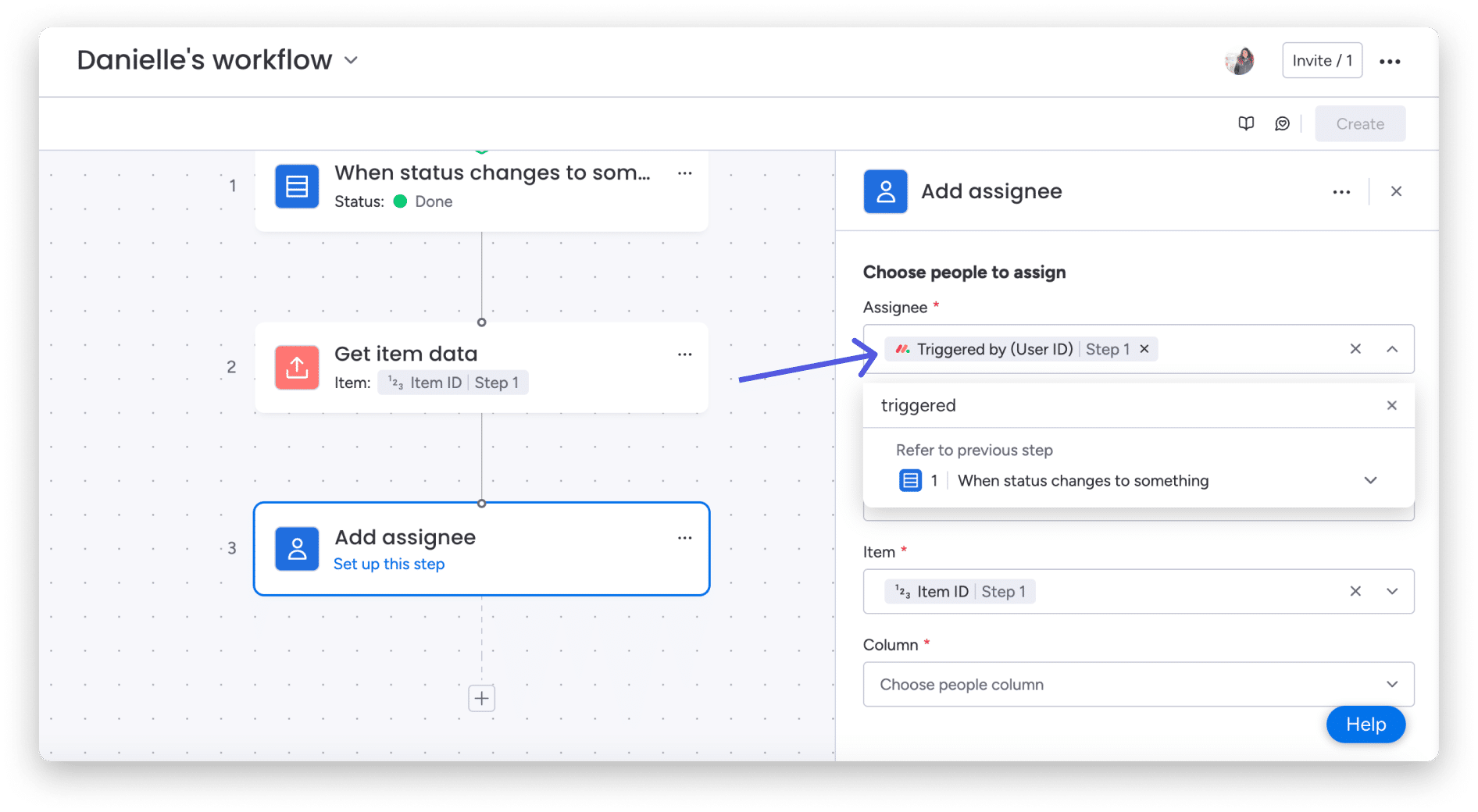
This can be executed whenever an item is created, an item is moved, an item is changed, a user is promoted, a user subscribes to a board, and almost any other trigger.
What else?
This is just the tip of the iceberg in terms of possibilities for your workflows! Be sure to explore all the available action blocks and keep an eye out for more, as we are constantly working on adding more functionality to help you create a powerful and organized workflow experience.
If you have any questions, please contact our team here . We are available 24/7 and happy to help.