
About the Monday App Market
In the monday App Marketplace, you can find ready-made apps that extend the capabilities of the monday.com platform and fit the unique needs of your business’s workflows, processes, and projects. The App Marketplace contains apps developed by third-party developers, as well as apps created by the monday team using the App Framework. With monday apps, you can analyze and visualize your data in new ways and collaborate more effectively across your organization.

How to install monday apps
To install a monday app on your account, follow the steps below!
- Access the Monday app market
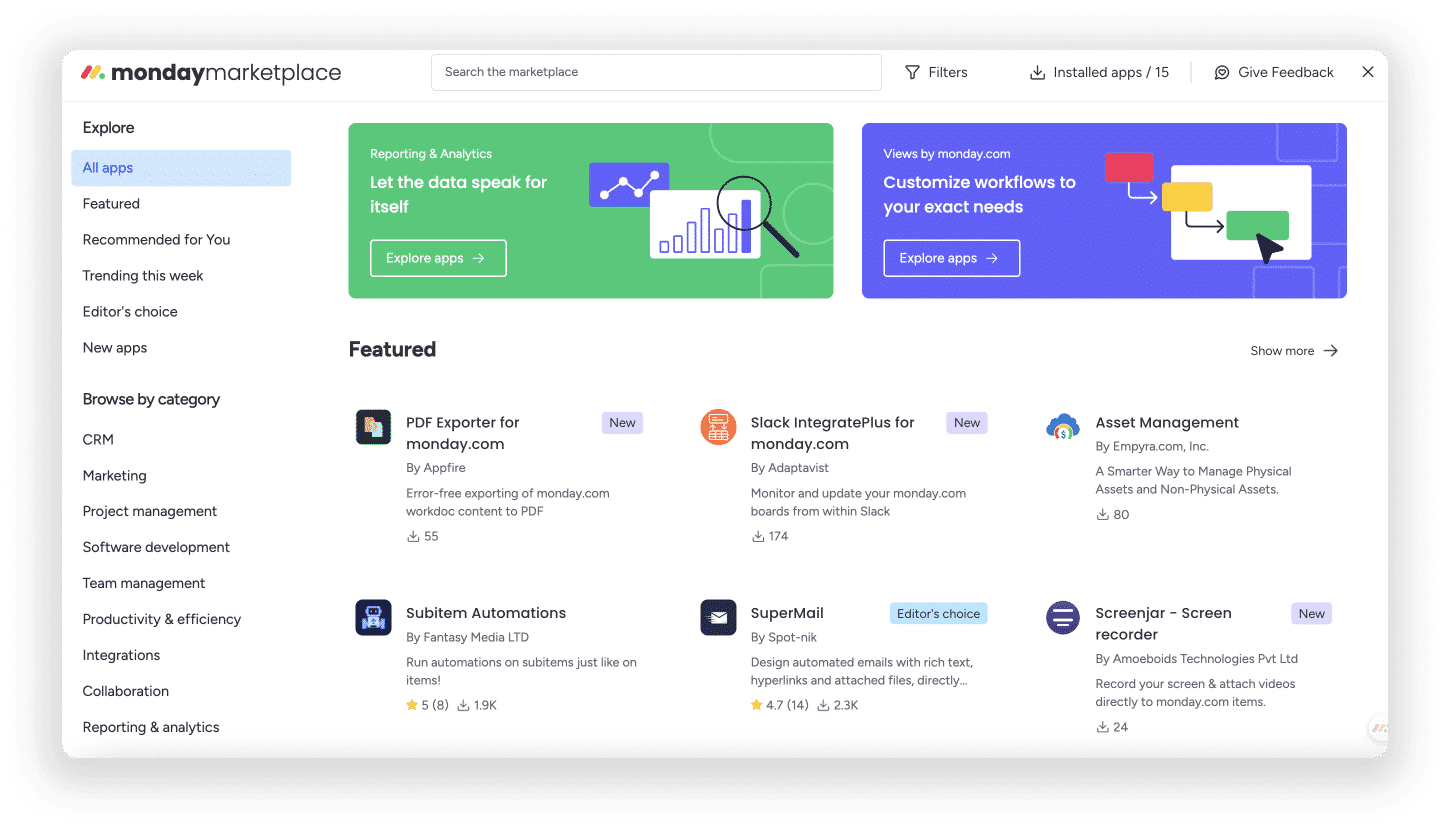
To find the Monday App Market, click on the little puzzle icon in the top right corner of your account. Alternatively, you can also go to your profile picture in the top right corner of your account and click on “App Market” to find it.

- Easily browse and click on apps
The app market contains several amazing apps to power your reporting or allow you to integrate other platforms to streamline your workflows.
To find the app you want, you can scroll through the categories on the left side, use the filter at the top right of the market, sort by different parameters, or simply use free text to search for exactly what you’re looking for!

- Review the app’s functions
When you click on an app, you can scroll down the app’s main page to learn more about the features and capabilities it will add to your monday.com account, pricing, security and compatibility, required permissions, and more. From here, you can also see the team that built that app and their contact information in case you need support installing or using the app.

- Try the app (optional)
Some apps offer a free trial that allows you to try the app before installing. With a simple click of a button, you can create a demo account where you can see all the features and functions of the app!
Want to know what the best parts are? The demo account doesn’t use your account data, so no admin permission is needed to try it out. All you have to do is click the “Demo App” button on the app’s main page to use the demo experience!
- Install the app
When you’re ready to install an app, click the blue “Install App” button. On the page that appears, you can choose whether you want to add the app to all The spaces Or to a specific space in your account. Finally, click “Install” again to agree to the terms of use and continue.

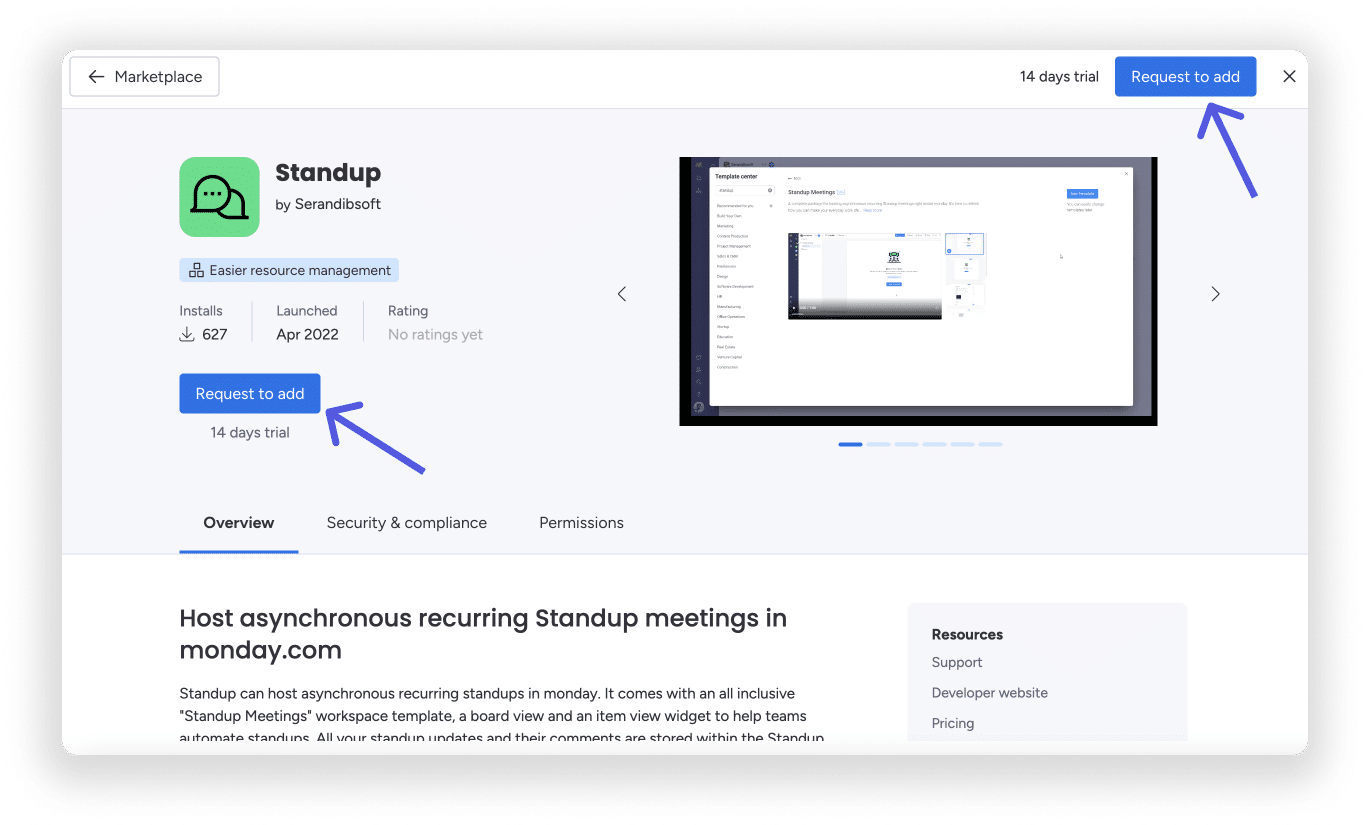
If you are not an account administrator, instead of the “Install App” button, you will see “Request to Add” instead. Clicking this will send a request to your administrators to approve the app installation!
- Use the app
Now that you have installed the app, it is ready to use in your account! Once you have completed the installation, the installed app will open in the selected panel or dashboard. For integrations that have been added, you will be taken to the integration center in the selected panel so you can start using your app right away.
Manage apps in your account
Account administrators can manage the apps installed on the account, as well as approve any pending requests, or remove apps if they wish. Check out this article to learn about it!
Security and the Monday App Market
Apps in our marketplace built by third-party developers are reviewed by our team. However, we cannot guarantee the functionality or security of every app. For this reason, we recommend reading the “Security and Compliance” section within each app page to get a complete picture of the app’s security.
Additionally, when you install an app, you will see a list of permissions that the app will have access to. We strongly recommend that you review each app and its permissions in depth before adding it to your account. To understand more about app market security, check this out.

Building your own app
The monday app framework allows developers to build views, widgets, and integrations in a low-code environment. We provide you with the tools to build views and scripts, and you can build whatever your team needs. Check out our developer documentation here for more help!
Getting help
- Help with apps from the App Market
Every app page in the marketplace contains a link to contact the developer who created the app. Simply click on your chosen app and you’ll find resources on the right side to use!

- Help building your own app
If you’ve reviewed the documentation above and need more help with our API or app framework, check out our developer community. This is the best place to get technical help from experts and ideas from other developers who are also building monday apps. The community is run by members of the monday.com team and experts from our community.