
Find a monday app in our app market that will help you manage and execute your projects with ease—we’re sure you’ll love it! Now comes the next step—paying the app developer! Follow this guide to understand the details about paying for apps available on our service. Let’s get started!

Are there any free Monday apps?
Our markets have many apps with free trials, so you can test an app before you commit to a subscription! Some apps offer more advanced features that require payment. Additionally, some apps allow for direct billing through monday.com, so you can pay for the app and manage your subscription directly in your monday.com account without involving a third-party payment system!
App prices
There are two types of plans, each with different pricing models: feature-based and user-based.
Feature-based: Feature-based pricing breaks down the app’s functions or usage into different tiers. You can choose the subscription level based on your desired functions or usage level, so you don’t have to pay for things you don’t need.
For example, an app can offer up to 50 actions on the basic subscription, 100 on the medium subscription, 250 on the advanced subscription, and 500 on the deluxe subscription. You can choose the subscription that suits your monthly needs!
User-based: User-based pricing divides groups of authorized users into different tiers. You can choose the tier that best fits the number of seats your organization requires.
For example, an app can offer up to 100 seats on the basic subscription, 200 on the medium subscription, 500 on the advanced subscription, and unlimited on the deluxe subscription. While you can decide how many seats you need and buy the most suitable tier.
How do I pay for an app?
If an app supports monday billing, first make sure the app is installed on your account. Then, step by step:
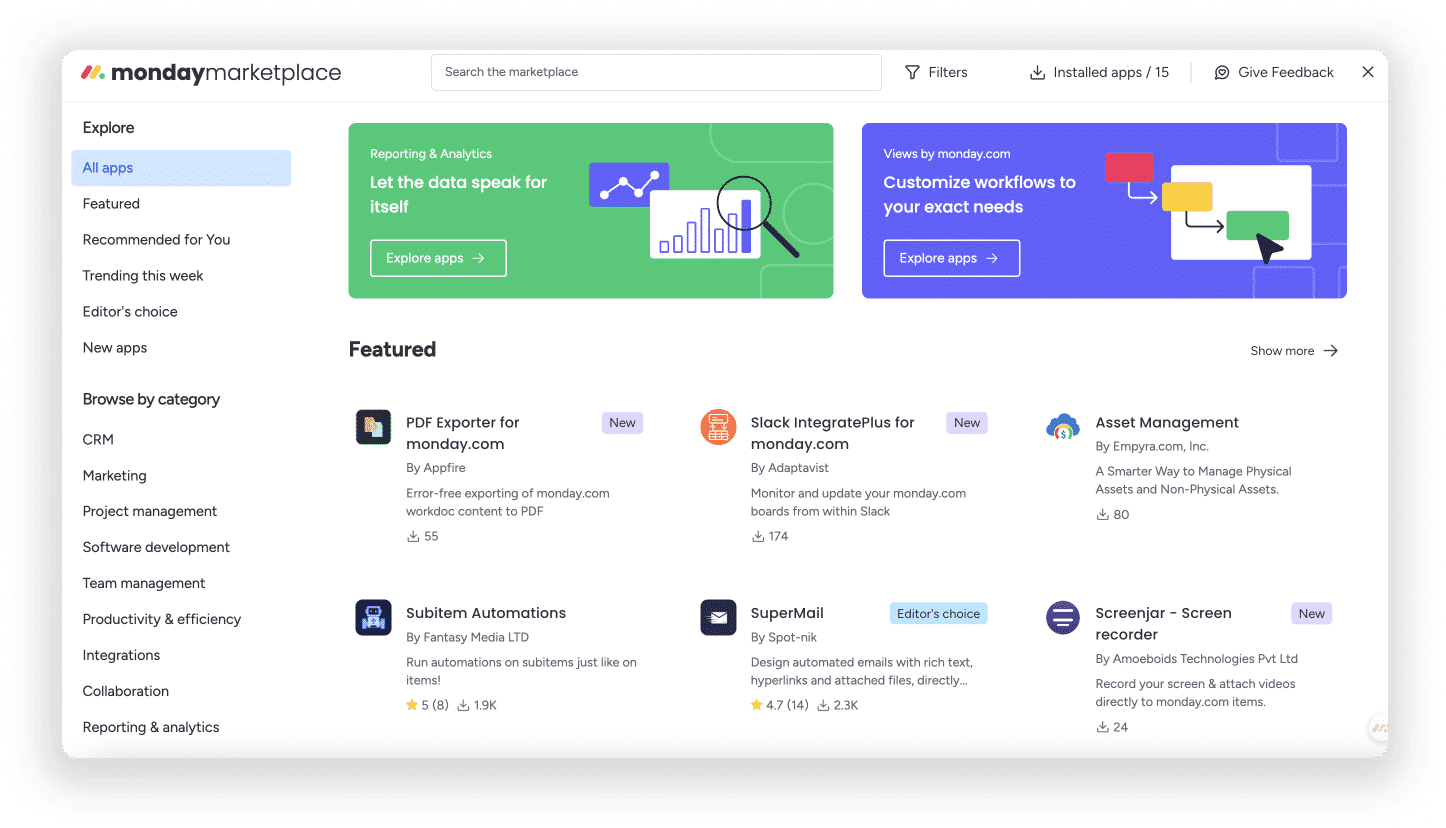
Click the “Installed Apps” button located in the upper right corner of the app market. Click on the relevant app:

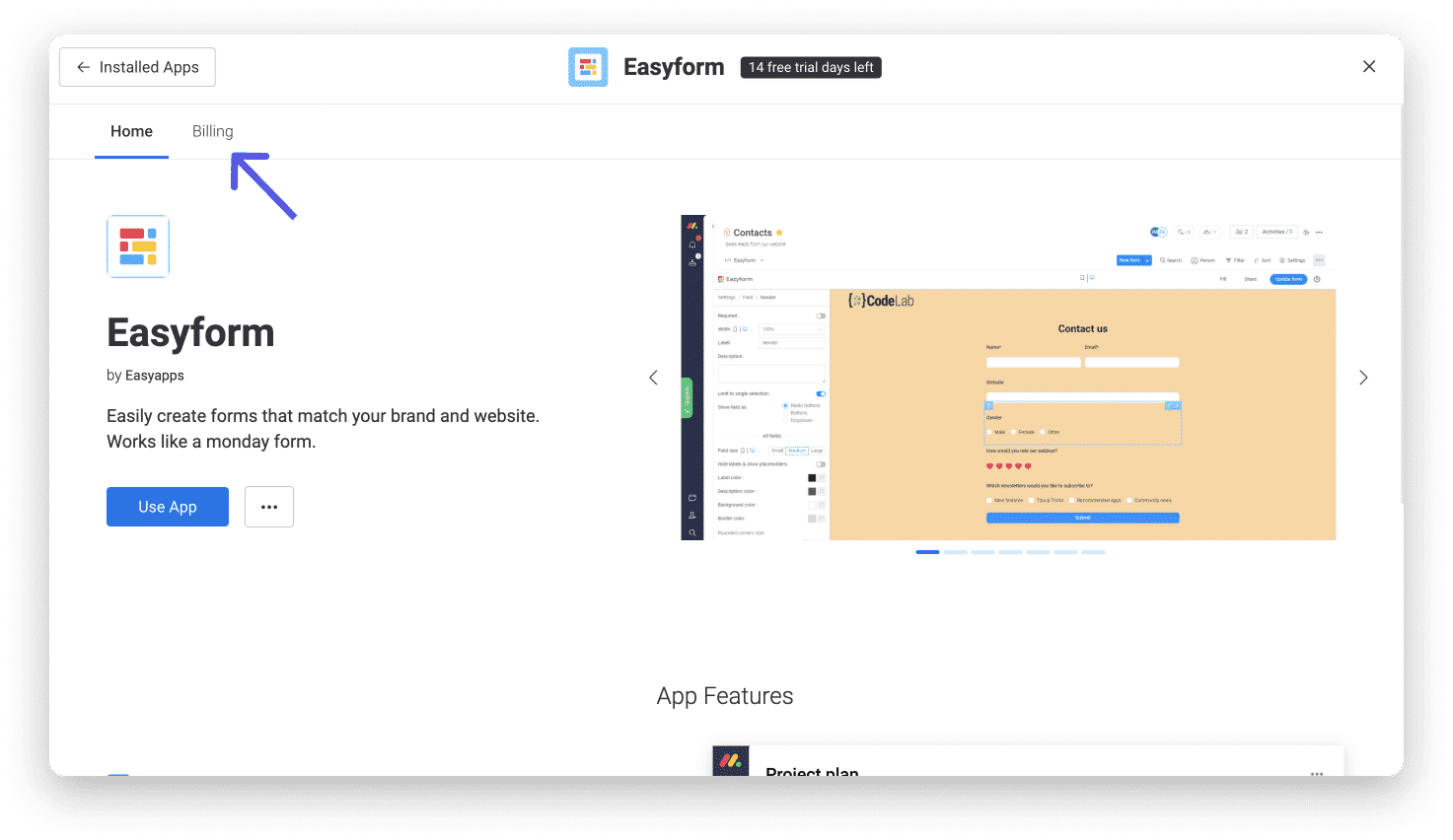
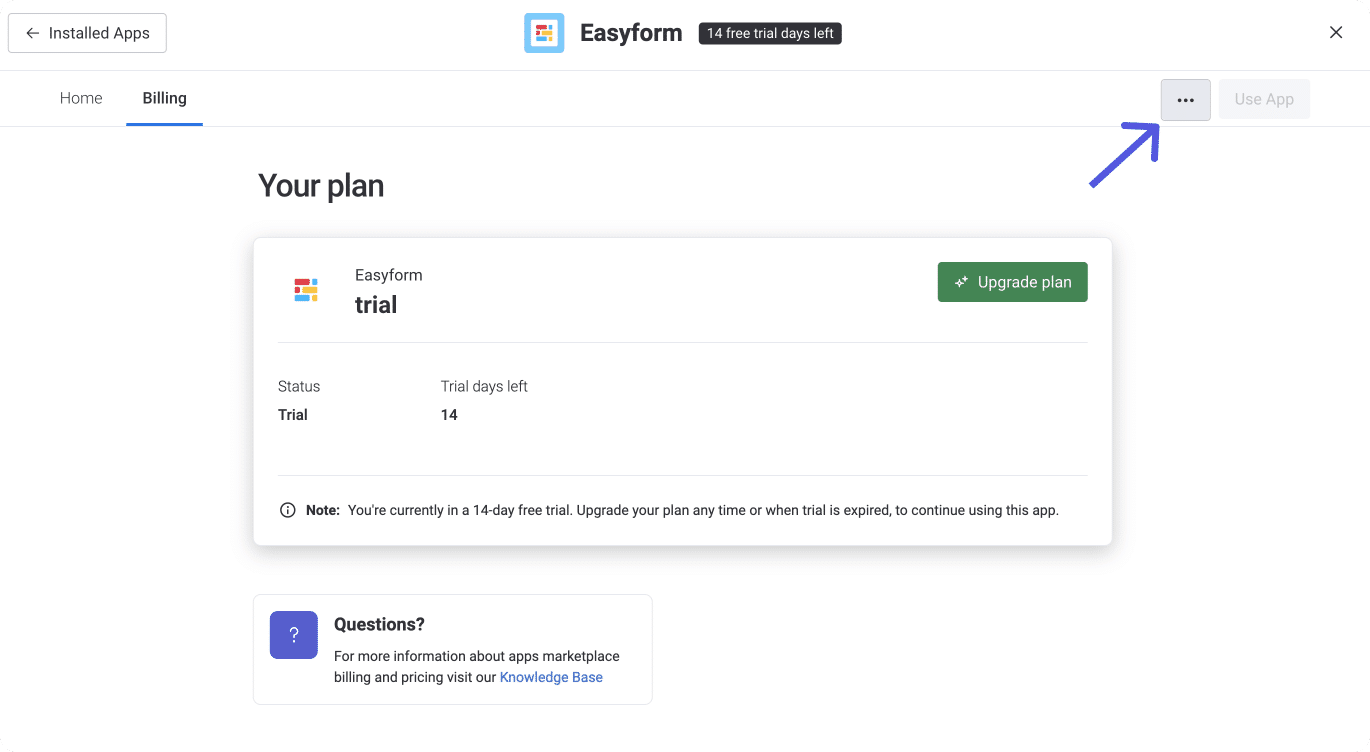
You will be taken to the main page of the app. Click on the “Billing” tab located in the menu at the top left of your screen:
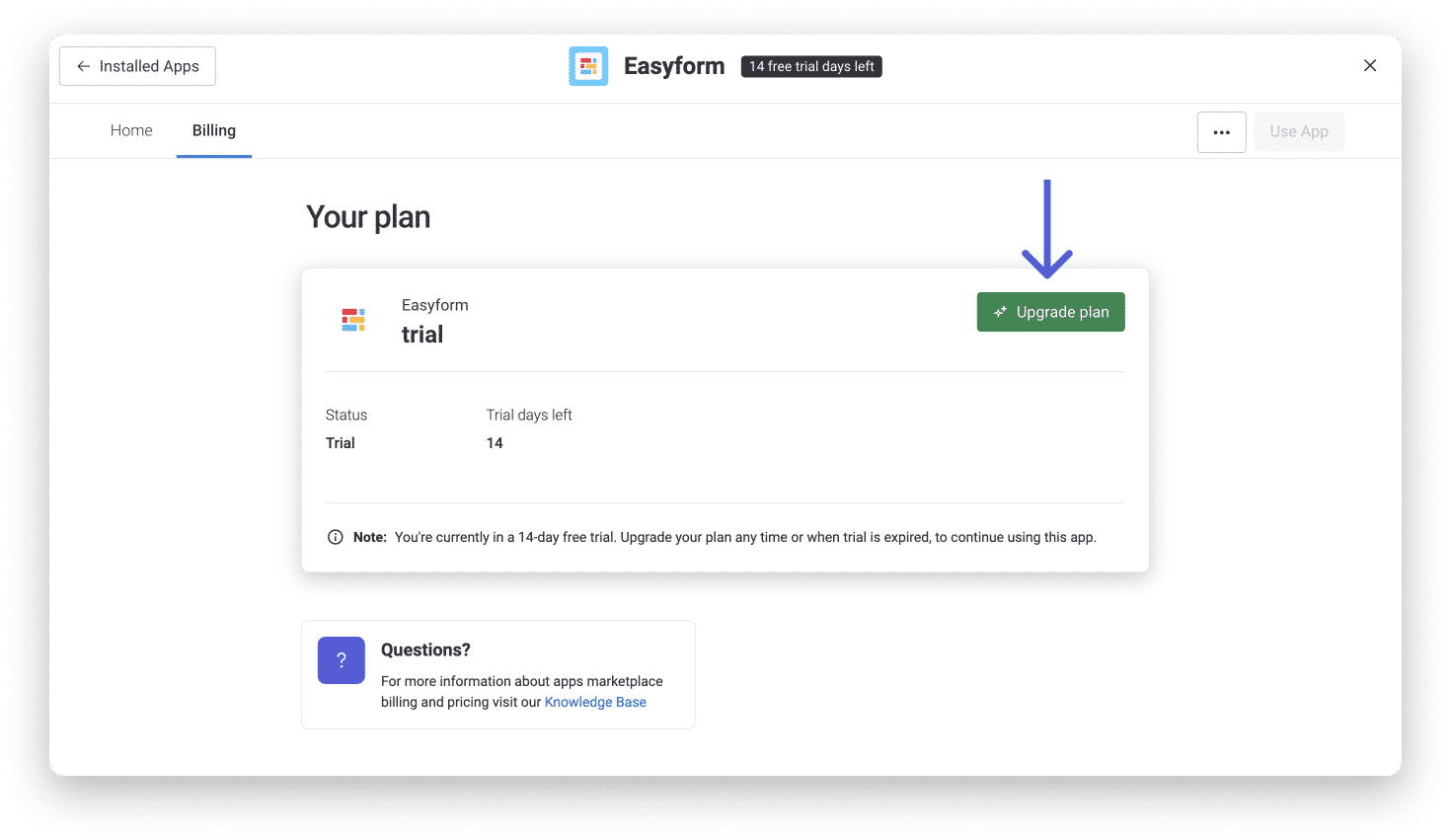
When you reach the “Billing Tab”, click “Upgrade Plan”:
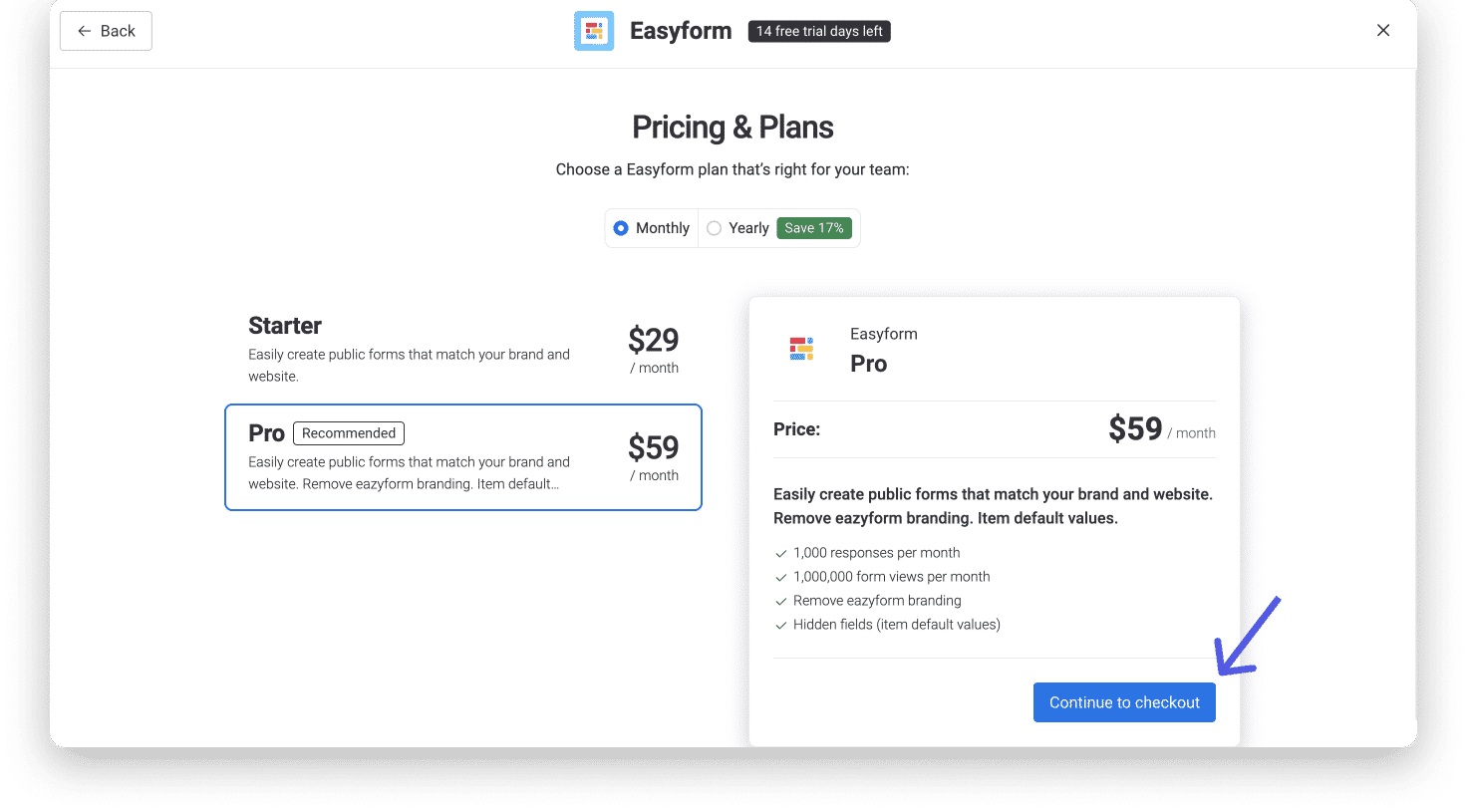
Choose a plan that works best for you and your team! Once you’ve chosen a plan, click “Proceed to Payment” located in the bottom right corner of your screen:

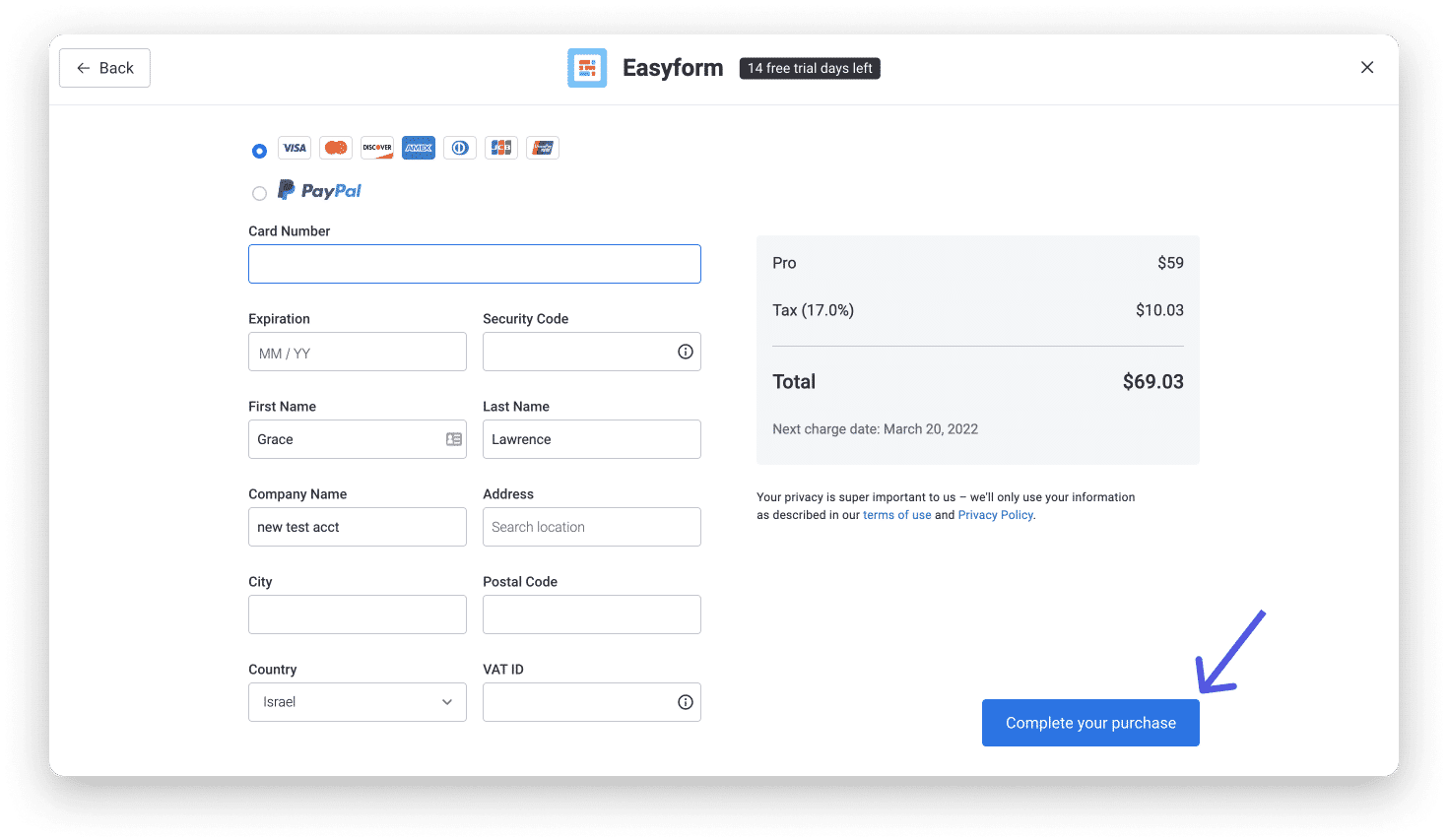
Pay with a major credit card or PayPal and click “Complete Purchase” in the lower right corner of your screen:
How do I access my billing history or invoices?
You can view a specific app’s payment history or access your invoice in the app’s “Billing” tab (as shown above). Once there, click the three-dot menu located next to “App Usage” in the top-right corner of your screen:
How can I manage the subscription status of all my apps?
If you manage a large number of apps, you can check the status of each one in the admin interface . Click Apps in the right sidebar and then the Installed Apps tab. Here you can see the plan and status of each installed app, and you can stay up to date with all the statuses of your subscriptions. 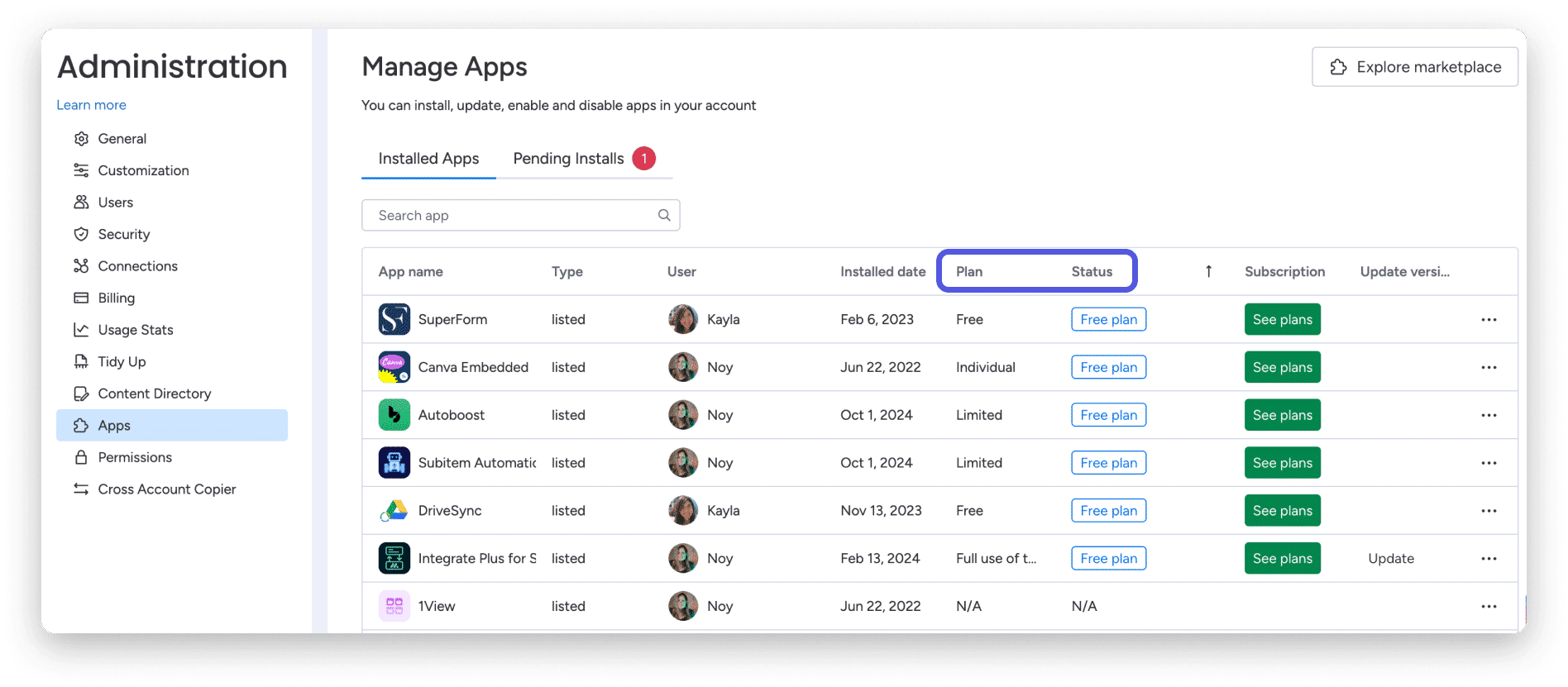
How do I cancel my subscription to a third-party app?
If you have already paid for an app and want to cancel your subscription, navigate to the app’s “Billing” tab (as shown above) and click the three-dot menu located next to “App Usage” in the top right corner of your screen. Select “Cancel Subscription” from the drop-down menu and your subscription will be canceled at the end of your current billing cycle.
How do I transfer payments to external billing apps through Monday?
Some apps have switched from external billing to internal billing via Monday. Unfortunately, we are unable to see previous subscriptions you had with an external app from our side. If you have already paid for the external app, please contact the app developer first, as we don’t want you to be charged twice! The app developer will give you detailed instructions on how to transfer your payments from their external system to the monday.com platform.
When should I contact the app developer?
As mentioned in this guide, there are a few cases where you will need to contact the app developer for further clarification if the app does not support billing via monday:
- To pay for the app and manage your subscription
- To access your billing history
- To cancel your subscription
- To consult payment details for external apps that have moved to Monday
Contacting an app developer is easy through the App Market. Click on “Installed Apps” in the top right corner of the App Market and select an installed app. Click on the three-dot menu next to “Using the App” and select “Contact Developer.” This will automatically open an email to the app developer!
And that’s it! We hope you enjoy the monday.com app market as much as we do. With apps, you can analyze and present your data in new, dynamic ways and collaborate more effectively across your organization. Extending the capabilities of your OS has never been easier!