
Enhance your monday.com dashboard or board view with metrics, reports, and analytics directly from Google Data Studio! Using the Data Studio report view or widget, you can easily integrate any report or analysis from Google Data Studio into your monday.com account to get Powerful data insights and improve your reporting capabilities! Read on to learn how to set it up.
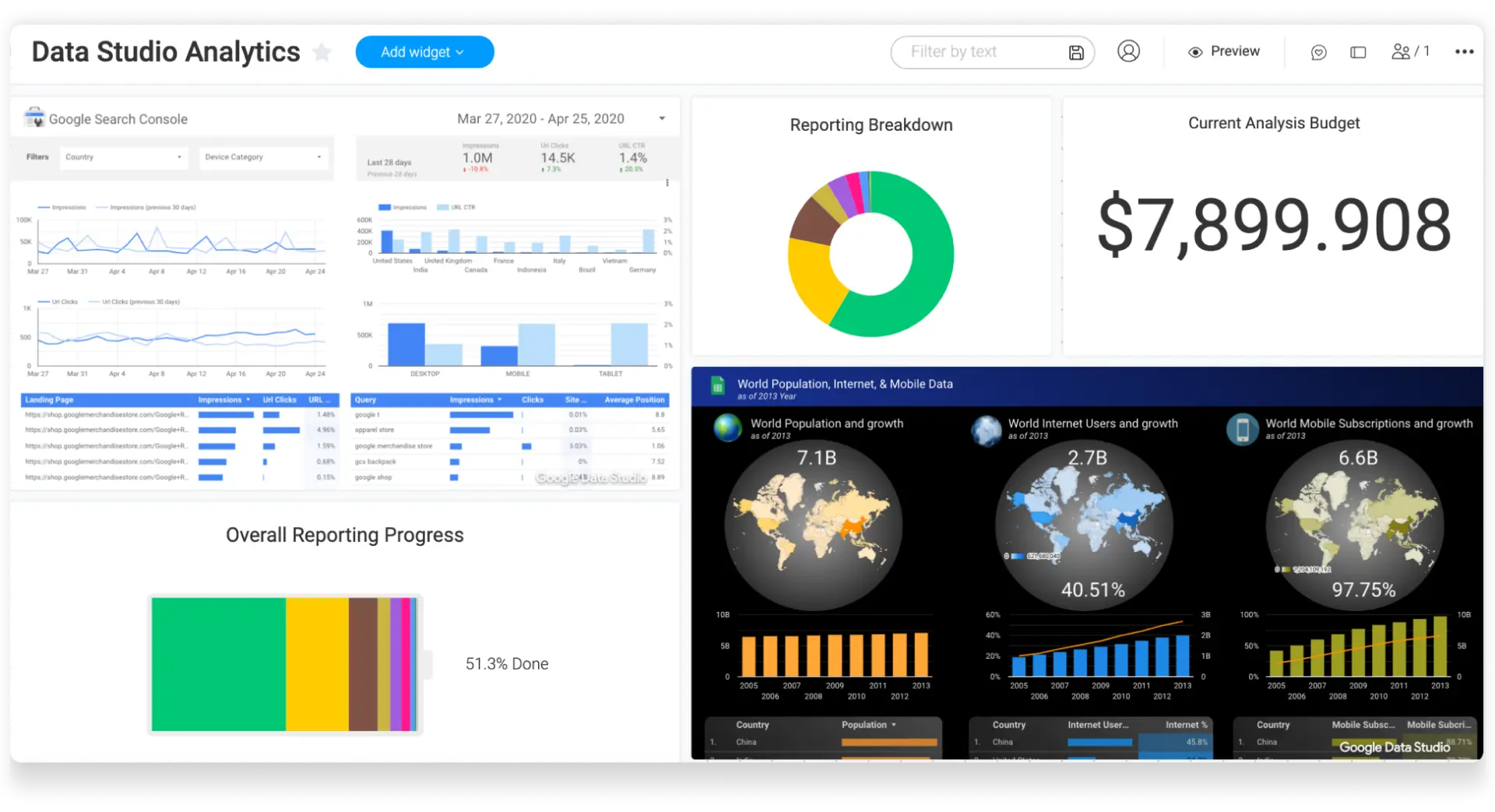
How to add this to your board and dashboard?
-
Board view
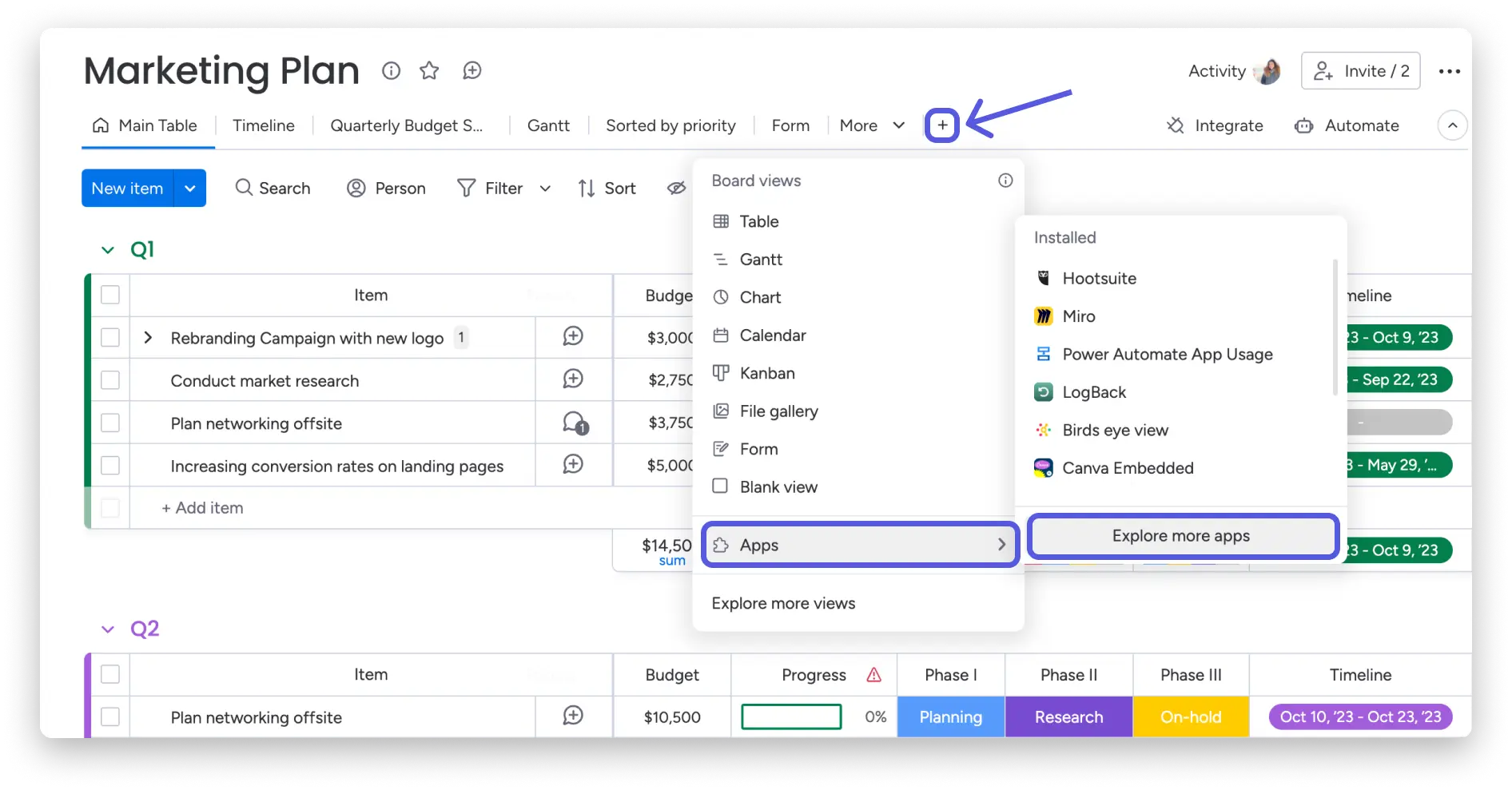
To add the Data Studio report view to your dashboard, click the plus sign on the dashboard at the top of the screen. Click ” Apps ” and then ” Discover more apps ,” which will take you to the apps in the marketplace in the dashboard center.
In the Views Center, search for ” Embedded Data Studio ” and add it to your dashboard: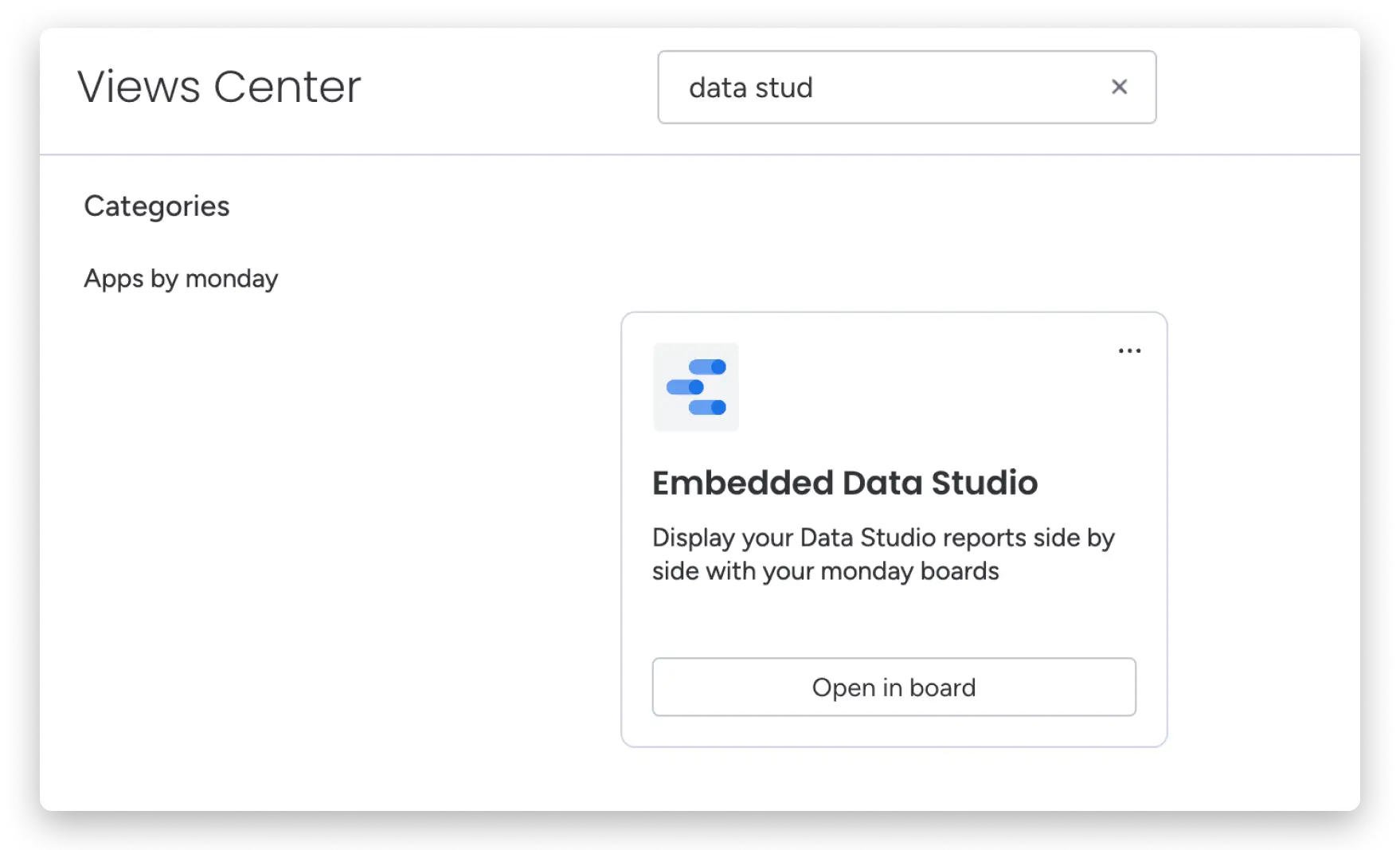
-
dashboard
Once you click ” Open in Dashboard ,” the Embedded Data Studio widget will appear on your dashboard.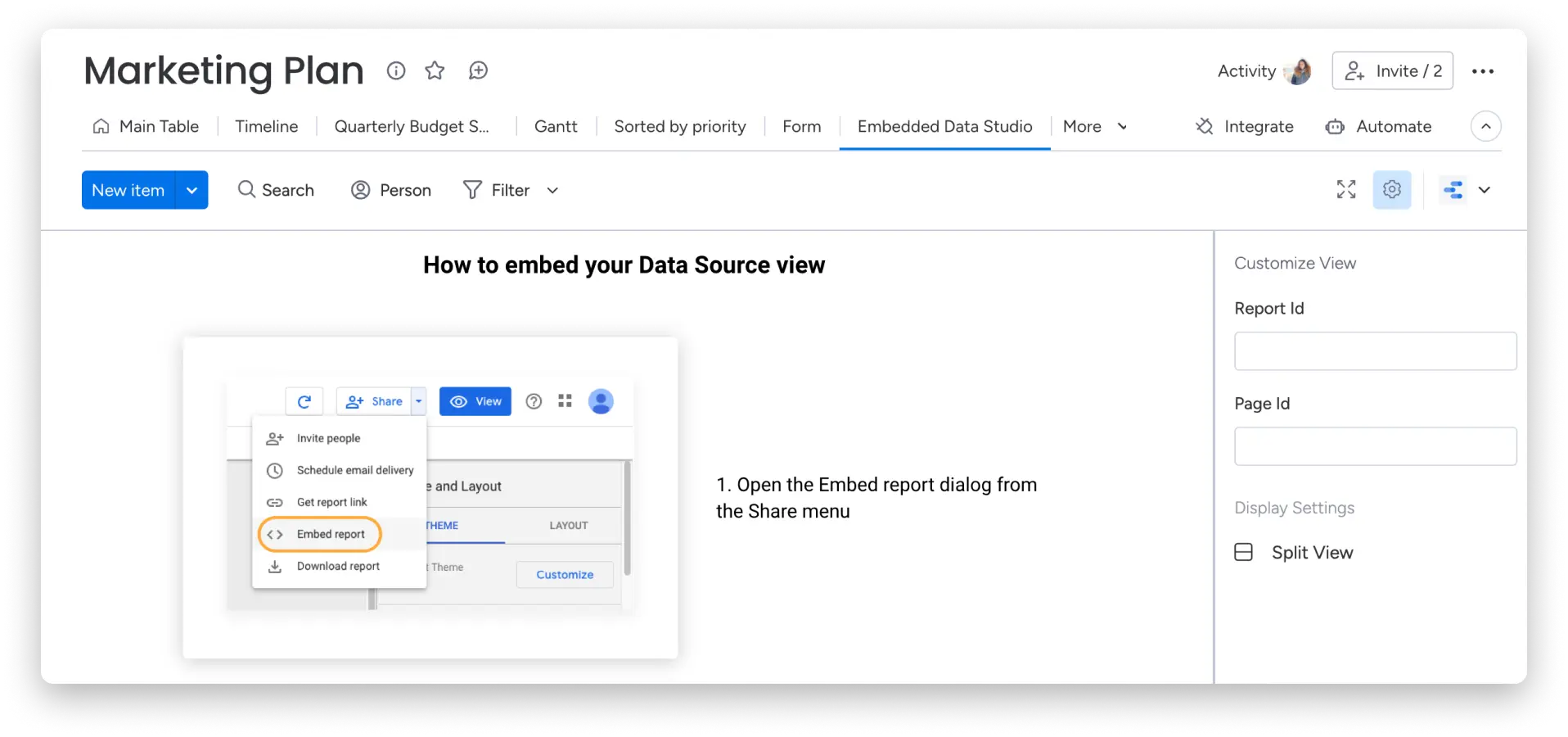
How to set this up?
Access the Data Studio report embed code to link it to monday.com
Open Google Data Studio to access the desired report you want to embed on monday.com. From there, click the share menu at the top of the page and click ‘Embed report’: 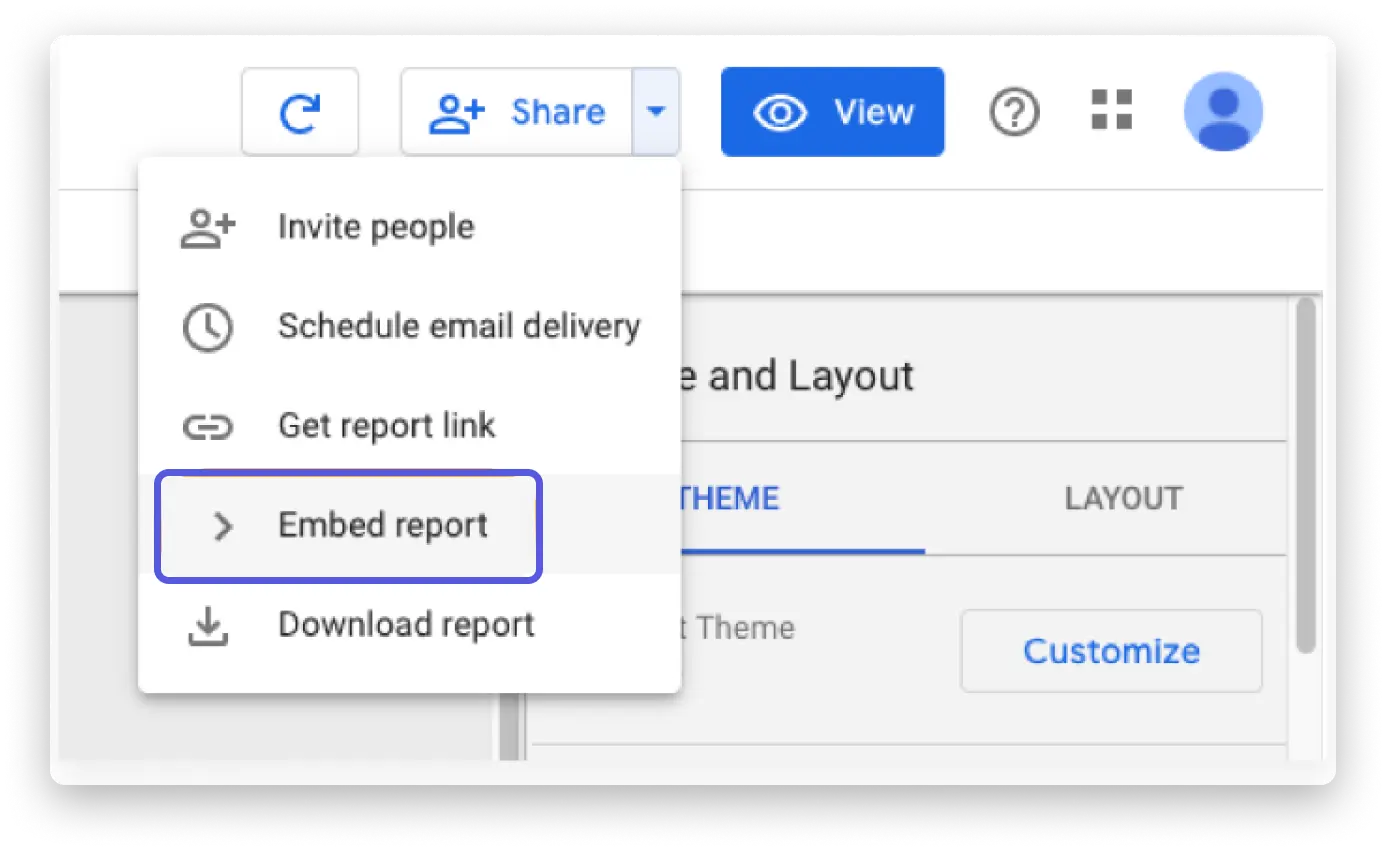
Copy/duplicate the Report ID from the embed code to the display or widget settings.
From the Data Studio implementation code, copy the sequence of numbers and letters that appears after the word ‘reporting/’.
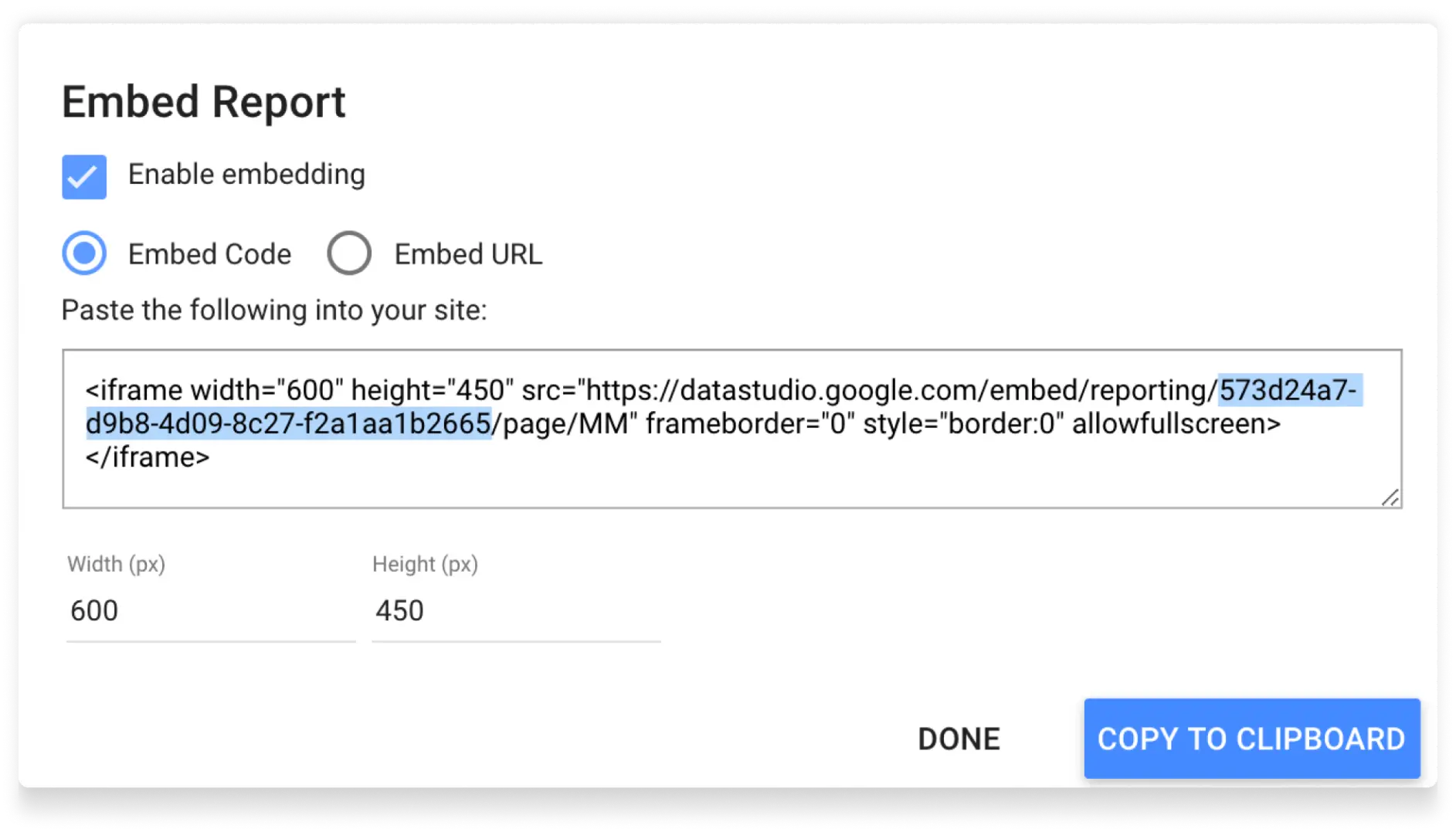
Once you’ve copied it, simply paste it into the ‘Report ID’ section of your monday.com display or widget settings: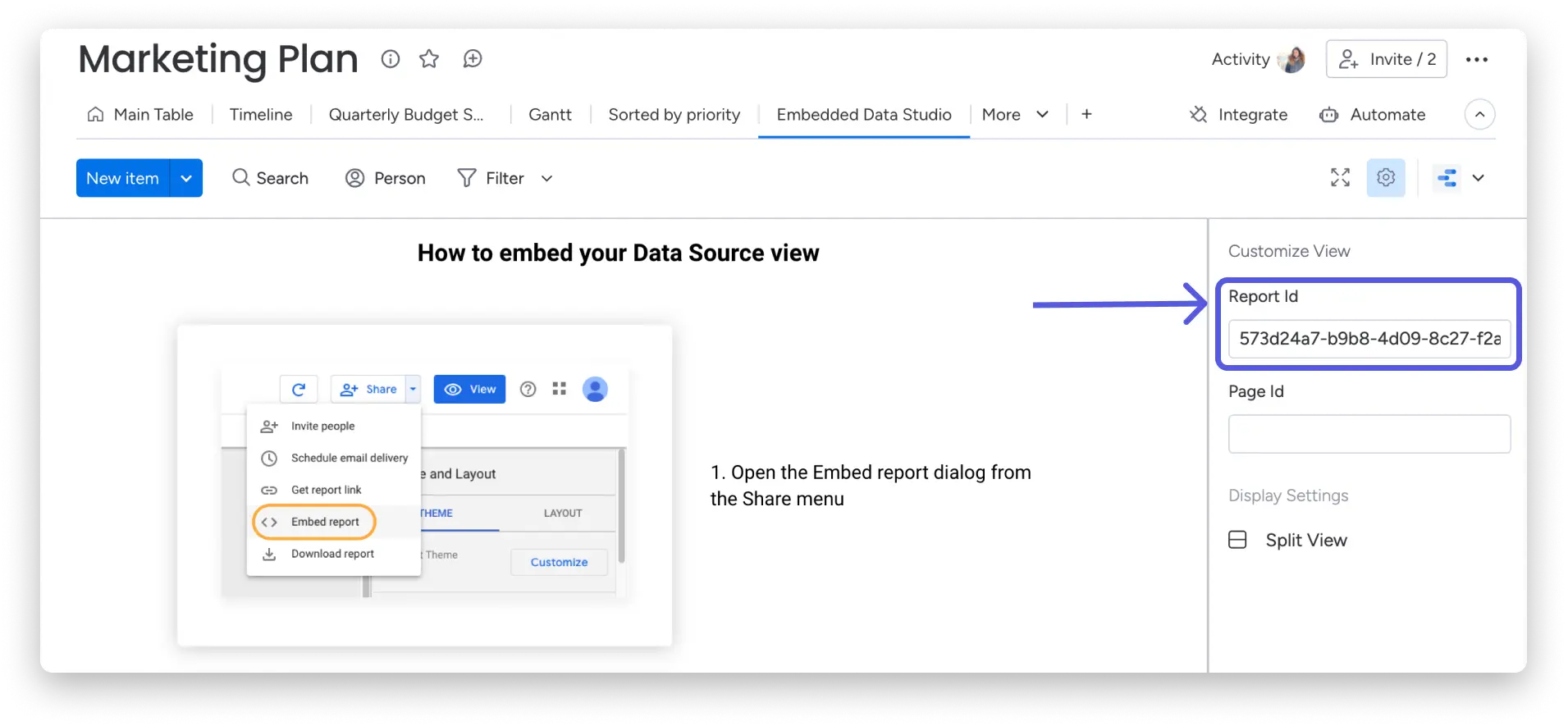
Copy/duplicate the Page ID from the embed code for a display or widget.
From the Data Studio embed code, copy the numbers and/or letters that appear after the word ‘page/’:
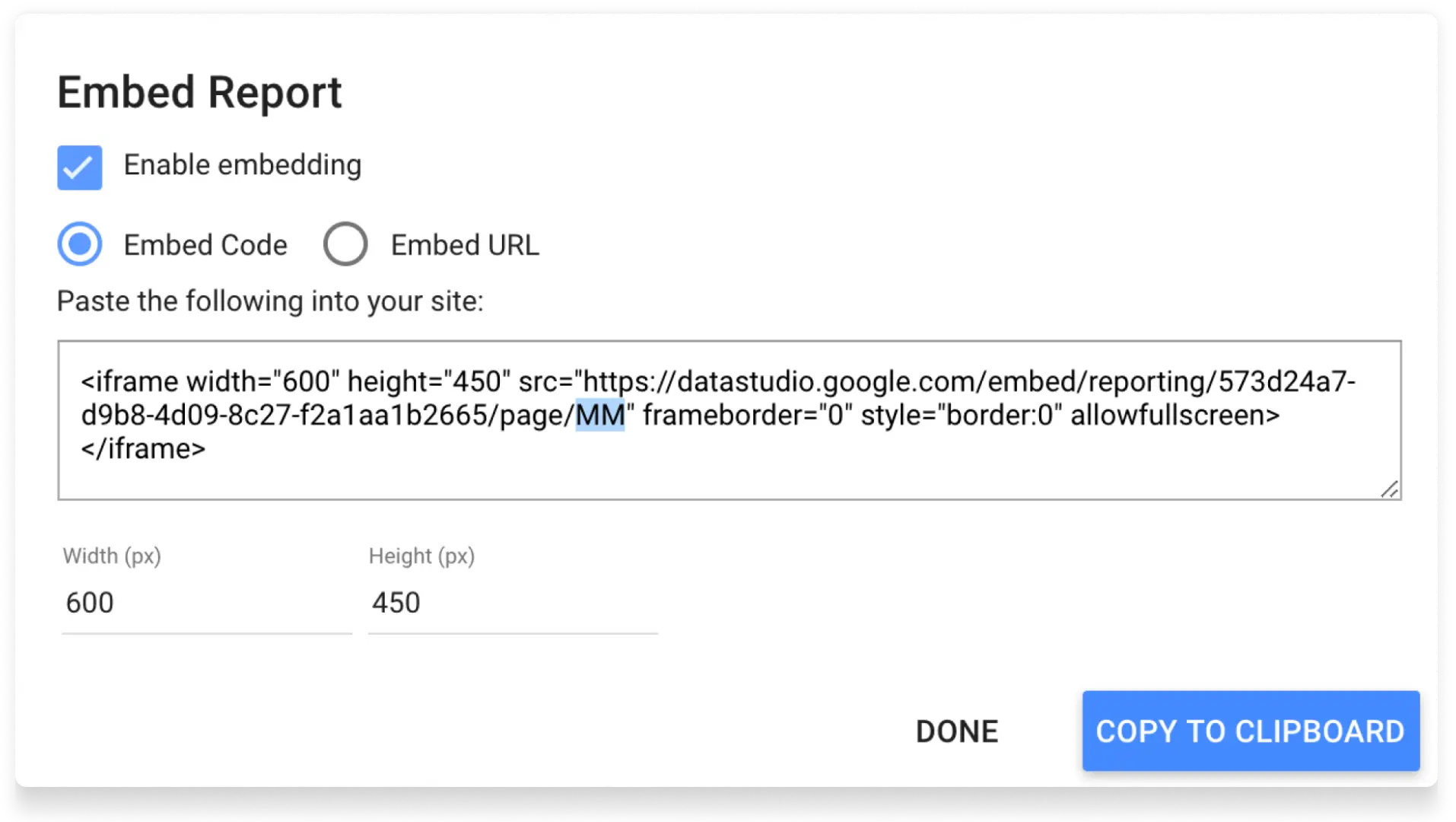
Once you’ve copied it, simply paste it into the ‘Page ID’ section of your monday.com display or widget settings:
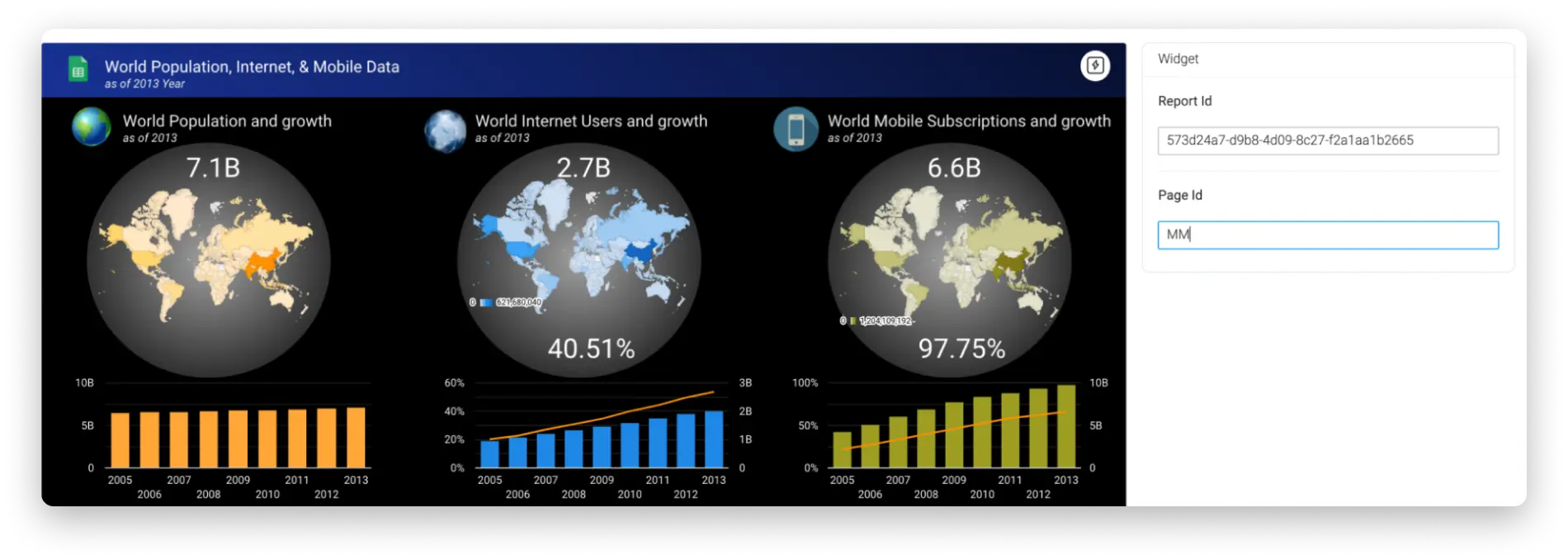
Add the Data Studio report to your board or dashboard!
If you’re using the Data Studio Report widget, click Done in the top right of the widget settings. Otherwise, if you’re creating a Data Studio Report view, there’s nothing else you need to do – once you’ve entered the Report ID and Page ID in the view settings, your view is ready!
That’s it, your Data Studio view or widget is now ready to go!

If you have any questions, please contact our team immediately here . We are available 24/7 and will be happy to help.