
 Available only on Enterprise plans. Please note: This feature is gradually rolling out to Enterprise accounts, so if you don’t see it on yours, it’s coming soon.
 When it comes to automating your workflow, monday.com offers several powerful tools that can help you achieve any goal. The right tool for you may depend on where you are in your monday.com journey. Read on to learn more about the differences between these automated tools and decide which one is perfect for you and your team right now!
Automations
What are automations?
Automations allow you to build processes to automate your workflows within monday.com. They can be completely customized or based on a pre-made template. Automations are an ideal, code-free way to eliminate manual work on a single board or across multiple boards.

Where do I set up automation?
On a board. You set up an automation on one board. It can run across boards, but it stays on your board once it’s created.
Integrations
What are integrations?
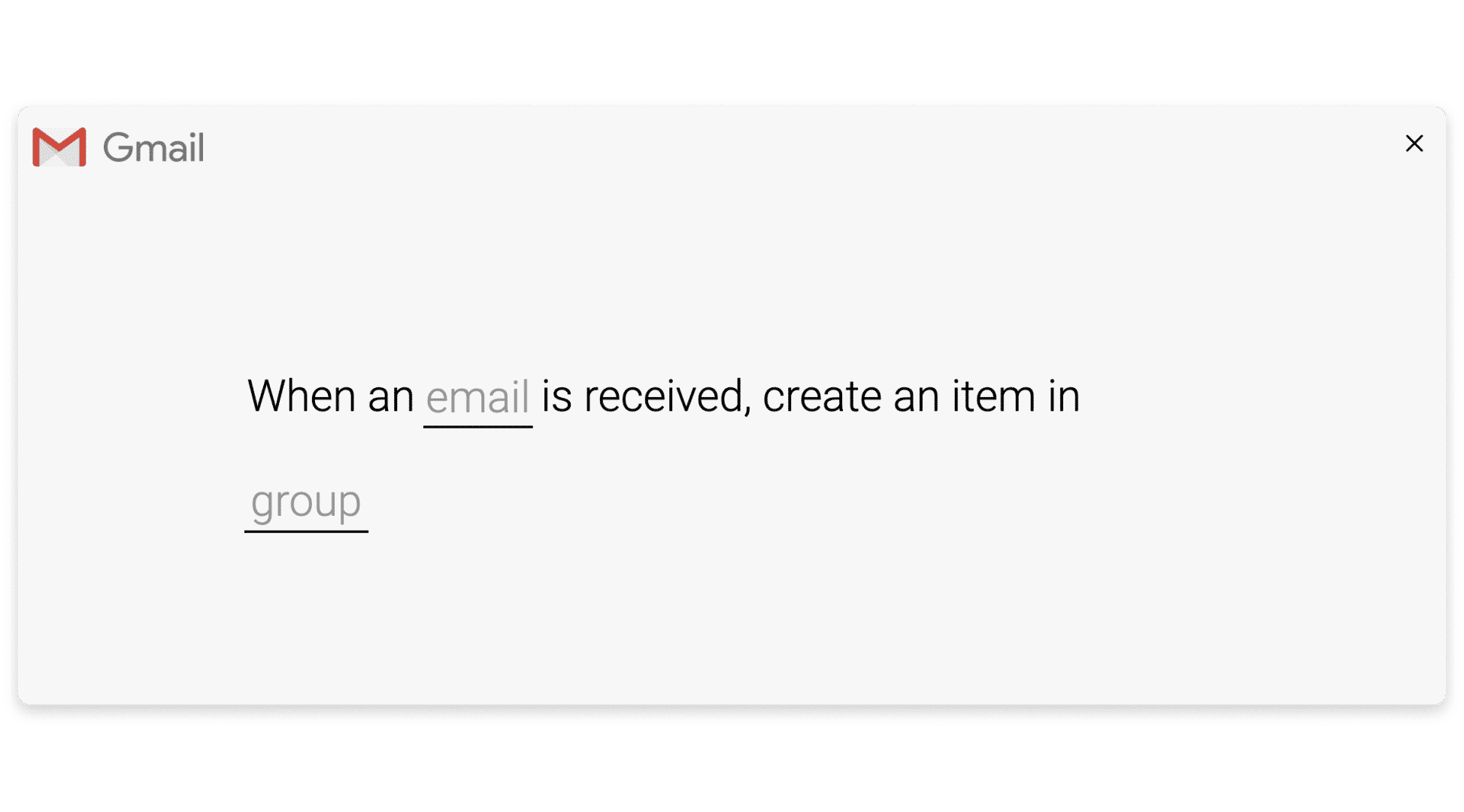
Integrations are ideal for unifying your work. With integrations, you can turn your monday.com account into the hub of your work. Our integrations allow you to connect monday.com to external platforms. This is done by selecting a pre-defined integration flow to automate the exchange of information between the two platforms. You can send information from one platform to the other. You can also create two-way sync to automatically update fields in either direction so there is no confusion when referring to both platforms.
Where do I define integration?
On a board. You set up an integration on one board. It can work across boards, but it resides on your board once it’s created.
Monday Workflows
What are Monday’s workflows?
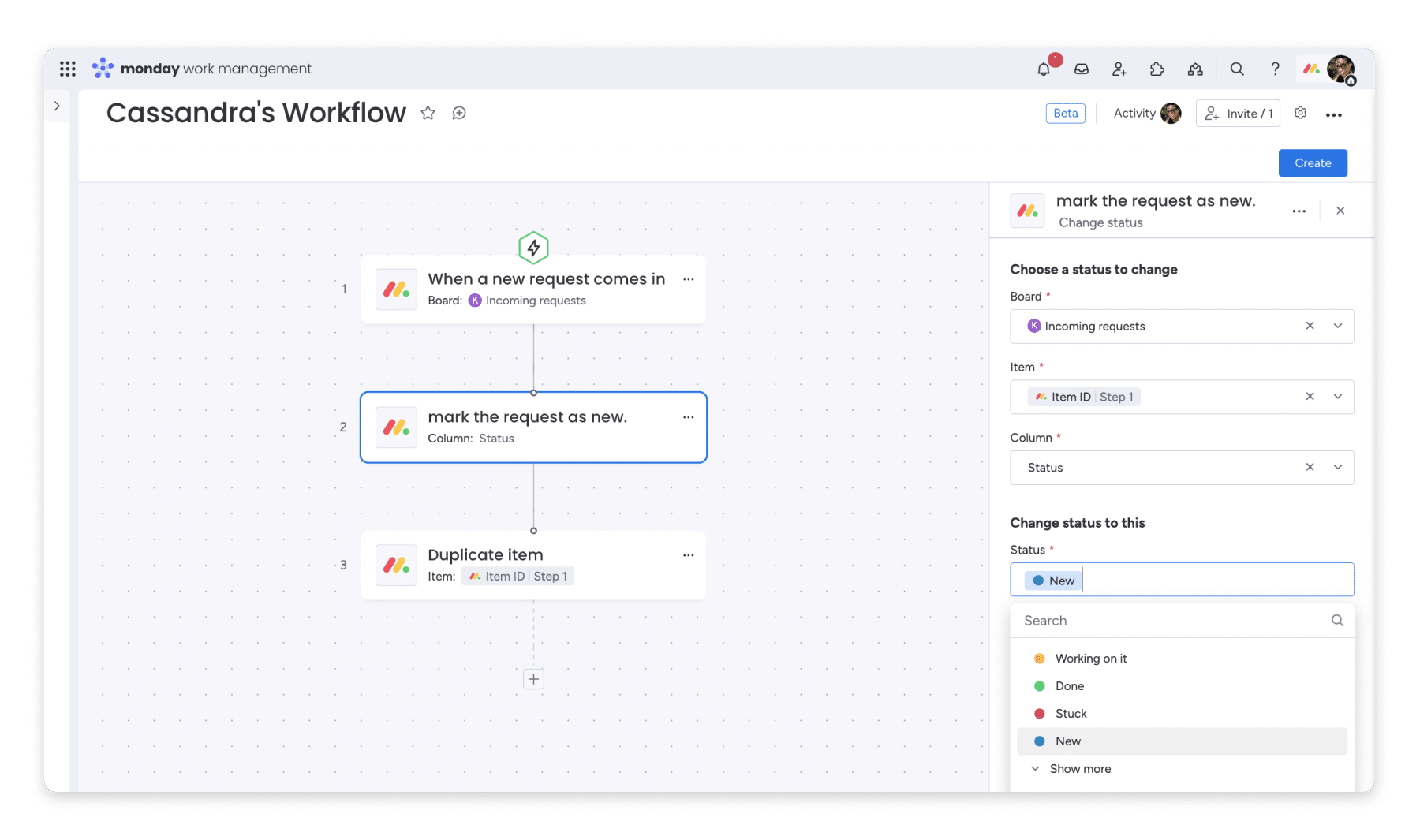
Monday Workflows is your tool for bringing all your workflow elements together. Monday Workflows feature automation, integration, and simplicity to help you create the harmony your work needs. Fully customizable and fully visual, the builder uses drag-and-drop blocks to make your workflow dreams a reality.
Where do I define a workflow?
Within a workspace. When you create a workflow, it lives in your workspace as a separate entity, listed alongside your boards.
imagination
There are similarities between the three tools. Each of these tools:
- Ideal for automation. They can all make your life easier by eliminating manual work. (And maybe, manual errors too!)
- Allows for customization. While the extent of your customization options varies by tool, all tools allow for some level of customization. You can build what you need, how you need!
- Running on the same infrastructure. This is a technical note, but it may be helpful if you are integrating with the help of engineers or your IT department.
Differences
There are a few key differences that can help you decide where to start.
✨ Where automations shine:
- Automation templates take some of the guesswork and planning out of automation. They’re best for processes that don’t require many steps. Ideally, the process is done on a single board, although automations can be used across boards. In any case, automations are best used in isolation — they’re not the ideal tool for a larger automation project, like automating an entire workflow.
✨ Where integrations shine:
- If you’re primarily interested in connecting monday.com with an external tool, integrations are ideal. When connectivity is your priority, consider using integrations. However, if integrations are one element of a much larger automation need, consider using integrations within monday workflows. To learn more about what integrations are available with monday workflows, check out the article “monday workflows: integrations.”
✨ Where monday workflows shine:
- If you’re going big, monday workflows are the way to go! monday workflows can be used for smaller processes, but they’re ideal for building a broad workflow across multiple boards and tools. monday workflows are unique in that they allow you to visually build a workflow, seeing integrations and automations side by side on a single canvas. The canvas becomes a simple, visual map of how each automated element in your workflow works together.
- If you work in a language other than English, you’ll find monday workflows easier to work with. While automations and integrations will remain in English regardless of the language you use on monday.com, monday workflows will automatically use the language you use in your monday.com account.


How to choose
To understand where to start, ask yourself the following questions:
Which element of my workflow is the most important?
Additional questions to consider: Do I need only automations or integrations? If I need both, what is most important?
If you need both and they are equally important, consider the scope of your workflow.
What is the scope of my workflow?
Additional questions to consider: How many elements are you trying to automate together? How many panels will be involved? Will you require enough elements that if they were separate, there might be some confusion when thinking about how they work together?
Additional questions to consider: If automation will be an integral part of your work that will flow without interruption, consider Monday workflows.