
Are you an aspiring 3D artist who wants to create stunning animations? Look no further than Blender! This free and open-source 3D creation suite has everything you need to succeed, from modelling and rigging to animation, simulation, rendering, and compositing.
In this comprehensive course, we’ll take you through the entire creative process of making a short animation in Blender. We’ll cover everything from conception to completion, so you can become a master of this powerful software.
Before even opening Blender, it’s crucial to know what you want to create. This means having a clear concept in mind. We’ll guide you through the important considerations, like shape language, storytelling, and appealing design.
With a solid concept in place, it’s time to start modelling your 3D assets. Don’t worry if you’re new to modelling; we’ll teach you all the important fundamentals. Learn about workflows, tools, and how to solve modelling problems like a pro.
Next up is texturing, or shading as it’s called in Blender. You’ll learn all about how to work with materials, including the new Material Preview Mode. This feature lets you quickly view your 3D scene in different lighting conditions, making it easier to see changes in real-time.
Whether you’re animating simple keyframes or complex walk-cycles, rigging is essential. This process involves creating a skeleton for your models, allowing them to move realistically. We’ll teach you the basics of rigging, so you can bring your characters to life.
Once you have your characters rigged, it’s time to animate them. We’ll cover all the important fundamentals, including how to animate 3D objects, properties, and shapes. You’ll learn about keyframe interpolations, animation modifiers, and the different editors for animation.
Lighting can make or break a scene, so it’s important to get it right. We’ll show you how to work with different light types, important settings, and how to use the background to light up your scene. You’ll also learn about indirect and volumetric lighting.
Add moving particles like rain or create a dense forest with the particle simulation feature. This section covers all the important fundamentals on how to use particles to add movement and depth to your scenes.
The final step in the process is rendering. This involves outputting your scene as a still image or animation. We’ll teach you all the fundamentals, including the render and output settings. Plus, we’ll dive deep into the new real-time render engine called EEVEE, as well as the Cycles render engine for high-quality renders.
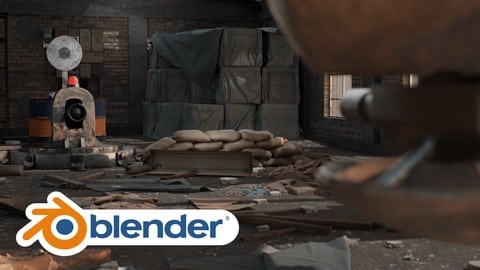
Finally, it’s time to put everything you’ve learned into action. We’ll guide you through making a render of a robot combat scene in Blender. You’ll see how all the different stages come together to create a complete animation.
By the end of this course, you’ll be a master of Blender. You’ll have the skills and knowledge needed to create stunning animations, from modelling to rendering. Don’t miss out on this opportunity to take your 3D skills to the next level!

Price: 49.99$


