
How to place a limit order on CEX.IO’s Spot Trading

A limit order policy allows you to trade digital currencies at a pre-defined price, which may be different from the current market price. When you place a limit order, you specify how much currency you want to buy or sell and at what price. The order is then sent to the order book and will be executed when the market price reaches the specified price.
How to place a limit order
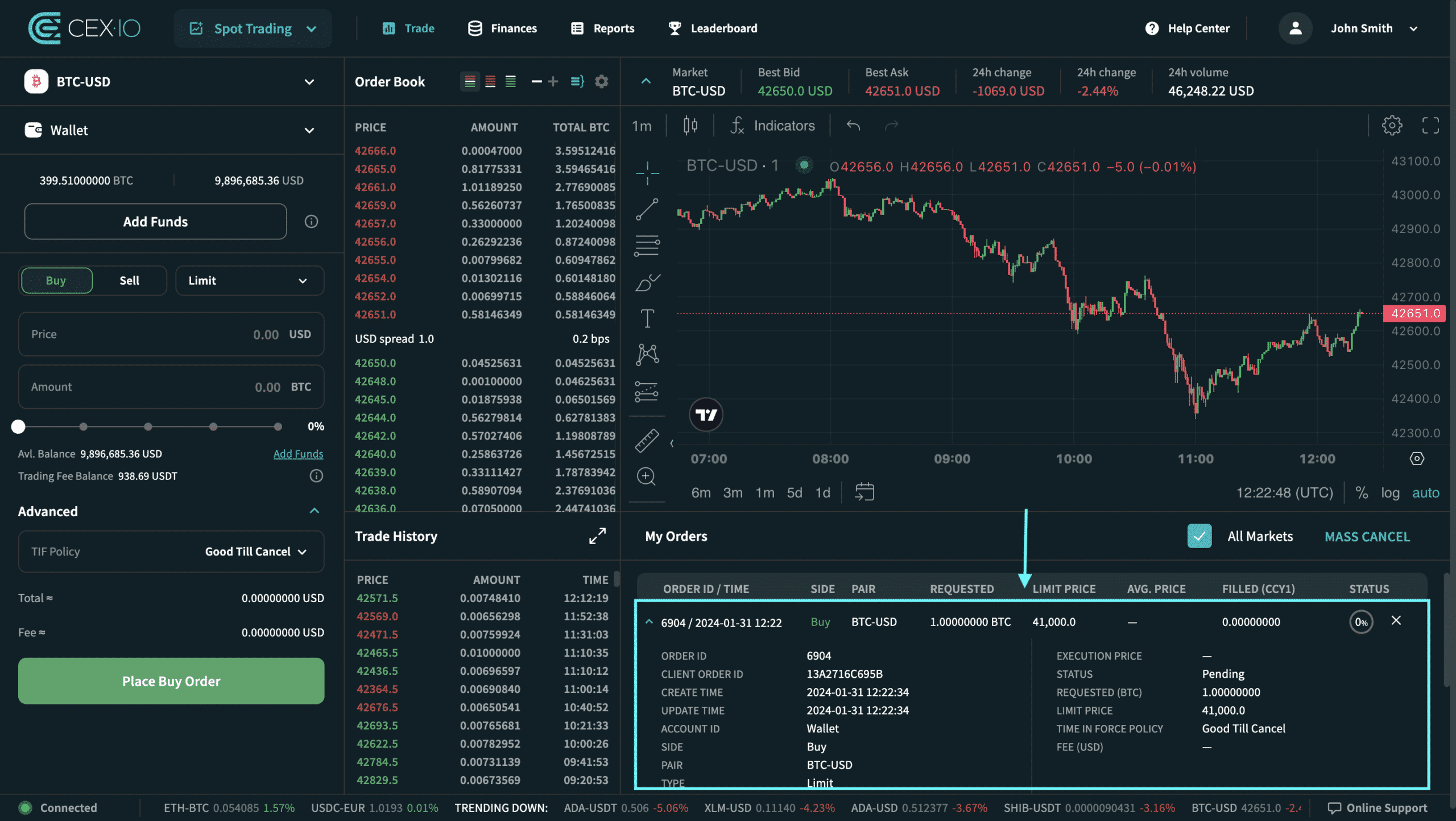
The trading page is divided into five main sections: New Order, Order Book, Trading History, Graph, and Order Detail.
Interested in learning more about the opportunities on the Trading Page? Please follow the link to the Trading Page Review.
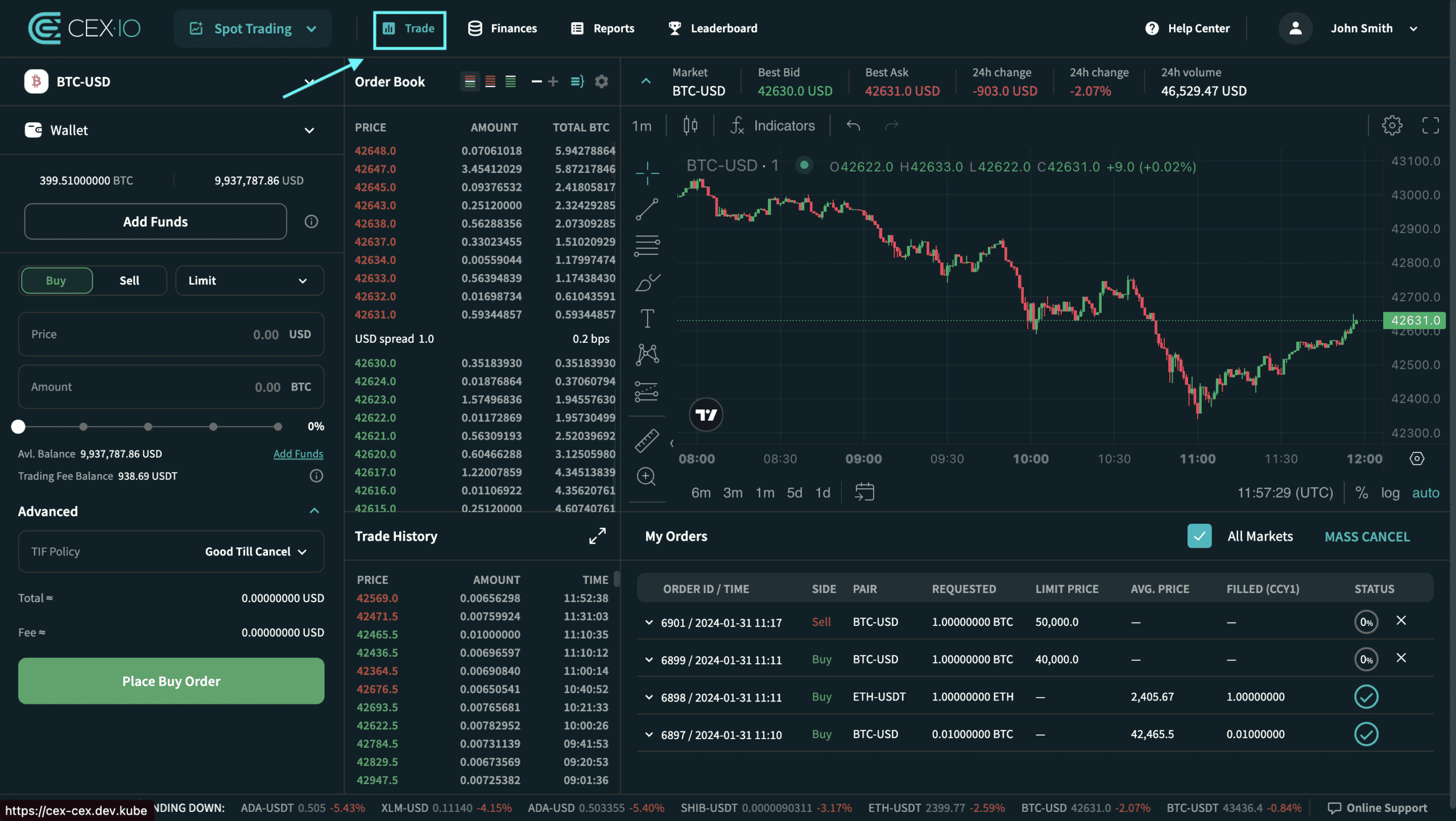
1. Open the trading page
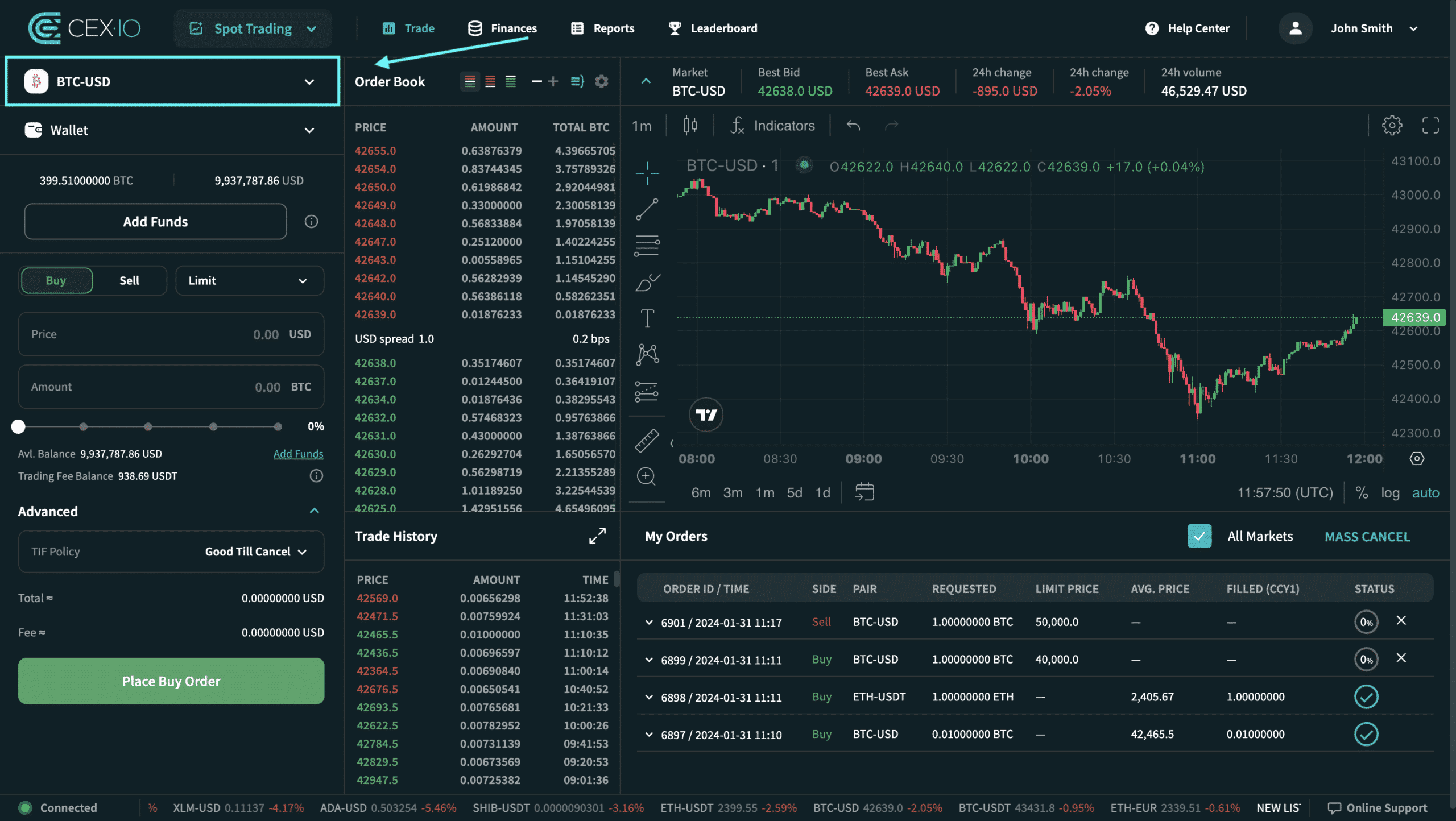
Choose a pair to trade
Trading Pair Selector – Allows you to select the pair to trade by scrolling or using the search bar.
By default, the selected pair is BTC-USD or the last selected pair.
2. Select a wallet or sub-account for trading
Select Account – Allows you to choose the name of the account you want to create a new order under.
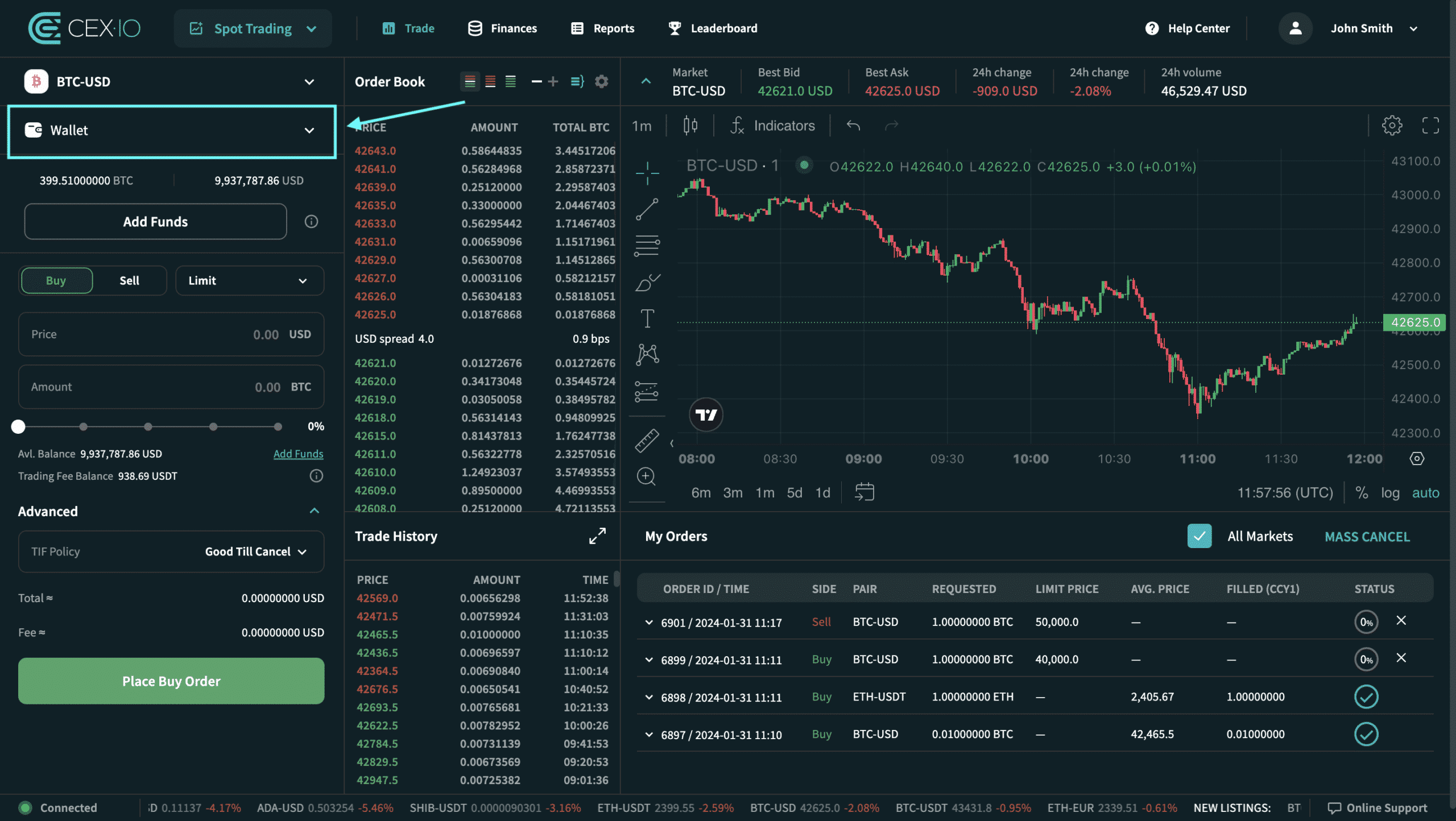
By default, the main account is selected in the account list.
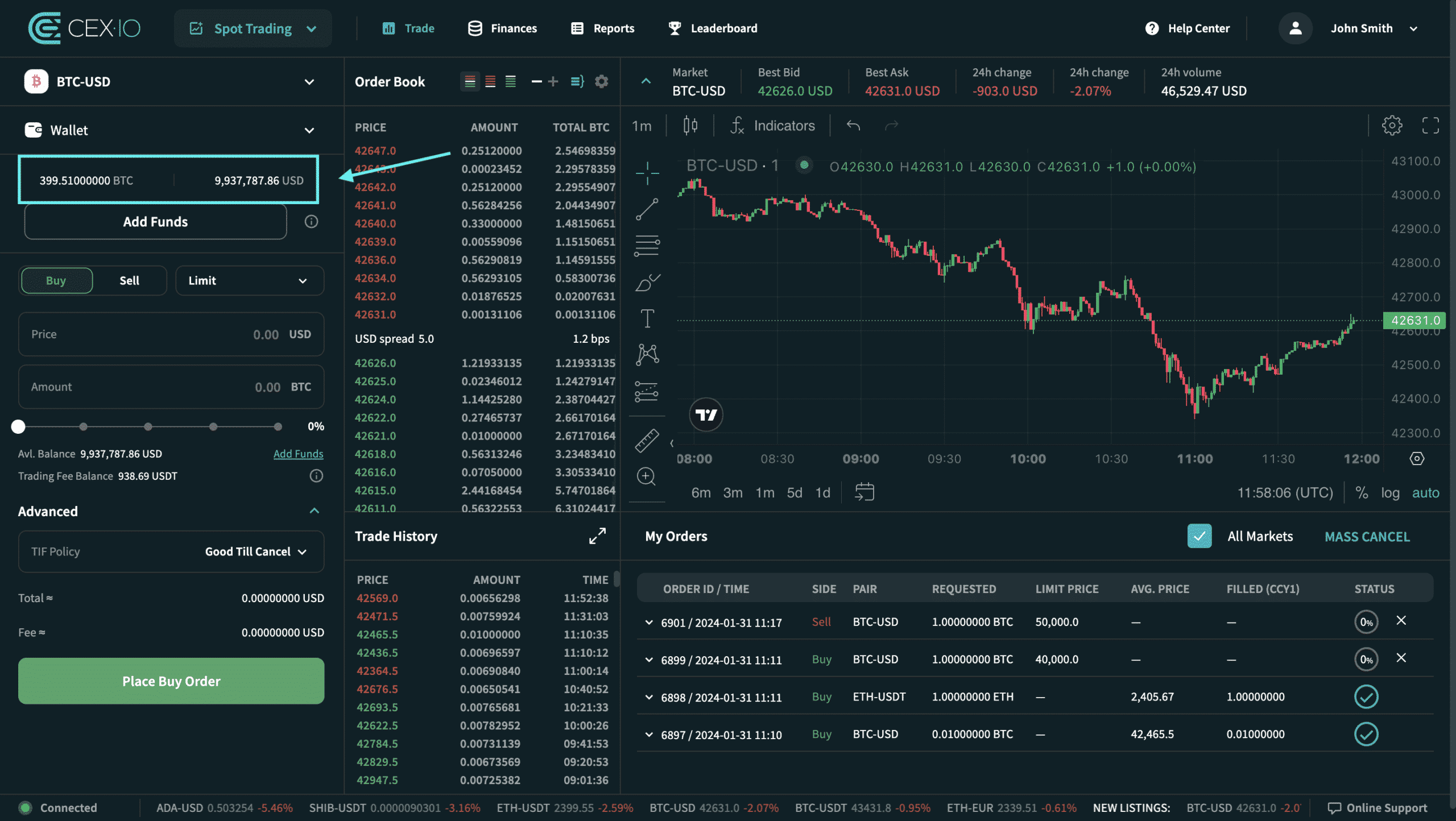
For ease of use, Purchasing Power Overview – displays the balance available for trading, for the selected account, for the selected trading pair.
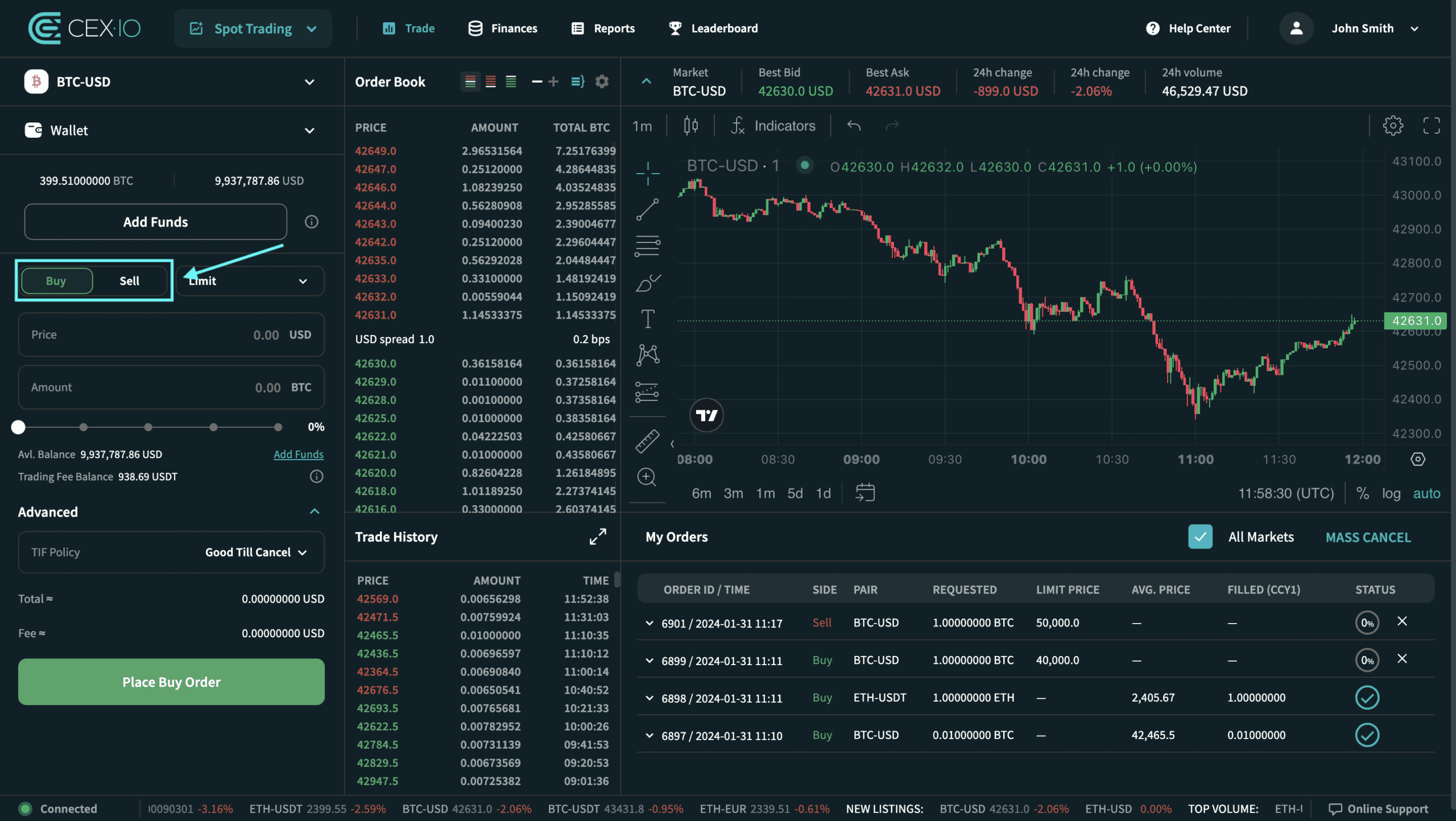
3. Choose to buy or sell
At this stage, you must select the desired side of the order: buy or sell.
Here, you can check out the guide on how to place an order at a market price.
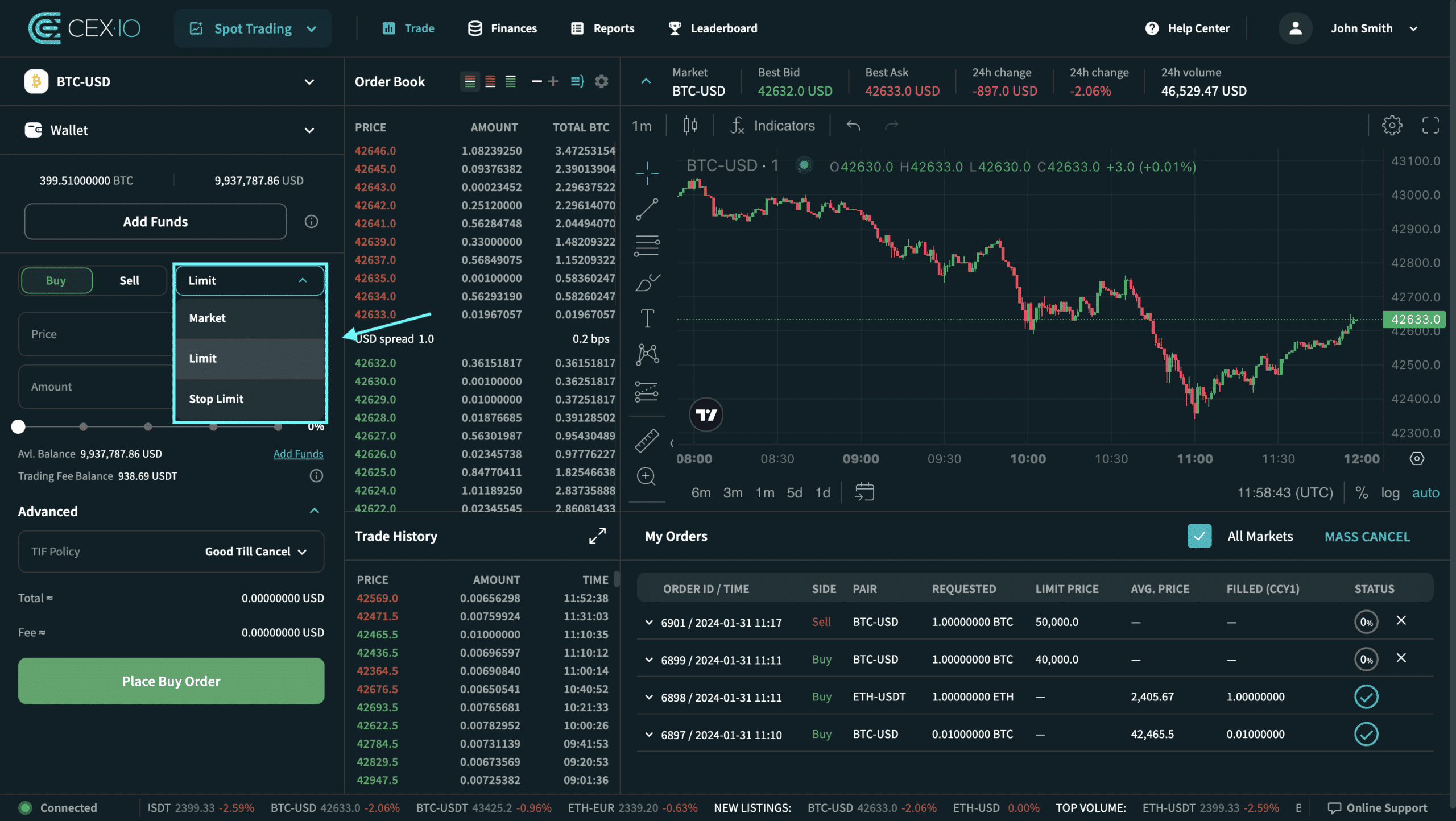
4. Select the order type
Market order is selected by default. In this context, the “Limit” order type must be selected to proceed to defining and placing the limit order.
It should be noted that by its nature, a limit order gives the trader more control over the price but does not guarantee that the order will be executed. The limit price may not be executed at all. Limit orders are more appropriate in cases where the execution price is more important than the speed of order execution.
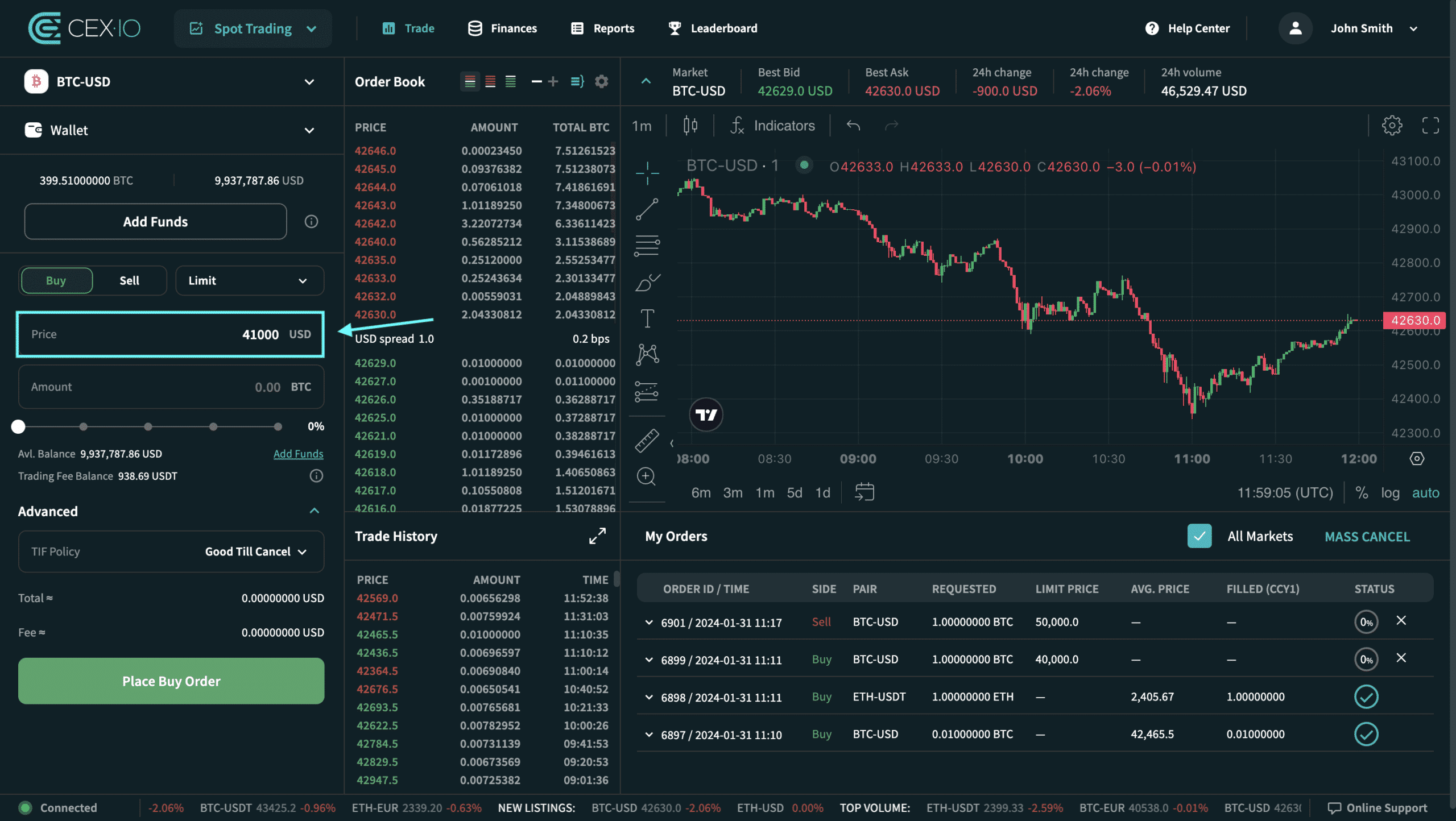
5. Choose the limit price
The limit price – is the price set by the client to place a limit order.
In a buy limit order, the limit price represents the highest price the customer would be willing to accept to execute the order, while in a sell limit order, the limit price represents the lowest price the customer would be willing to accept to execute the order.
The limit price is always indicated in the second currency of the trading pair (for example, a price for the BTC-USD trading pair is always indicated in USD currency).
6. Select the amount of currency
Please note that the minimum and maximum order quantities are different for each trading pair.
It should also be noted that for limit orders, the quantity can only be specified in the first currency of the trading pair (for example, quantity in BTC for the BTC-USD trading pair, not in USD).
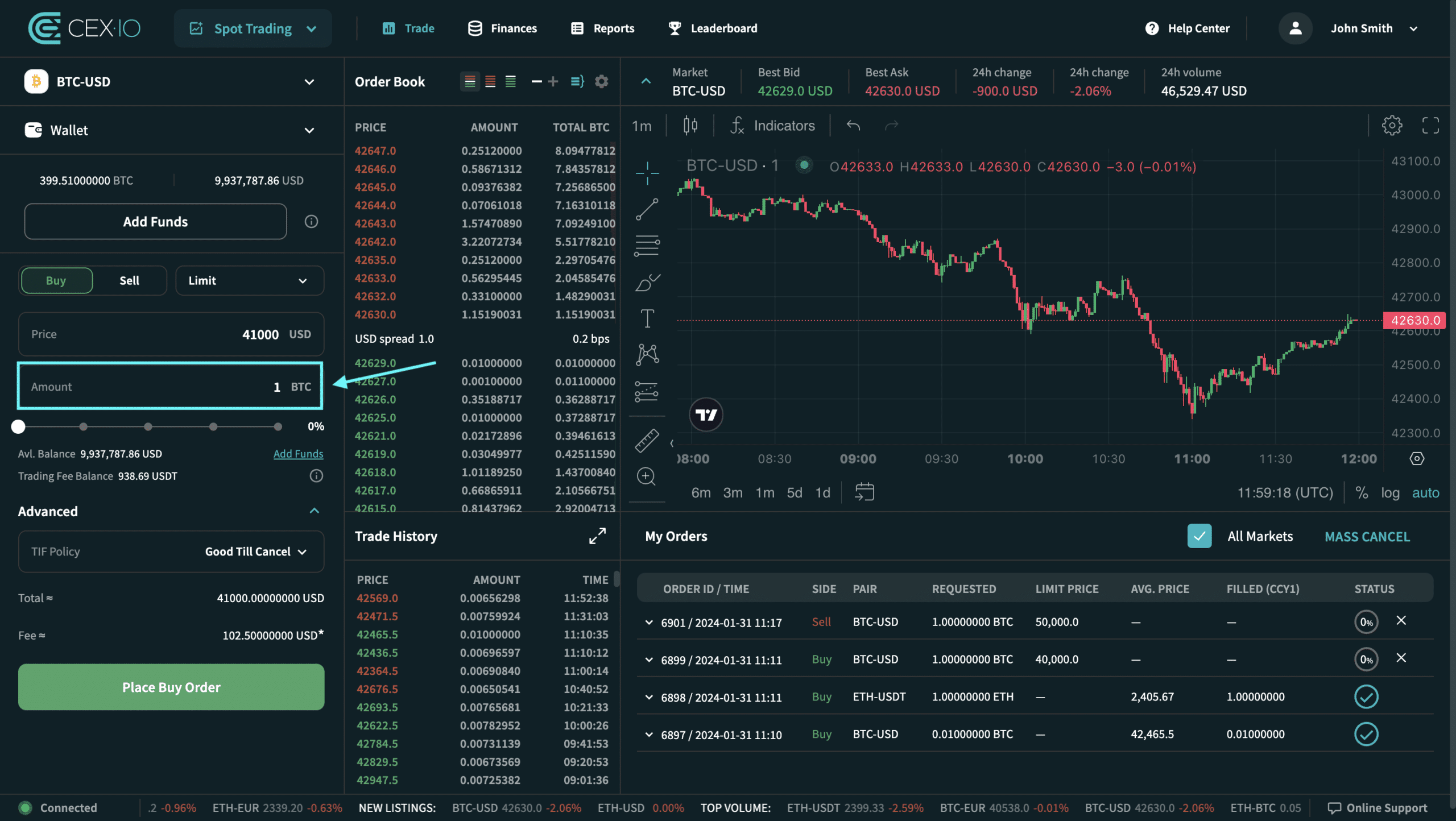
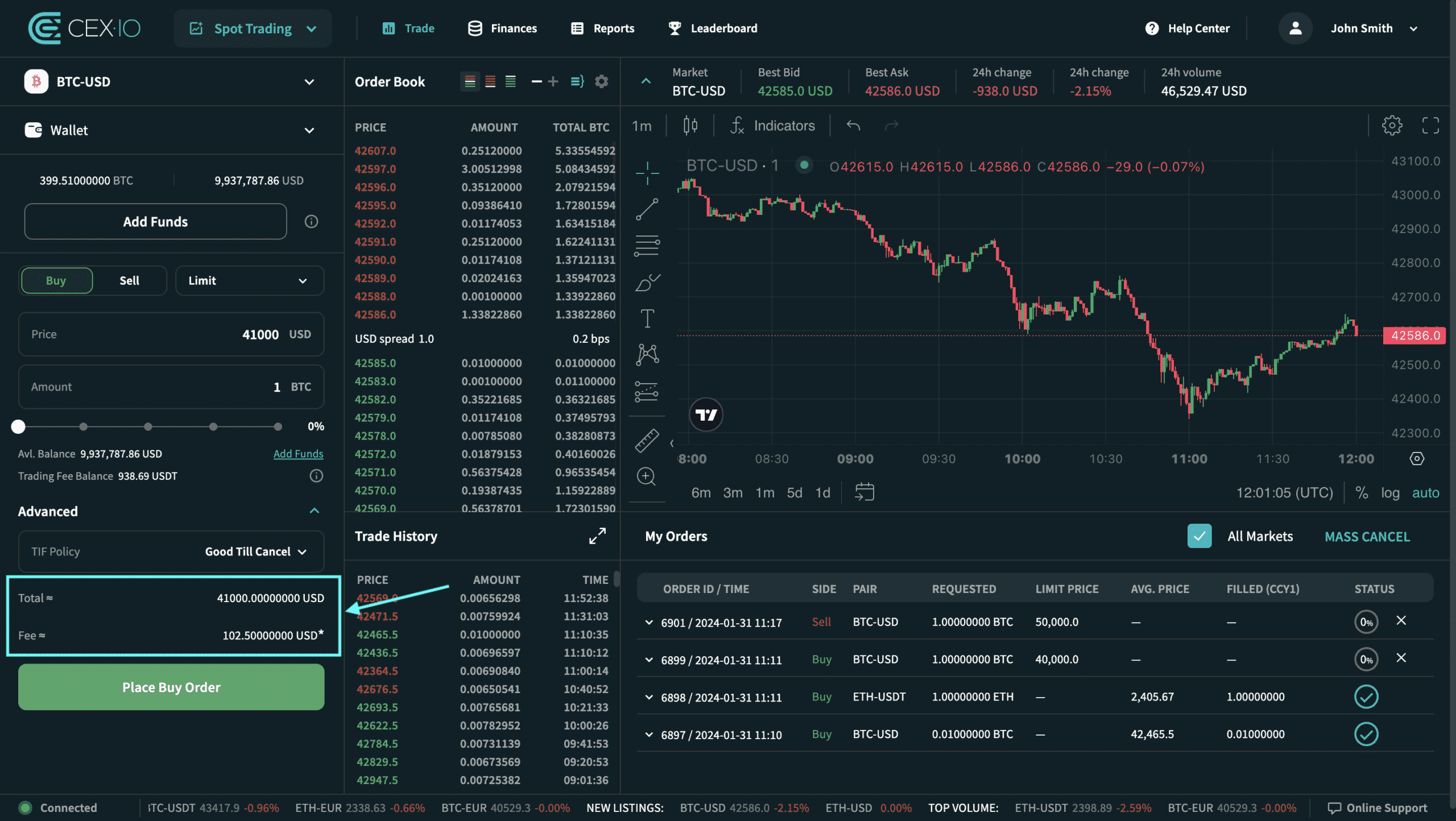
Once the quantity and limit price are set, additional information will appear before placing the order:
-
Total – Indicates the amount that will be realized as a result of placing the order in the specified quantity below the limit price.
-
Commission – Specifies the commission amount that will be paid after the order is fulfilled with the specified quantity below the limit price.
7. Advanced options
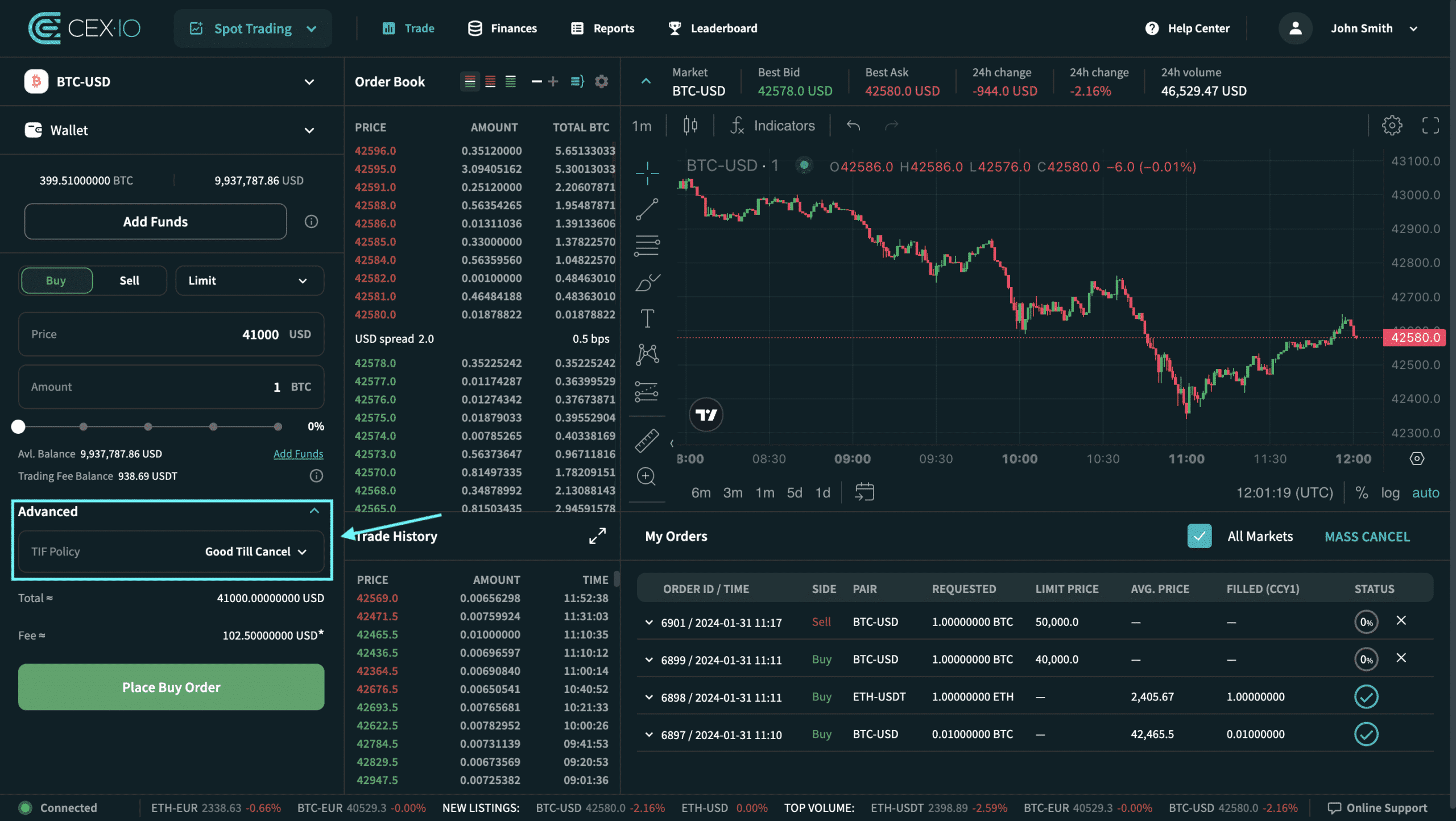
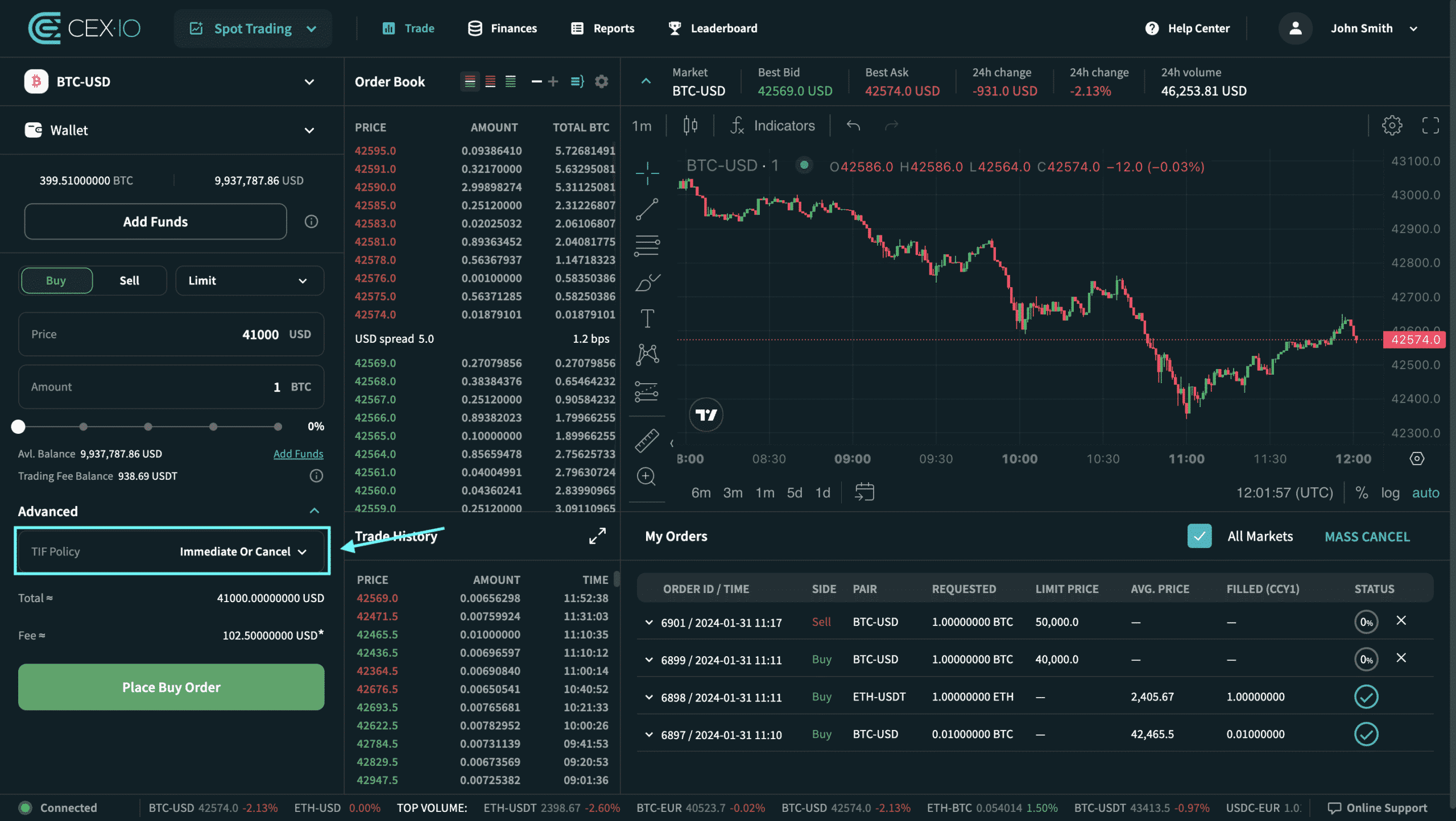
In the advanced options, you can choose the validity time policy – in other words, the lifetime of the order you want to place.
Good Until Cancelled (GTC) – This is an order that remains active until the order is fulfilled or you cancel it. GTC orders can be partially fulfilled. This is the default validity time policy for limited orders.
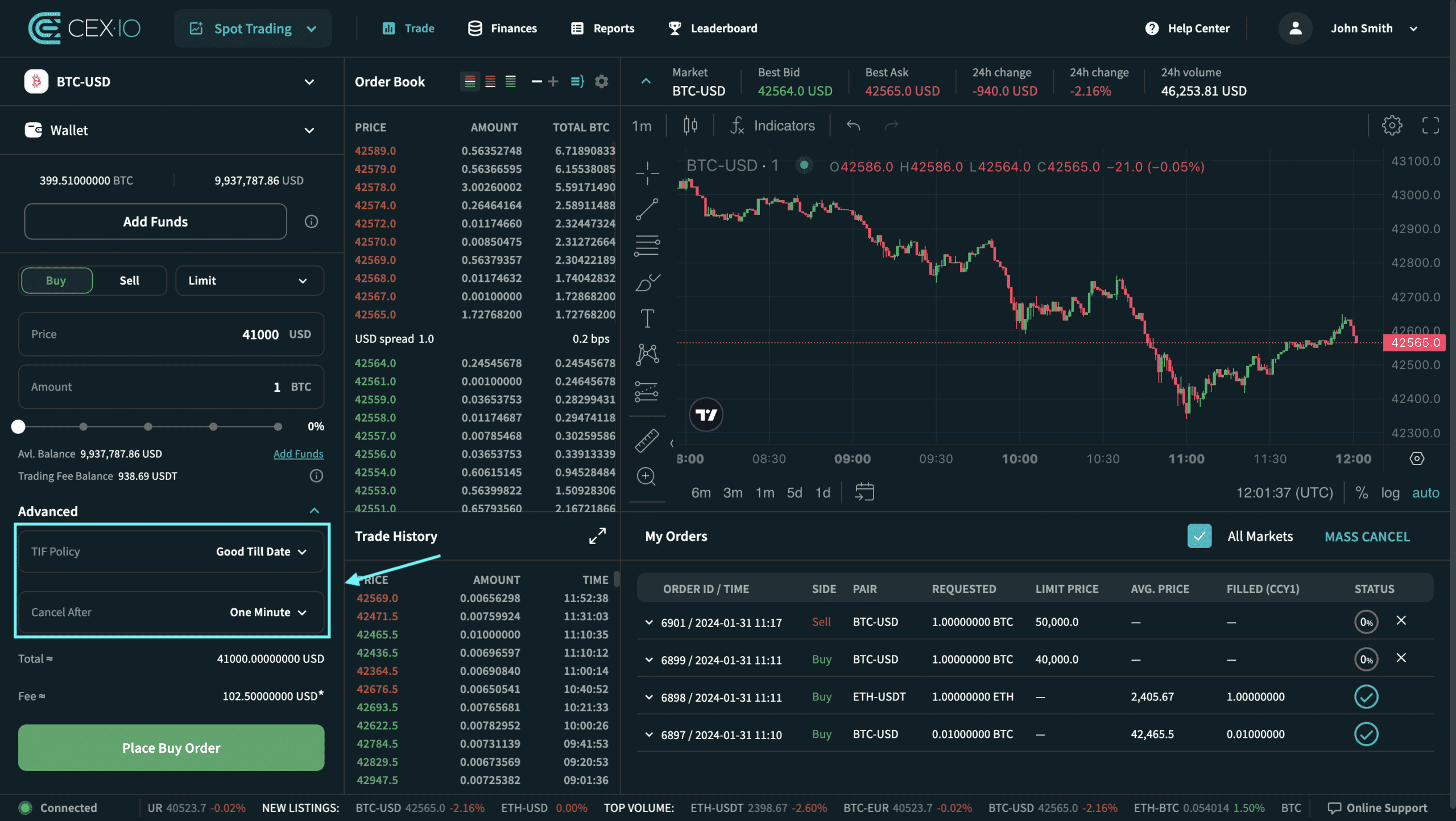
Good Until Date (GTD) – This is an order that is valid for a specific period unless it has already been fulfilled or canceled. GTD orders can be fulfilled only when you select a GTD order, an additional field “Cancel After” will appear and you can set the lifetime of the order.
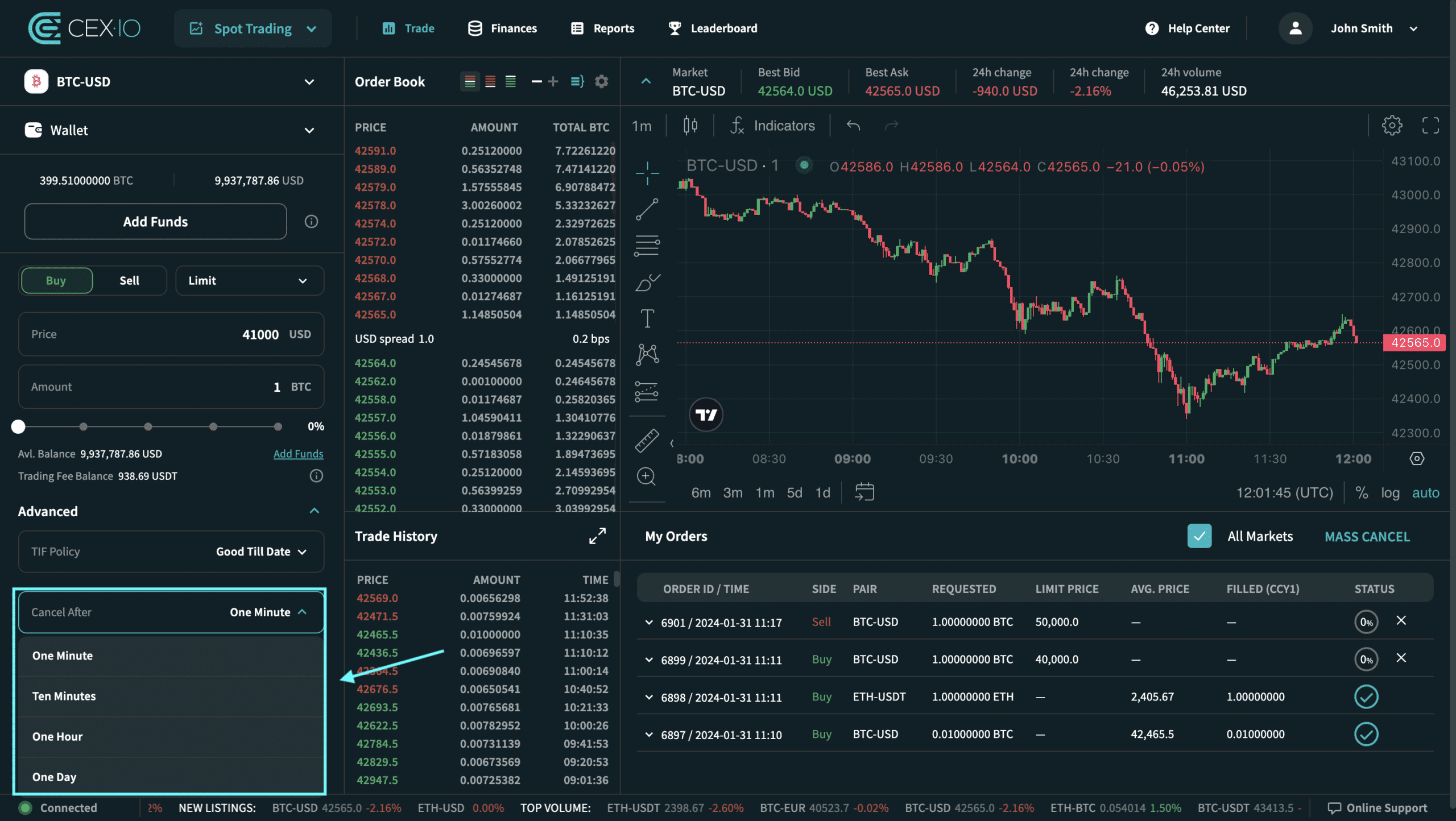
Available options for GTD orders in spot trading are:
-
1 minute (default)
-
Ten minutes
-
One hour
-
One day
Immediate or Cancel (IOC) – is a buy or sell order that attempts to execute all or part of the order immediately and then cancels any unfulfilled portion of the order.
8. Click the “Place a Buy/Sell Order” button
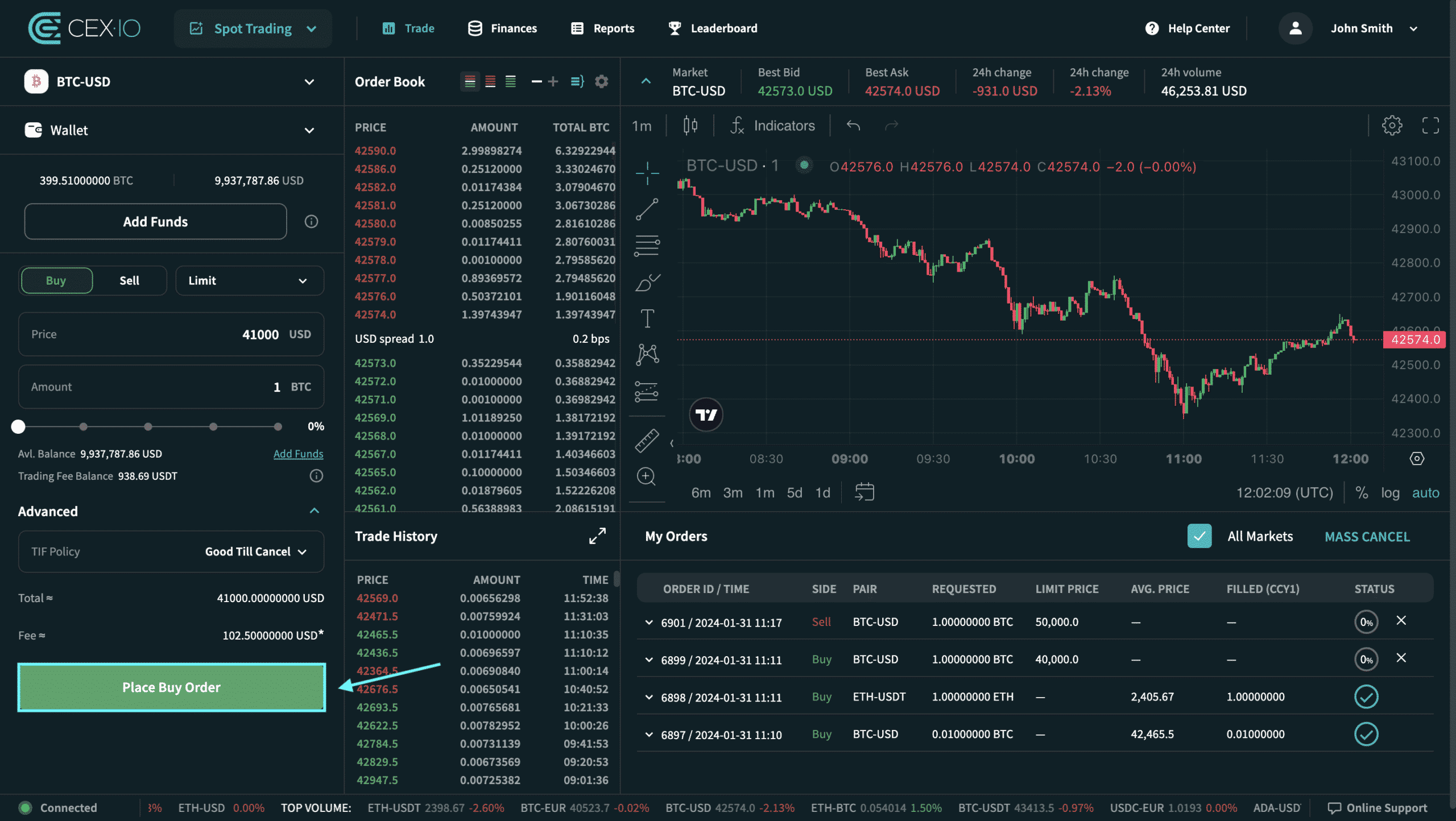
Click the Place Order button. Once all parameters have been set, you can create a new order by clicking “Place Buy Order” (or “Place Sell Order”).
9. Check the order details and confirm the order placement.
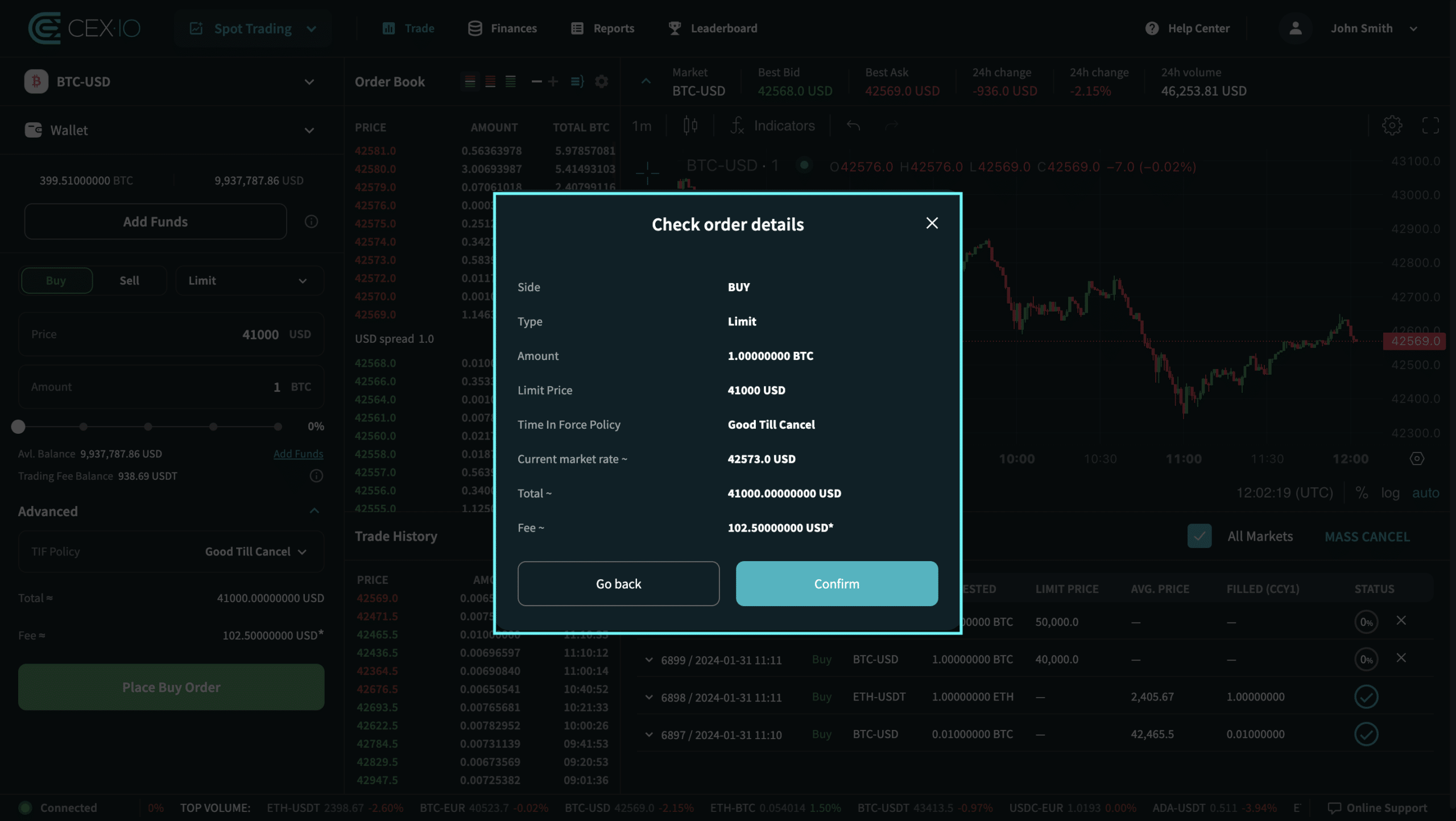
After clicking the Place Order button, a pop-up window will appear with a brief overview of the order. After reviewing the order details, click the Confirm button to place the new order.
10. Successful pop-up
If a new order has been placed, a pop-up bubble will appear in the upper right corner with information about the current status of the order.
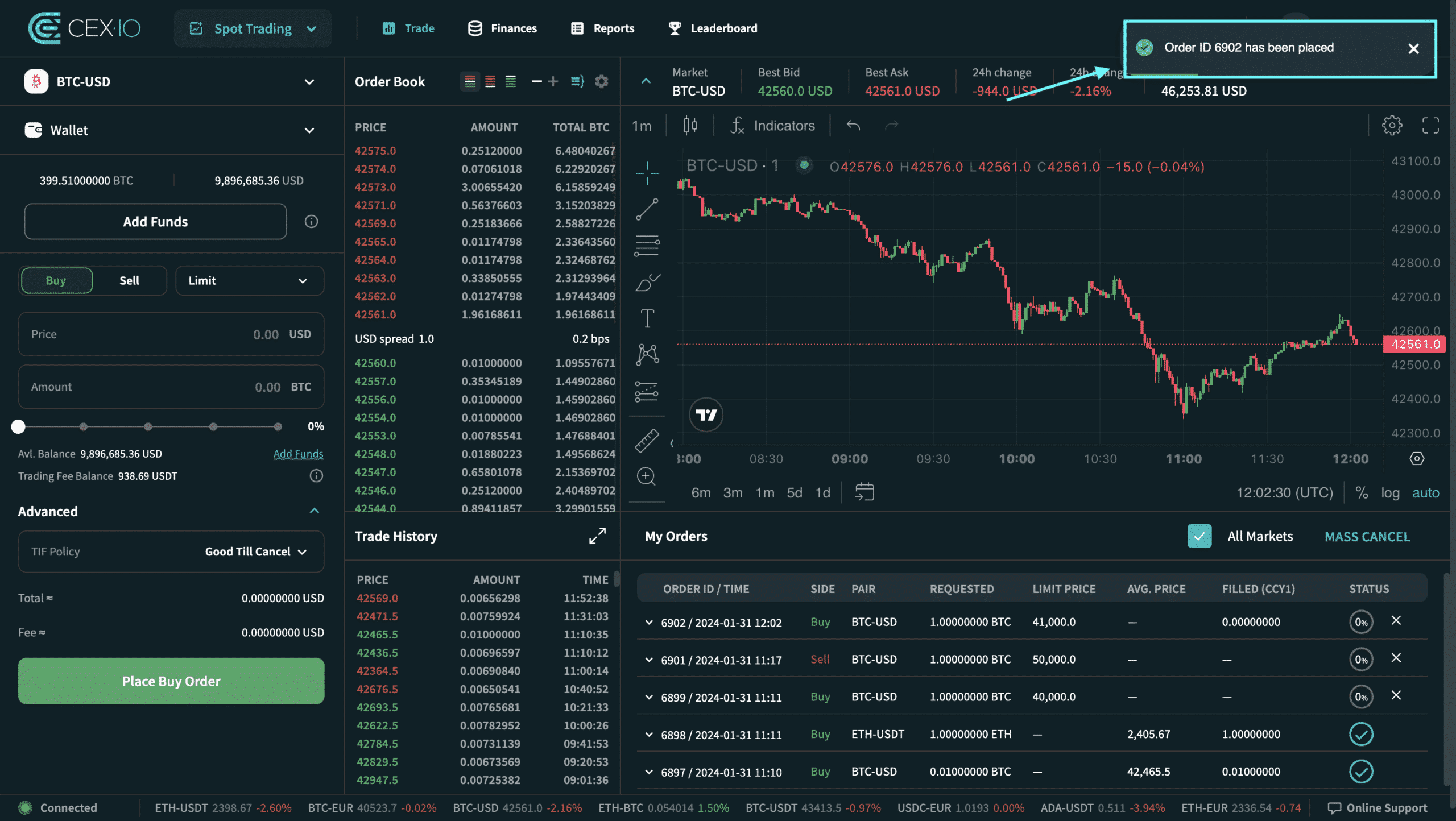
Please note that the current status of the order and additional details about the order can be found in the Order Details section on the Commerce page.
The content on the CEX.IO website is intended for educational purposes only. The information and tools provided are not, and should not be construed as, an offer, or solicitation of an offer, or a recommendation to buy, sell, or hold any digital asset or to open a particular account or engage in a specific investment strategy. Digital asset markets change rapidly and can result in the loss of funds.
The availability of products, features and services on the CEX.IO platform is subject to jurisdictional restrictions. To understand which products and services are available in your region, please see the list of supported countries and territories. This page includes additional links to information about individual products and their accessibility.
CEX.IO Corp. is not a registered broker or FINRA member. Crypto is not insured by the Federal Deposit Insurance Corporation (FDIC) or the Securities Investor Protection Council (SIPC).
Taxes may be required on any refund and/or any increase in the value of your digital assets and you should seek independent advice regarding your tax obligations.
Related Articles How to Trade Digital Currencies on CEX.IO Spot Trading Trading Page Overview: Placing a New Order How to Place a Market Price Order in Spot Trading How to Place a Stop Limit Order in Spot Trading What is the Maximum Price Spread for Spot Trading Orders?