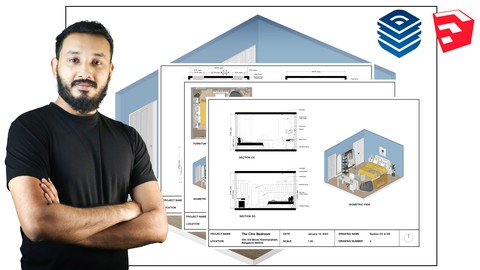
Are you an Interior Designer, Architect, Set Designer, or Furniture Designer struggling to create professional presentations and construction drawings? Look no further! The Complete Layout for Sketchup Course is here to take your design game up a notch.
This comprehensive course covers all the essential features of Layout for Sketchup, allowing you to create stunning Interior Drawings and Presentations in no time. We don’t just teach you how every tool works; we show you how to apply them effectively in your Sketchup Workflow.
With exercise files, downloadable resources, and Q & A Support from the instructor, you’ll get all the help you need to master Layout for Sketchup. And all of this for just $109.99!
Who is this Course For?
This course is ideal for Interior Designers, Architects, Set Designers, Furniture Designers, CAD Draftsmen/women, anyone with an interest in the field of Interior Design, and Students of Architecture/Interior Design who want to learn how to use Sketchup for their projects. Whether you are a professional or a hobbyist, this course is suitable for all levels of learners.
Please note that although this course is taught on the Windows version, you can apply the same techniques in the Mac version as well.
What Will You Learn?
In this course, you will learn how to create professional Interior Design Drawings and Presentations step-by-step using Layout for Sketchup. Here’s what the course covers:
- Optimizing your Sketchup 3D Model.
- Setting up the right Styles for Sketchup.
- Setting up Templates in Layout.
- Create Plans and Elevations in Sketchup.
- Dynamically Linking Layout & Sketchup.
- Adding Views & Creating Clipping Masks in Layout.
- The Basics Tools in Layout.
- Shared & Unshared Layers in Layout.
- Creating Pages, Changing Styles, & Creating Texts in Layout.
- Dimensioning the Plans & Elevations like a pro.
- Adding Annotations & Patterns in Layout.
- Using Scrapbooks & Effects in Layout.
- Creating Sheets using Autotext, Grids & Shared Layers in Layout.
- Printing in Layout.
The course also includes Downloadable Scenes, complete with all V-Ray Settings, allowing you to create amazing Interior Drawings for your clients. By the end of the course, you will have a solid understanding of Layout for Sketchup and the skills to take your design game to the next level.
Enroll in The Complete Layout for Sketchup Course Today!
Don’t wait any longer to master Layout for Sketchup. Enroll in this course today and get access to all the resources you need to create stunning Interior Drawings and Presentations. With Q & A Support from the instructor and lifetime access to the course, you can learn at your own pace and come back to it whenever you need to brush up your skills. So why wait? Sign up now and take the first step towards becoming a Layout for Sketchup Pro!