
Suggested by: Coursera (What is Coursera?)
No prior knowledge required
No unnecessary risks
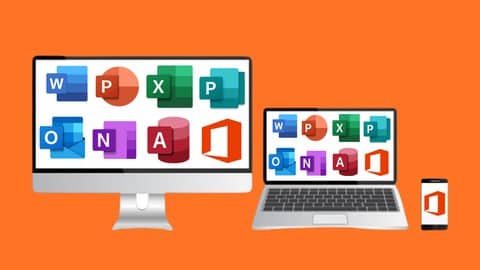
Are you struggling with Microsoft Office applications? Do you want to work smarter, not harder, using essential Microsoft products? If your answer is yes, then you have landed on the right page. We are thrilled to present the Mega Microsoft Office Course that covers seven Office products, including Microsoft Word, Microsoft Power Point, Microsoft Excel, Microsoft Outlook, Microsoft One Note, and Microsoft Access.
Microsoft Office is the most widely used productivity suite globally and has become the industry standard over the years. Therefore, it is imperative to have a comprehensive understanding of all the applications included in Microsoft Office to excel in your professional and personal life.
What is Microsoft Office?
Microsoft Office is a collection of desktop productivity applications, including word processing, presentations, data calculation, email management, database management, and much more. It is designed to help users streamline their work and to get things done more efficiently. Microsoft Office is the go-to software for personal and business users because of its ease of use, reliability, and flexibility.
What is the Mega Microsoft Office Course?
The Mega Microsoft Office Course is an all-in-one course that covers all essential applications in Microsoft Office. The course is designed to provide students with the knowledge and skills necessary to navigate through the seven products and become proficient in their usage.
The Seven Office Products Covered in the Mega Microsoft Office Course:
1. Microsoft Word: Microsoft Word is primarily a word-processing application used for creating text-based documents. The course teaches the basics of typing, editing, formatting, and advanced features like mail merge, macros, and collaborating with others.
2. Microsoft Power Point: Microsoft Power Point is a presentation application used for creating slideshows to showcase information visually. The course covers how to create attractive slides using animations, images, videos, and other multimedia objects.
3. Microsoft Excel: Microsoft Excel is a powerful data calculation and analysis tool widely used for organizing, manipulating, and summarizing large amounts of data. The course includes basic Excel functions, formulas, charts, and advanced features like macros and pivot tables.
4. Microsoft Publisher: Microsoft Publisher is a desktop publishing application used for creating professional-looking documents and publications. The course covers design basics, including creating flyers, brochures, newsletters, and business cards.
5. Microsoft Outlook: Microsoft Outlook is an email client that enables users to send and receive emails, manage contacts, and schedule appointments. The course teaches how to configure Outlook, create and manage folders, use filters, and customize your inbox.
6. Microsoft One Note: Microsoft One Note is an application used for taking notes and organizing information. This course demonstrates how to use OneNote to create, organize, and share notes, including text, images, audio recordings, and more.
7. Microsoft Access: Microsoft Access is a database management system used for storing and retrieving data. The course explains how to create tables, forms, and queries to organize and manage data, as well as running reports.
Who is the course for?
This Microsoft Office course is suitable for anyone who wants to improve their skills in using essential Office Products. Whether you are a student, a businessman, or anyone who needs to use Microsoft Office frequently, this course is perfect for you. The course is designed to cater to both beginners and advanced users.
What Will You Learn?
The Mega Microsoft Office Course is a comprehensive guide that will teach you everything you need to know about the seven Office products. The course covers basic to advanced features so that you can utilize each application efficiently.
The course consists of 173 video lectures, totaling 18.5 hours of content, a comprehensive guide to using Microsoft Office and a shortcut keys file attached for Microsoft Word, Microsoft Power Point, Microsoft Excel, and Microsoft Publisher. Some practice files are also included for Microsoft Excel.
Conclusion
Microsoft Office applications are ubiquitous in the workplace, and having a firm grasp of them is essential for success. The Mega Microsoft Office Course provides a unique and comprehensive guide to all the seven Office applications, making learning easy and enjoyable. So, hit the “Enroll Now” button today and transform yourself into a Microsoft Office pro. Happy learning!


