
How to use Crypto Hopper’s Backtester to analyze trading strategies

This article explains how the Backtester can help create bots.
What is a Backtester ?
Cryptohopper Backtester is a new feature that is currently in beta. To enable beta features, go to your user profile settings and toggle the “BETA features” option. With this tool, you can test all template and bot settings, except for TradingView triggers and alerts.
Using a backtester can help optimize trading results. Even small changes to settings can have a significant impact on profits, so taking the time to use a backtester can be very beneficial.
It is important to note that past performance does not guarantee future results. Additionally, it should be noted that nostalgic testing does not fully represent the bot’s past behavior, as bots perform sales setup tests more frequently, while the backtester only tests every minute. Moreover, the timing of the strategy testing may vary slightly.
How frequently bots and templates are tested depends on your subscription plan. You can only test one bot or template at a time. If additional tests are started, they will be queued. If you have multiple subscriptions, the number of tests you can run each day will increase by the same number for each subscription you have.
- Explorer Subscription: 1 check per day
- Adventure Subscription: 5 tests per day
- Hero Subscription: 10 tests per day
If you encounter bugs in Backtester, please report them so we can improve the tool.
Explanation of the Backtester tabs
The following paragraphs explain the different tabs of the Backtester:
Overview
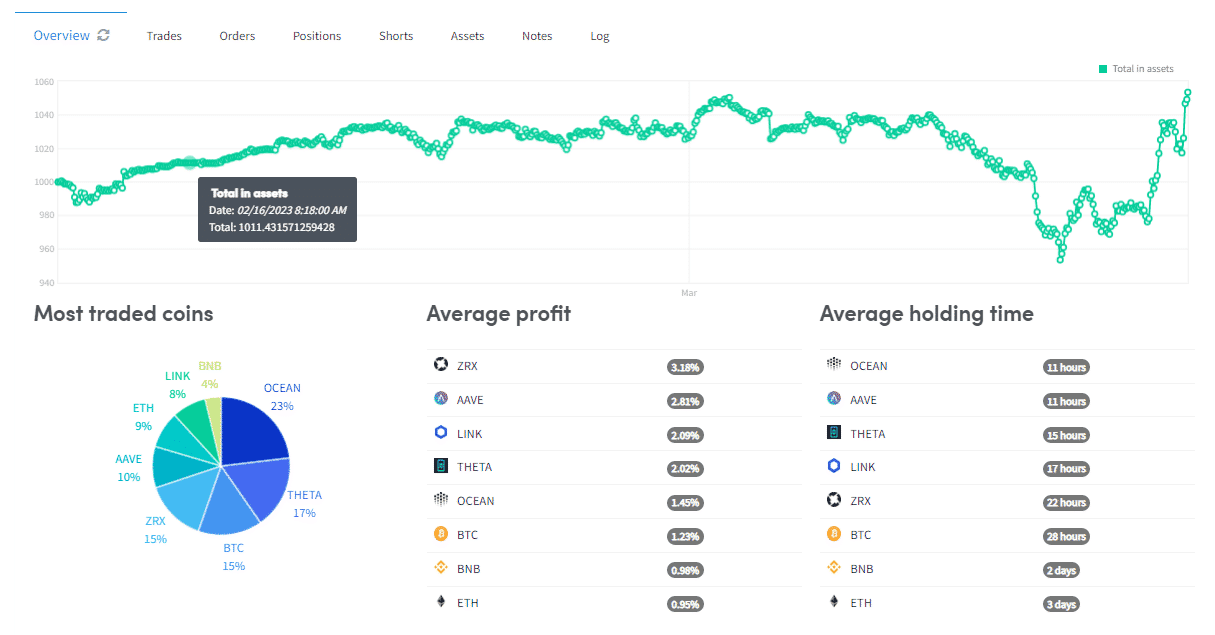
The graph in the test overview shows the total value of the assets during the tested period. Below the graph, you can find information about the most traded coins, the average profit per coin, and the average holding times of the coins.
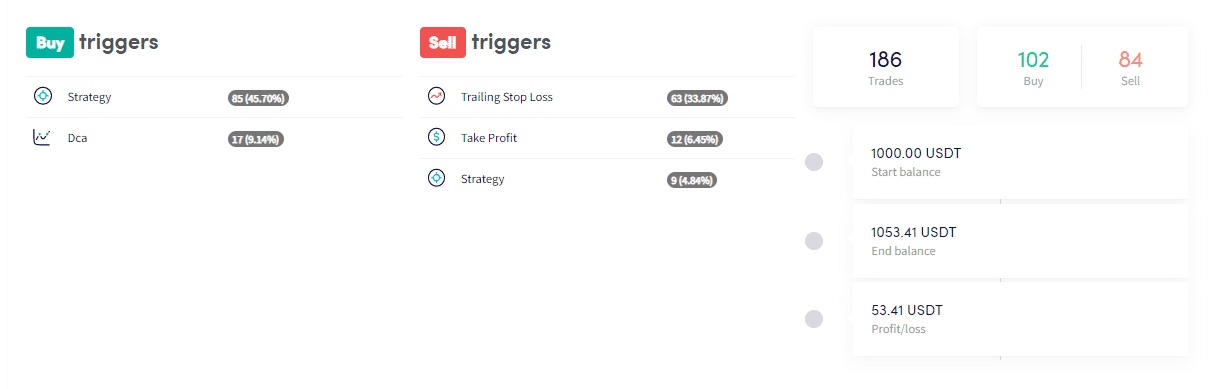
The test also provides detailed information about your buy and sell triggers, including the total number of trades, starting balance, ending balance, and profit or loss.
Transactions
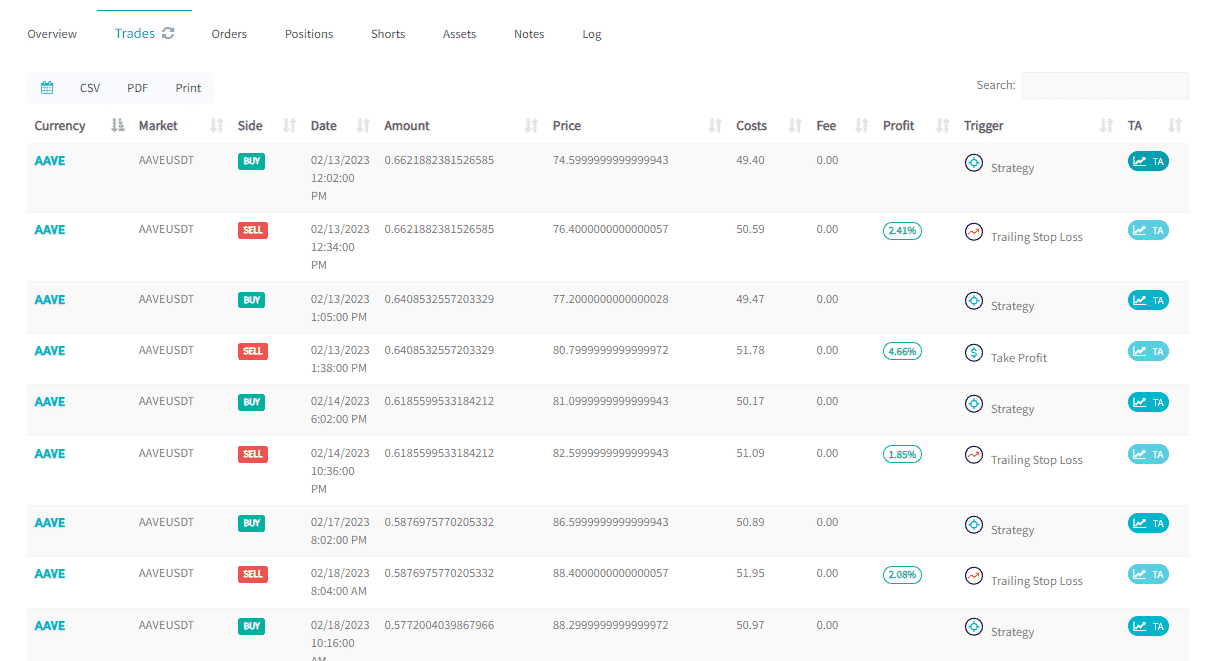
By clicking on the Trades button, you can see all the trades from the review. This section includes information such as the currency, market, buy or sell action, date, quantity, price, costs, commission, profit, and buy or sell trigger. In addition, you can see the technical analysis values at the moment of the buy or sell. It is important to note that trades based on signals or Marketplace strategies with confidential settings will not appear with values.
Beyond transactions, you will find several buttons:
- Calendar: Use this button to select a specific period of the test.
- CSV: Download all transactions in a CSV file.
- PDF: Download all transactions in a PDF file.
- Print: Print all transactions.
Use the search feature to sort your transactions by any value displayed in the transactions. This can help you find specific transaction information easily.
Orders

The bot may have open orders, positions, or short trades while the test is still running or after it has finished.
Positions
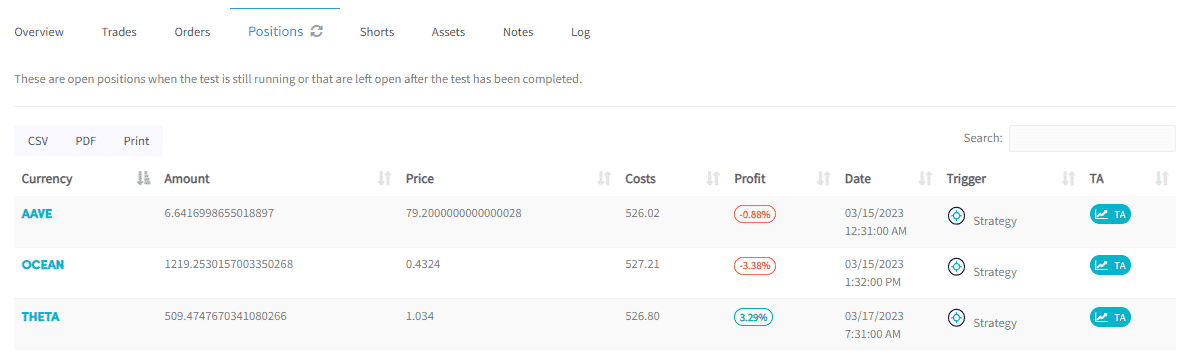
The bot may have open positions while the test is still running or after it has finished.
Short trading

An open short trade is a short trade that will remain open during or after testing. If you enable the “Use actual profit” option, the bot will display and use actual profits to calculate the short trade profit percentage and short stop-loss. This means that the profit percentage on the short trade will be calculated relative to the purchase price, not the amount saved through the short trade.
Due to an issue, the short trade for the test still needs to be investigated.
property
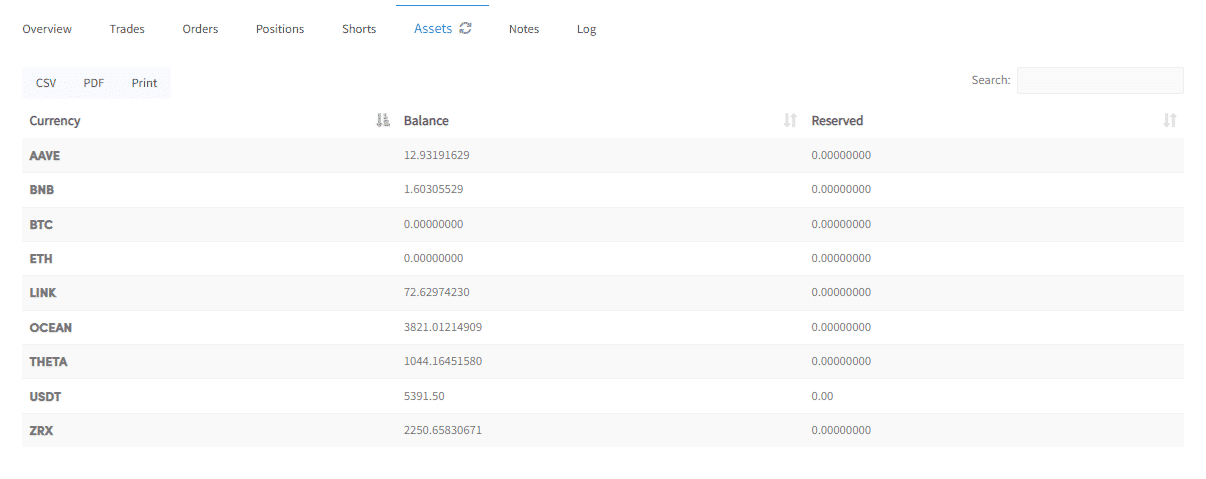
During or after the review, you can check the assets you still have. “Balance” shows the value of the assets in the currency you are trading, while “Reserved Assets” represents the assets that are still in open orders.
The quoted currency assets can provide an indication of how much of your asset funds are being used for trading. If you want to increase the amount of tokenized currency invested at any given time, you can set the purchase amounts in the basic settings and start a new test.
You can download the asset data in CSV or PDF format and even print it for convenience.
Notes
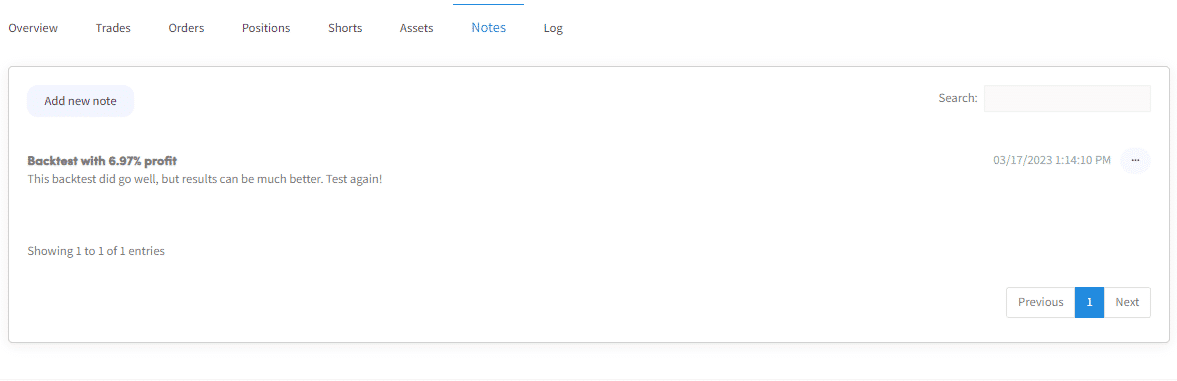
To improve the test results, you can leave comments. These comments can provide valuable insights and help you keep track of changes made to your strategy.
diary
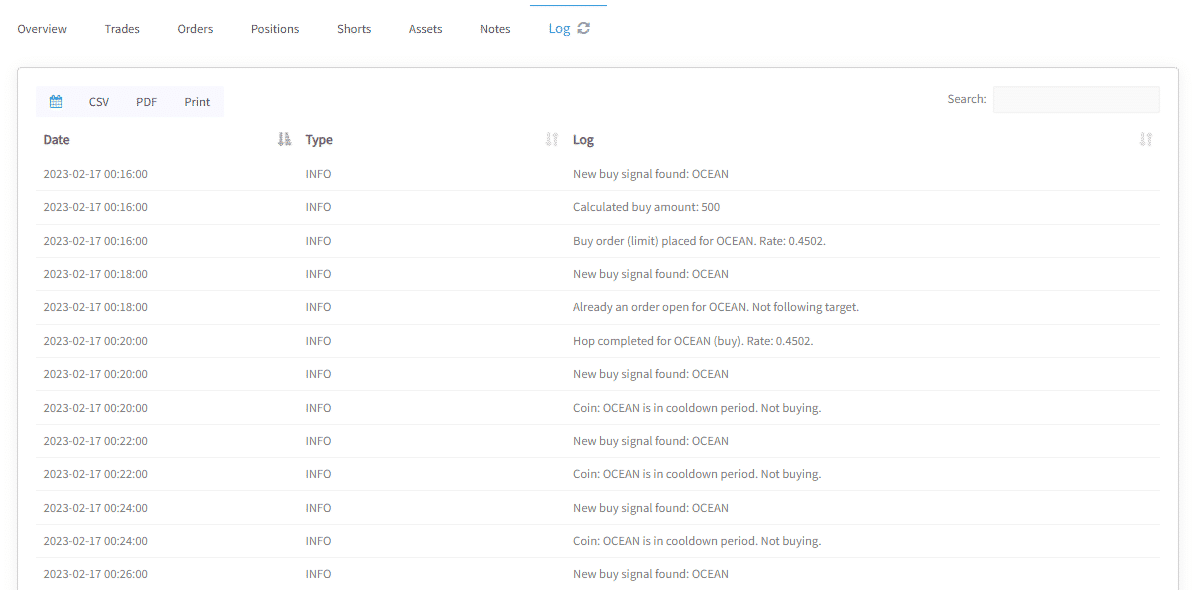
Like the bot output on the dashboard, you can review everything the test did. The test tests your strategy at regular intervals of 2, 5, or 10 minutes, depending on the frequency you selected when you initiated the test. In addition, prices and other data are verified every minute.
Up to 500 calendars are displayed. If you want to see more, change the date range.
What to consider
- When you start a test at 2:00 PM, regardless of your time zone, you will receive a new test after 24 hours. This applies to each test separately (when there is more than one test per day).
- When testing trading pairs with low liquidity (low trading volume), profits and losses may be extreme because the test does not take into account the transactions executed on the exchange.