How to set up Wallet Scrubber in Crypto Hopper

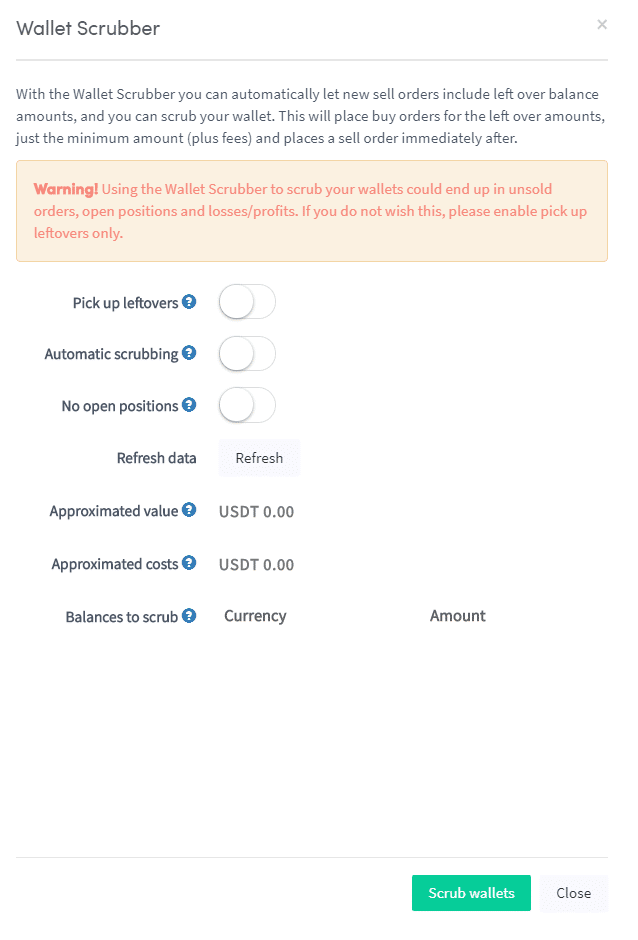
This guide shows how to set up Wallet Scrubber and explains the settings that need to be filled out.
Prerequisites
Before you begin, check the following:
- You have Cryptohopper accounts .
Wallet Scrubber Setup
There are 2 ways to configure Wallet Scrubber:
- Log in to your Cryptohopper accounts .
- Click on “Marketplace”.
- Click on “Apps”.
- Click on “ Wallet Scrubber ”.
- Configure Wallet Scrubber.
- Click on “Scrub Wallet”.
Another option is:
- Log in to the Cryptohopper control panel .
- Looking for “Current Assets” headquarters.
- Under “Current Assets,” click “Wallet scrubber.”
- Fill in all required fields.
- Click on “Scrub Wallet”.