
How to read the Market Making dashboard on Crypto Hopper

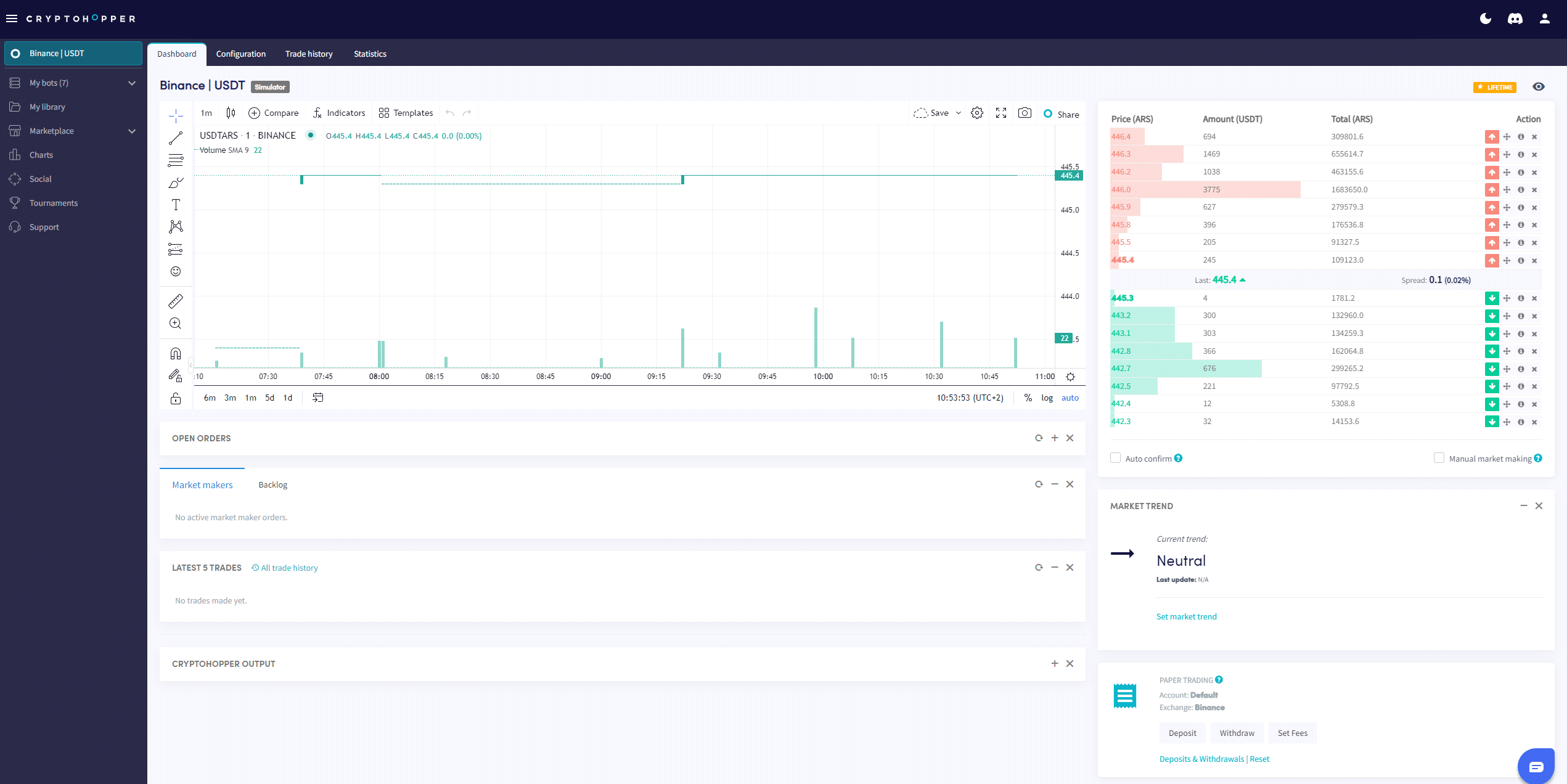
This guide shows where and what can be found on the Market Maker Dashboard.
Prerequisites
Before you begin, check the following:
- You have a Cryptohopper account.
- Do you have a Market Maker bot?
- You have a Hero subscription from Cryptohopper
Where to find the Market Making dashboard
- Access your Market Maker bot.
- Click on “ Dashboard ”.
- Go over the “Chart”.
- Check the “Open orders”.
- See the “Backlog”.
- Check the “Start Balance”.
- Look for “Output”.
For more information about the Market Making dashboard, you can read here.