
How to find what in the trading history on the Crypto Hopper app

This guide shows what can be found in the dashboard for the trading bot on the iOS app or the Android app .
What can be found in the trading history?
Search
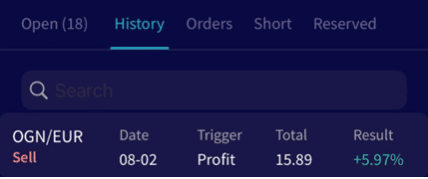
The search bar is the first option. You can search for specific past transactions or review all transactions for a specific currency.
date
The date shows when the buy or sell transaction was made. This information should be used to check the bot’s output. This way you can understand exactly what happened in the transaction. Checking the output is a great way to troubleshoot.
pair
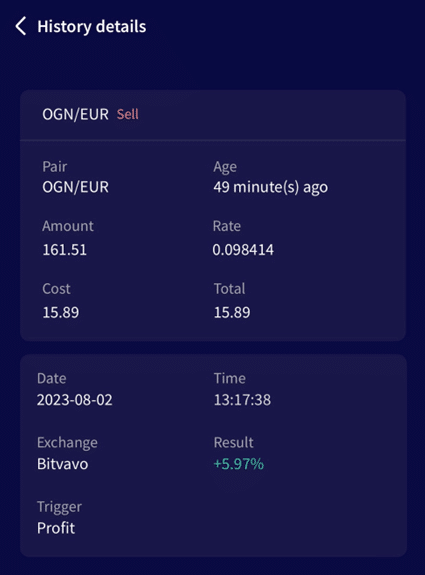
With Cryptohopper, you always trade from one quote currency. It shows the currency you traded against your quote currency. It is recommended to use stablecoins (USDT, USD, EUR). Especially if you are a new trader. It is easier to see how much profit you have made.
amount
The amount shows how many coins were bought or sold. The buy amount is set in the basic configuration. If you see positions being opened with a target smaller than the one set, check the “Force minimum buy amount” box in the basic configuration under “Coins and amounts”.
gate
This shows how much was paid in your quote currency. It is recommended to use stablecoins (USDT, USD, EUR). Especially if you are a new trader. It is easier to see how much profit you have made.
Trigger
Here you can find what made the bot buy or sell. This helps determine which selling triggers result in profit or loss. Important: This is different from the existing Triggers feature.
Total
This shows how much was paid in total. Rate * Amount = Total. You can verify the total transaction amounts in the trading history on the platform.
Results
Here you can find out if you made a profit or loss on a trade. Total selling value / Total buying value = result. With Shorting the savings percentage shows how much you saved through buying back the same amount of the currency.
Delete trading history
You cannot delete the trading history. You can save the existing bot template and load it into a new bot. The subscription must be assigned to the new bot. For more information on how to assign a subscription, click here. This will delete the old trading history when you delete the old bot.
Changes to trading history. Data in trading history cannot be changed. Changes to trading history can be made when exporting the file in PDF, CSV, or Excel format.