
How to easily connect an account on Crypto Hopper

This guide explains how to connect Cryptohopper to One Trading using API keys.
To allow the bot to interact with One Trading, an API key must be created. This key acts as a connection between Cryptohopper and the exchange, allowing the bot to perform tasks such as placing automated orders and accessing your balance for its calculations. Essentially, the API key is a means of communication between the bot and the exchange to perform the actions required for automated trading.
First step
If you haven’t already, go to the One Trading website and open an account.
Step two
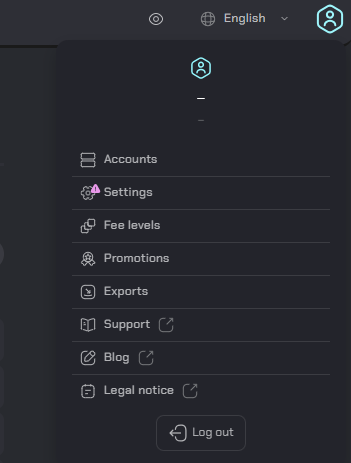
Verify your account and start using the API by going to “Groups”.
Third stage

Click “API,” then click “New API Key.”
Step four
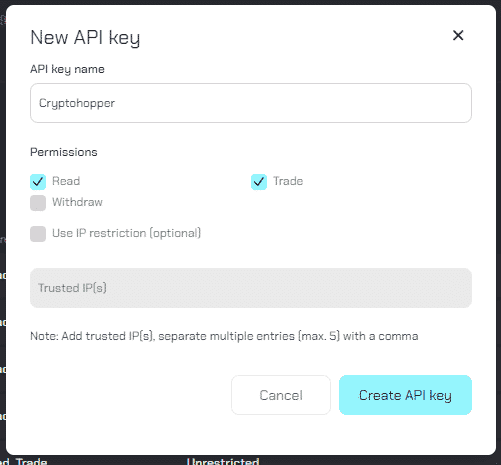
Name the API key and enable the “Trade” option. Then click “Create API Key”.
Fifth stage
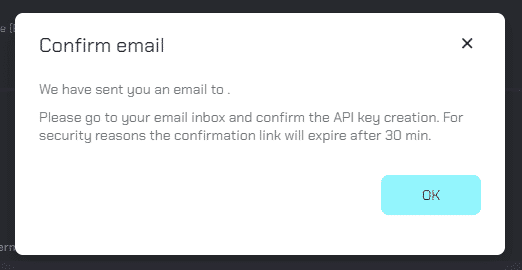
Confirm the API key by email.
Step Six
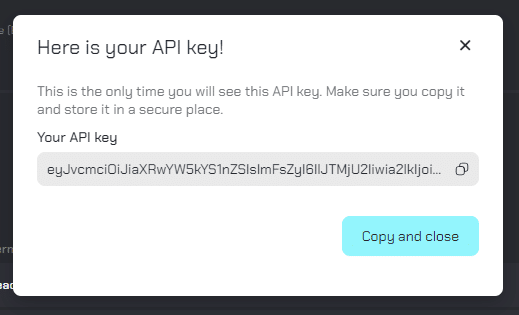
Copy the API key displayed and paste it into Cryptohopper. Once you have saved the Cryptohopper Baseconfig, your funds will be accessible and you can start trading.
Inability to see the stock exchange balance
If you are having trouble seeing your exchange balance, there may be some issues preventing your bot from syncing with the exchange. A common cause for this is that you have “autocomplete” enabled in your browser. To fix this, you can try disabling autocomplete, using incognito mode, using a different browser, or disabling your password manager. For more information, you can watch the Cryptohopper Academy video on this topic or check out the troubleshooting article.
Minimum trading amounts at One Trading
Click here to see the minimum trading amounts on One Trading.