
How to connect to Bittrex on Crypto Hopper

To enable your bot to communicate with Bittrex, you need to create an API key. This key acts as a link between Cryptohopper and the exchange, allowing your bot to perform tasks such as placing automated orders and accessing your balance for calculations. In a basic sense, the API key serves as a way for your bot to communicate with the exchange and perform the actions required for automated trading.
First step
Go to Bittrex and log in or create an account.
Step two
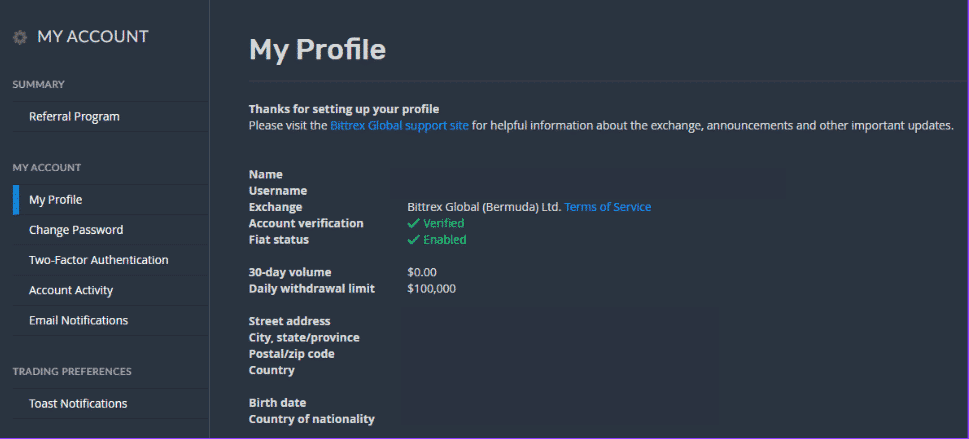
You may be required to verify your identity. This is to prevent money laundering. When you are on your Bittrex account homepage, click on your email address in the top right corner, then “Account Settings” and then “My Profile”. Fill in the required fields and you are done!
Third stage
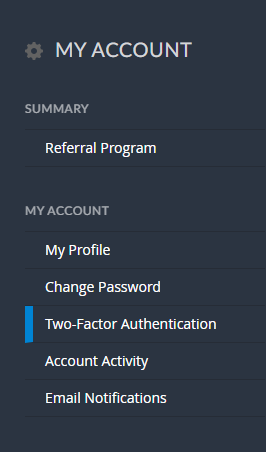
You will need to enable two-factor authentication (2FA) before you can create API keys. You can enable two-factor authentication under “My Account” and then click “Two-factor Authentication”
Step four
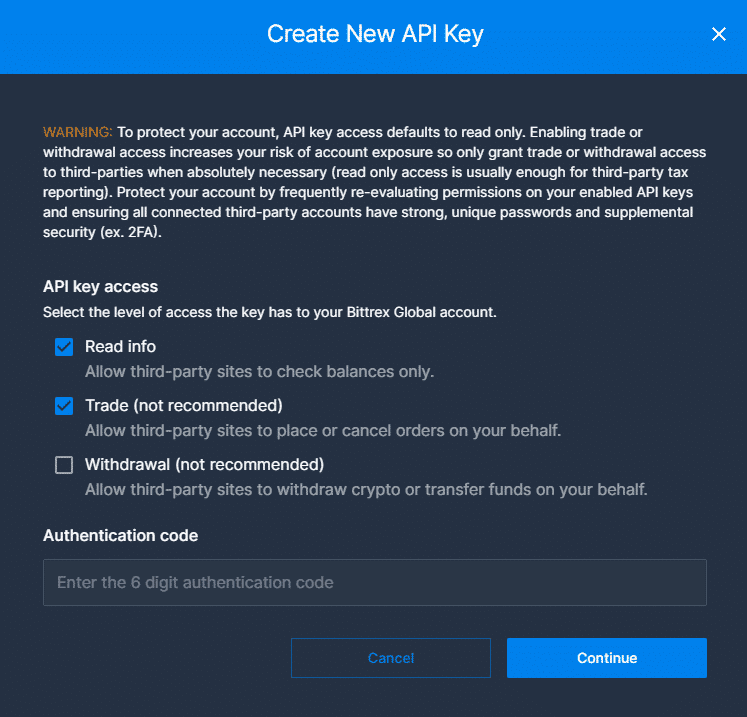
With 2FA set up, go to “API Keys” displayed under the 2-Step Verification settings. Click “Create New API Key” and enable “Read Info” and “Trade”. Fill in your verification code and click “Continue”. For your security as a Cryptohopper customer, withdrawal permissions are not allowed!
Fifth stage
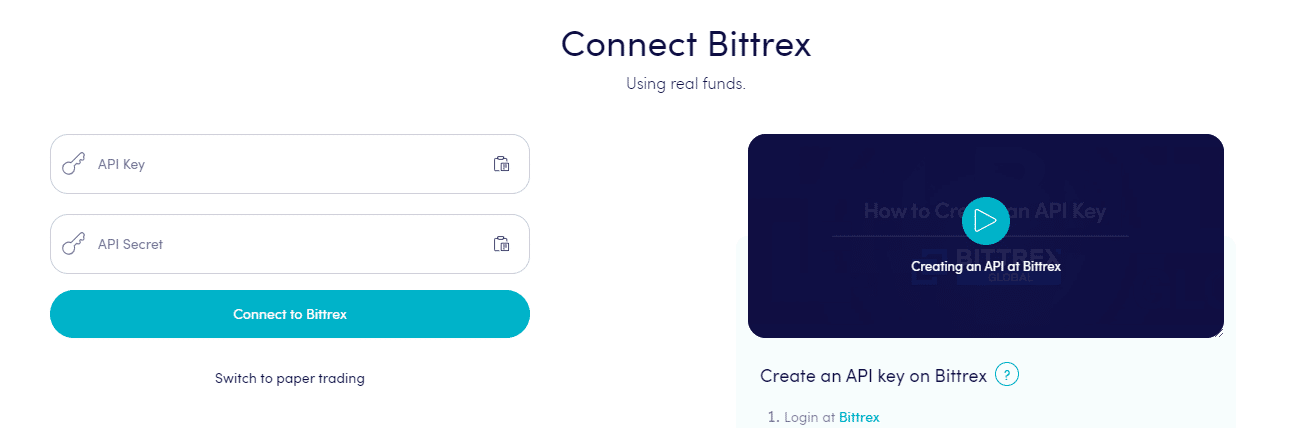
Add the API to Cryptohopper. Paste the API key and API secret into the fields provided in Cryptohopper and click “Connect to Bittrex”.
Can’t see your balance on the stock exchange?
If you are unable to see your balance on the exchange, there may be several issues preventing your bot from syncing with the exchange. One common reason is that the “autocomplete” option is enabled in your browser. To resolve this, you can try disabling autocomplete, using incognito mode, switching to a different browser, or disabling your password manager. For more information, you can watch the Cryptohopper Academy video on this topic or check out the troubleshooting article.