
How to connect OKX to Crypto Hopper

You may encounter an error during the Cryptohopper platform integration process when you try to connect to OKX , even if your API keys are correct. The most common reasons for this could include insufficient funds in your exchange account, insufficient funds in your trading account (since some crypto exchanges distinguish between a funding account and a trading account), or if you are not a verified user on the exchange (KYC). In such cases, click ‘Continue without verification’. You can always verify your API keys later in your basic settings.
Creating an API key on OKX
To connect your bot to OKX , you will need an API key. You can think of an API key as a bridge between Cryptohopper and your exchange, allowing your bot to perform actions like placing automated orders and reading your balance for calculations.
First step.
Go to the OKX website and click here , and create an account if you don’t have one yet.
Step two.
Create your API.
Click on the profile icon in the top right corner of the OKX dashboard, and from there click on “API”.
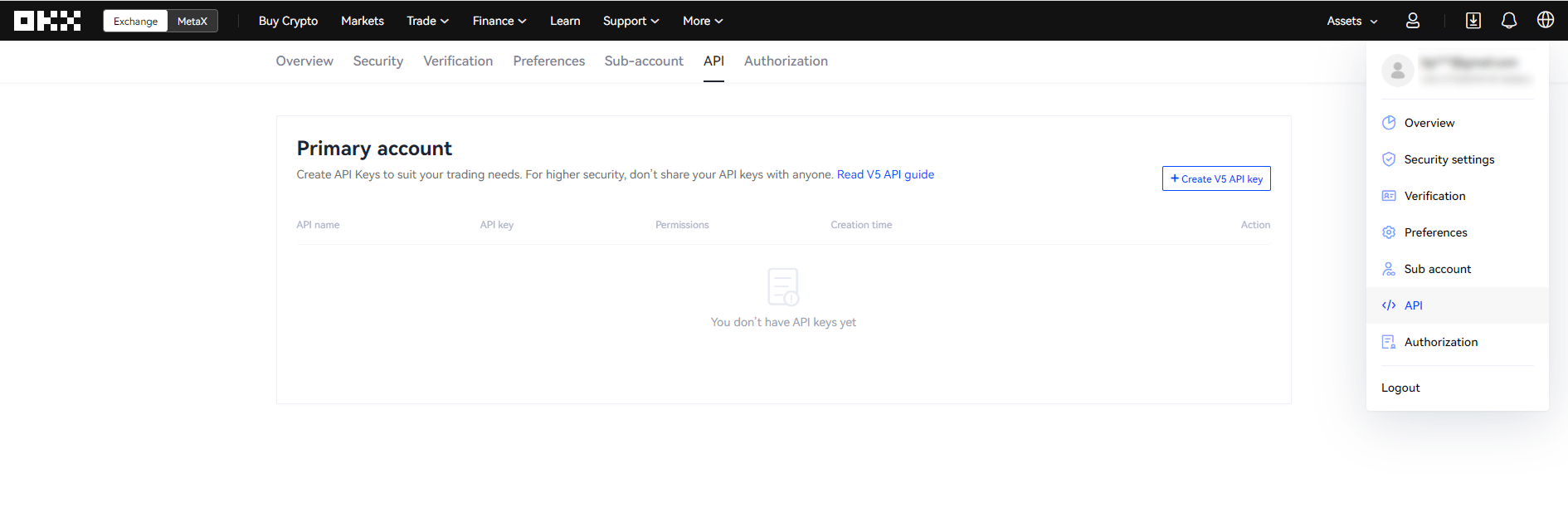
Step three.
Set the API key.
Here you can change your API settings. It’s important to remember your password! You’ll need it later.
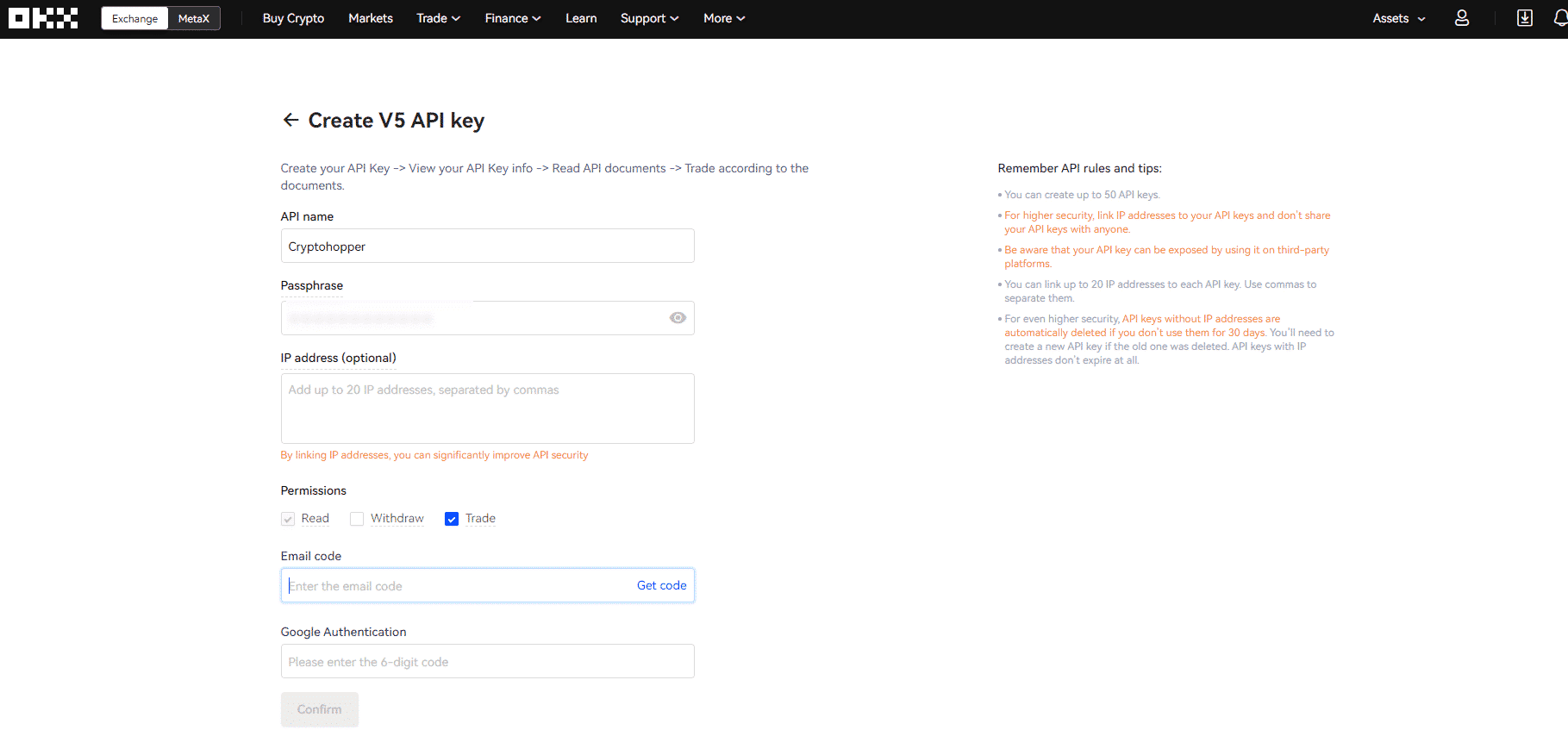
Cryptohopper needs both read and trade access. No withdrawal rights required! It is best to keep the withdrawal option turned off.
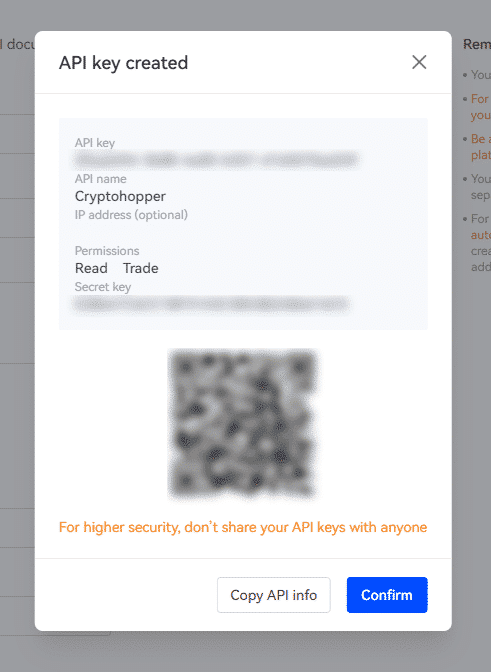
Step four.
For new users, the IP addresses will appear in our integration. For existing Cryptohopper users, go to your Cryptohopper account and find the basic settings. From there, click on the tab labeled “exchange”. Copy the IP addresses displayed in Cryptohopper and paste them into the input field for IP addresses in OKX.
Fifth stage.
Add the API to Cryptohopper.
Go to your Cryptohopper account and find the basic settings. From there, click on the tab labeled “exchange”.
Choose your exchange, fill in your API key, and you’re good to go! Don’t forget to fill in your password; otherwise the API key won’t work.
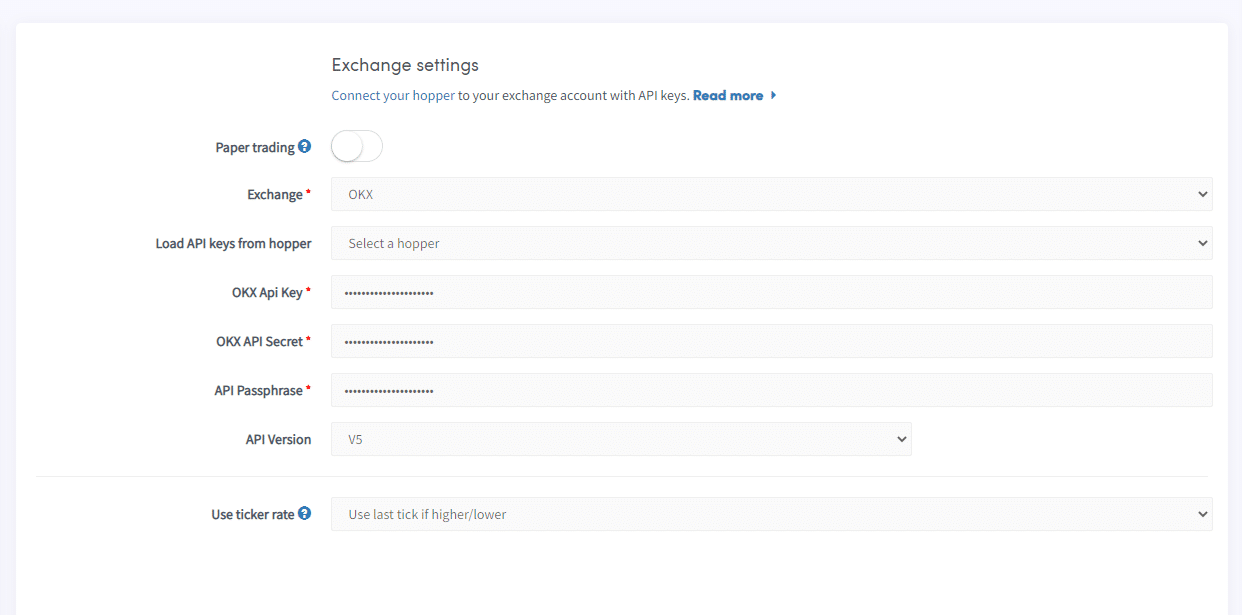
Give the bot a moment to connect everything and your balance should be topped up.
Can’t see the balance on the stock exchange
If you are unable to see your balance on your exchange, there may be some issues preventing your bot from syncing with the exchange. A common reason for this is that the “autocomplete” option is enabled in your browser. To fix this, you can try disabling autocomplete, using incognito mode, using a different browser, or disabling your password manager. For more information, you can watch the Cryptohopper Academy video on this topic or check out the troubleshooting article.
OKX Status
Having problems trading on OKX? Click here to check the OKX exchange status.