
How to connect BitMart with API keys on Crypto Hopper
To enable your bot to interact with BitMart , you will need to create an API Key. This key acts as a connection between the Cryptohopper platform and the exchange, allowing the bot to perform tasks such as placing automated orders and accessing your balance for calculations. Essentially, the API Key acts as a communication path between your bot and the exchange, performing the actions required for automated trading.
You may encounter an error during the Cryptohopper-BitMart linking process, even if your API Keys are correct. Common reasons for this could be: insufficient balance in your exchange account, insufficient balance in your trading account (as some crypto exchanges differentiate between guest accounts and trading accounts), or if you are not a verified user on the exchange (KYC). In this case, click ‘Continue without testing’. You can test your API Keys later in your basic settings.
First step
If you haven’t done so yet, go to the BitMart website and register an account.
Step two
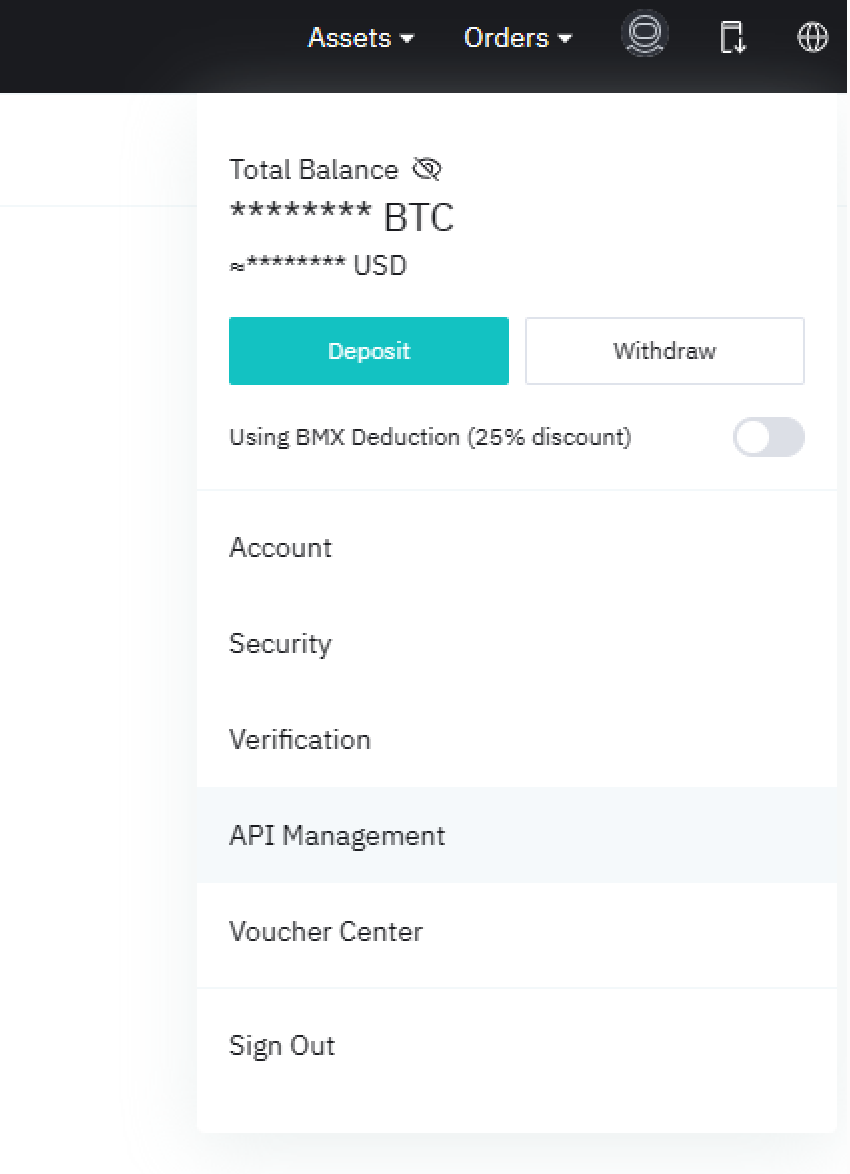
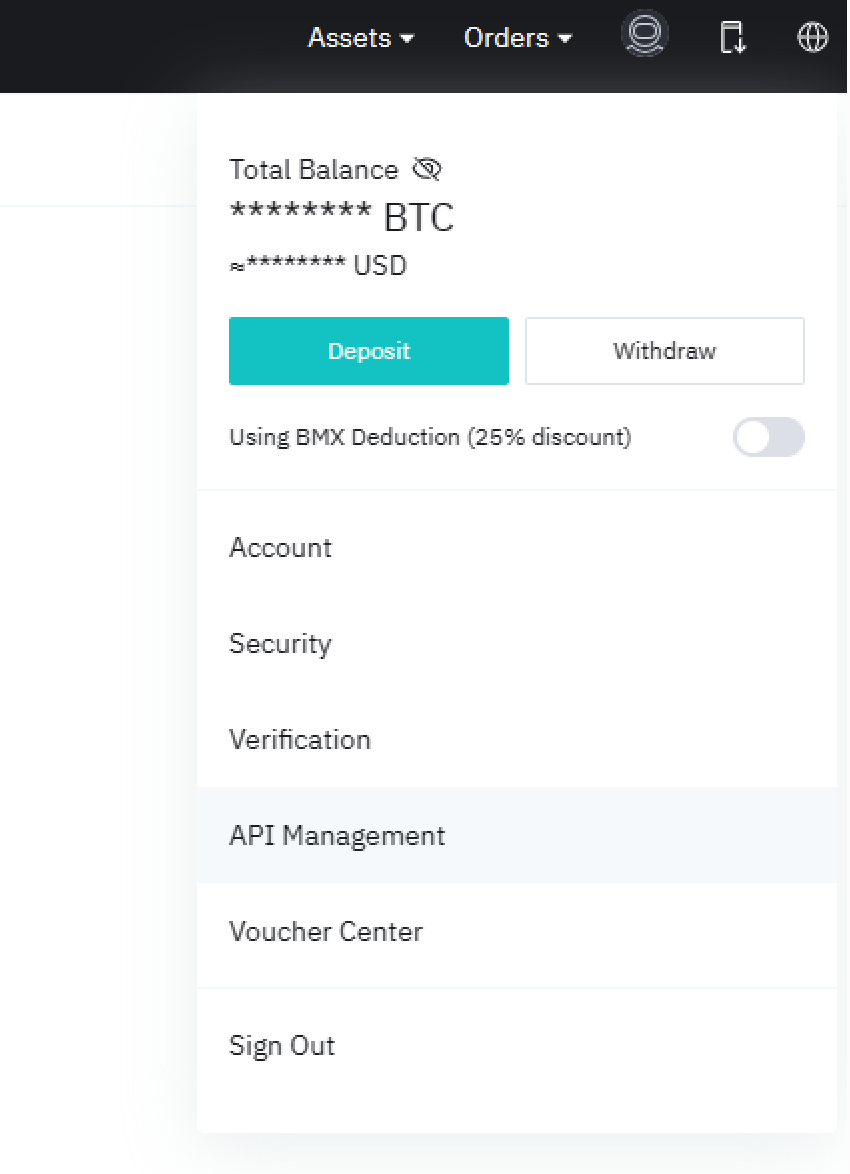
Verify your account and get started with the API by going to API Management.
Step three
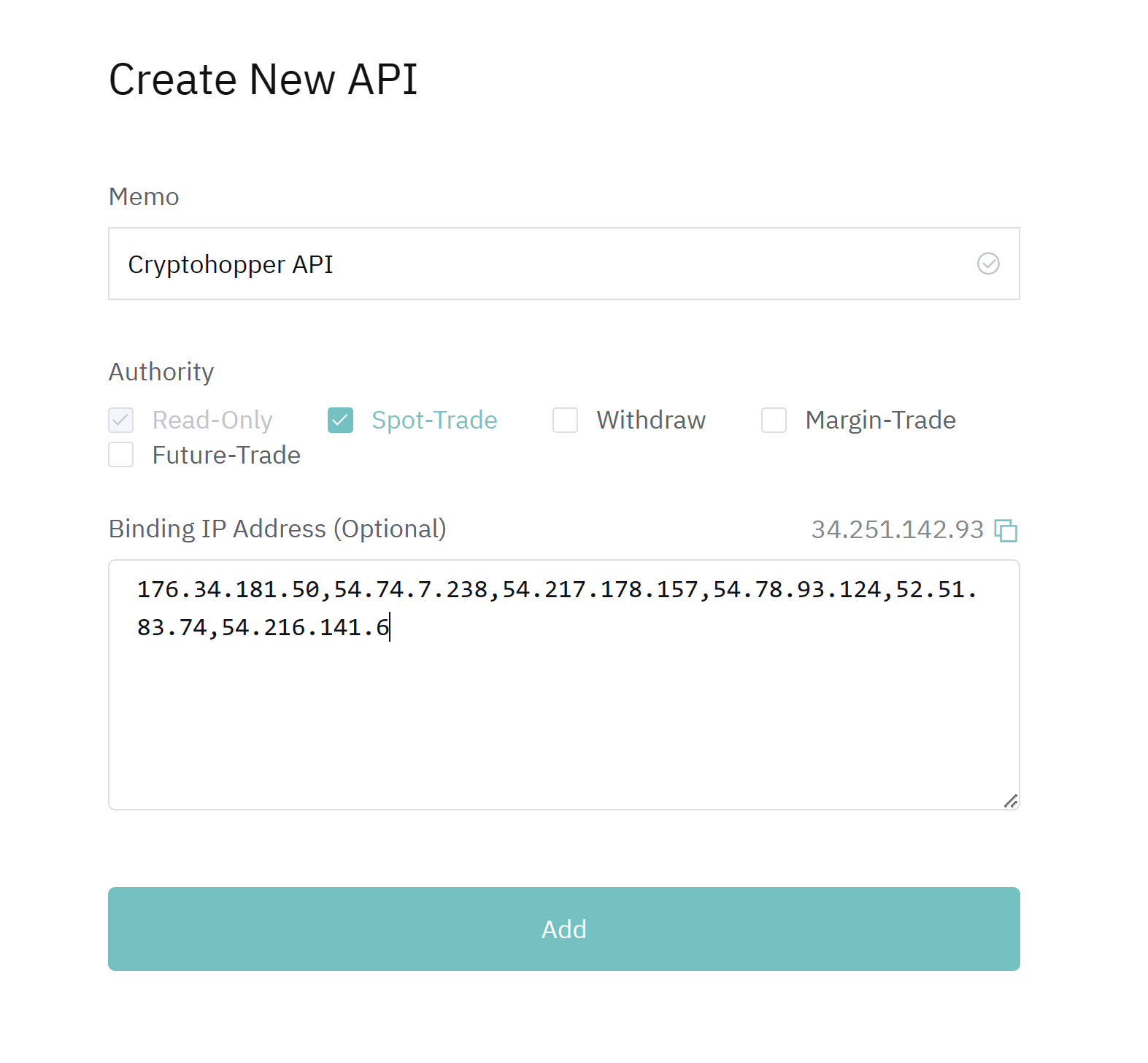
Add Memo to your API Keys and select Spot-Trade. Go to Cryptohopper and copy the IP addresses. Then, paste the IP addresses under “Binding IP Address” and click “Add”.
Step four
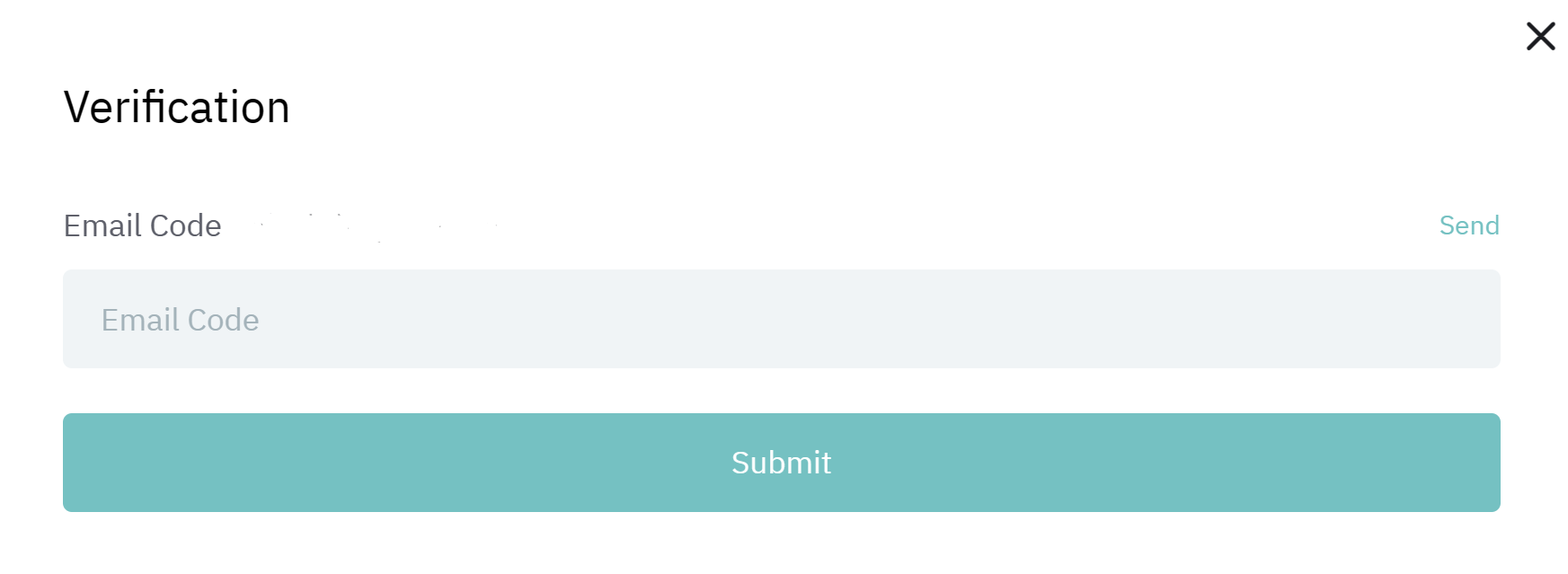
Verify the API Key using the verification code sent to your email.
Step Five
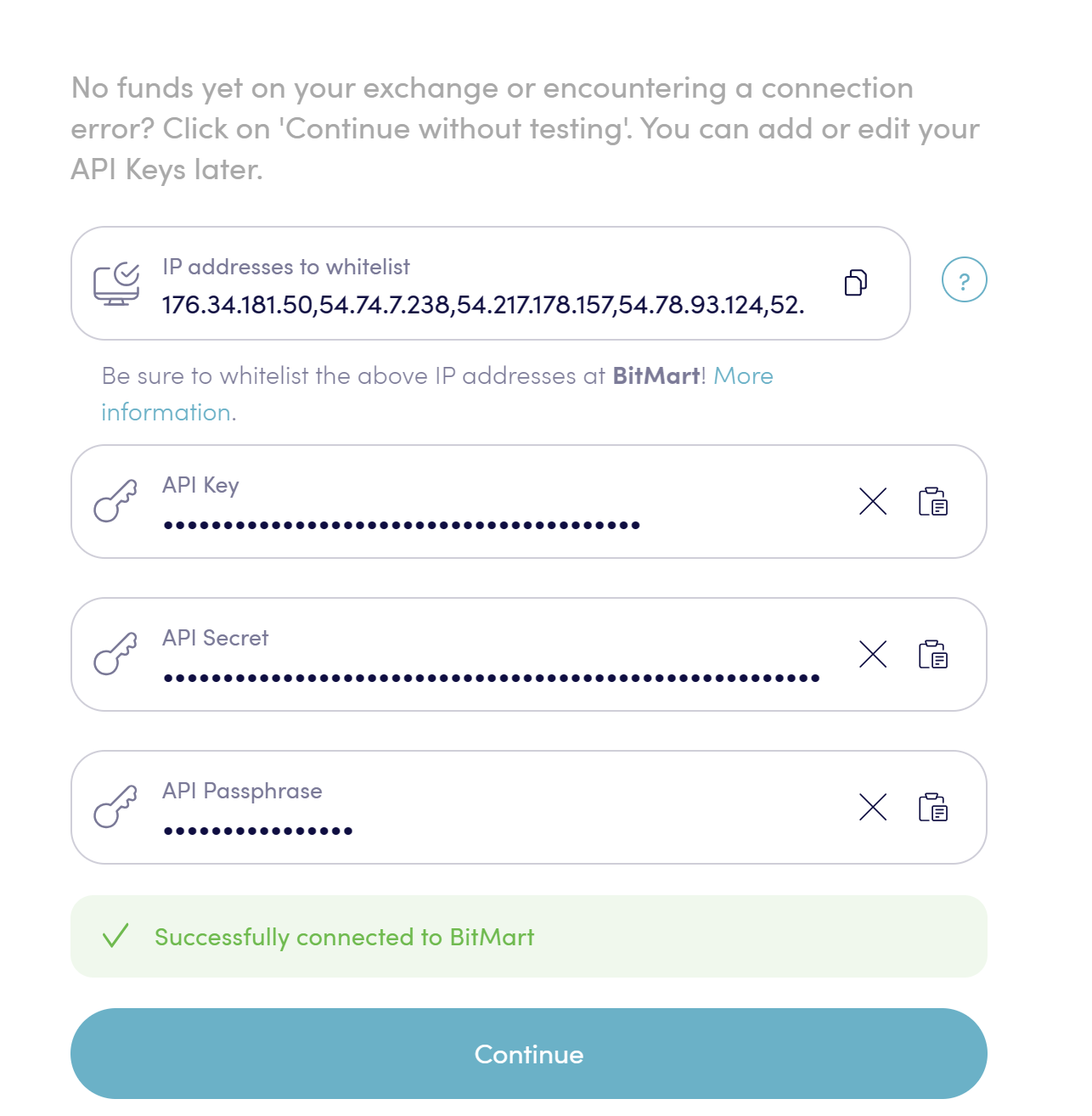
Copy and paste the Access Key (API Key) and Private Key into the appropriate fields in Cryptohopper, and paste the Memo under “Passphrase” in Cryptohopper. Click Continue and you are connected to BitMart.
Unable to see the stock market balance
If you are unable to see your exchange balance, there may be a number of issues preventing your bot from syncing with the exchange. A common cause is that your browser has autocomplete enabled. To resolve this issue, you can try disabling autocomplete, using a separate browser mode, switching to a different browser, or disabling your password manager. For more information, you can watch the Cryptohopper Academy video on this topic or check out our troubleshooting article.
Minimum amounts for trading on BitMart
The minimum amount to trade on BitMart is 5 USD.
BitMart Status
If you are experiencing problems trading on BitMart, you can check the current status of the exchange by clicking here .