
How to add green screen effects to incorporate cool backgrounds into a video in CapCut?
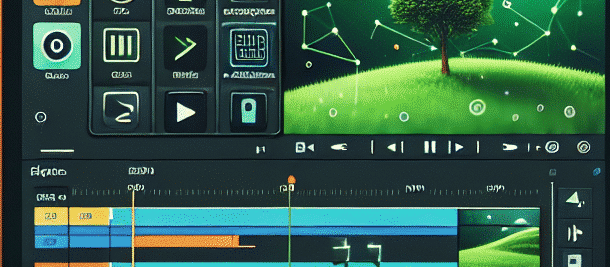
What is a green screen effect?
The green screen effect is a cinematic tool that allows us to replace the background of a photograph with a solid color (usually green), and incorporate another background of our choice in its place. It can be a background of a city, nature, space, or any imagination you choose!
[note_box] Tip: If you don’t have a green wall at home, you can use a green sheet or even paint cardboard green. [/note_box]
[fact_box] Interesting use: The green screen effect is used not only in cinema, but also in news broadcasts, where the presenters stand in front of a green screen and the forecasts are displayed behind them. [/fact_box]
Why use CapCut?
CapCut is a free and simple video editing app that is especially suitable for children and teenagers. It offers advanced yet easy-to-use tools for editing videos, including green screen effects. The app is available for both mobile and desktop devices, allowing for flexibility in your work.
[note_box] Fun to know: CapCut also lets you add music from the app’s library, so you can upgrade your video with a cool soundtrack. [/note_box]
[fact_box] Interesting use: CapCut is also used to create popular TikTok videos, which use special effects to create viral content. [/fact_box]
Step 1: Launch the app and prepare your video
To get started, open the CapCut app and start a new project. Select the video you want to edit from your gallery. If you haven’t made a green screen video yet, you can shoot one with your friends or family, against a green wall or green screen.
[note_box] Creative idea: Try filming a short scene where you “ride” a bike in front of the green screen, then add a highway background. [/note_box]
Step 2: Choose the green screen effect
Once you’ve inserted the video into your project, click on the video in the track list and move to the effects menu. Look for the option called “Green Screen” or “Chroma Key.”
[note_box] Tech tip: If you’re having trouble finding the effect, look for YouTube tutorials that show exactly how to do it in CapCut. [/note_box]
[fact_box] Interesting use: The green screen effect is also used in music studios to create music videos with dynamic and spectacular backgrounds. [/fact_box]
Step 3: Adjust settings
Once you have selected the appropriate option, you may need to adjust the settings to get the effect to work best. In case you see unwanted parts of the background, try playing with the settings until the desired background disappears and only the characters remain.
[note_box] Pro tip: Use good lighting to ensure the green background is evenly lit, which will make it easier for the app to separate the background from the characters. [/note_box]
Step 4: Choose a new background
Now, it’s time to choose a new background for your video! You can add a photo or video from your list. To do this, go back to the main project screen and add the file you chose as a new background.
[note_box] Cool idea: Try adding a beach or magical forest background to add a special atmosphere to your video. [/note_box]
[fact_box] Interesting use: Green screen also allows you to create interactive training videos, in which the instructor appears against the background of presentations or graphs. [/fact_box]
Step 5: Final adjustments and saving the project
Make sure that all the details in the video look good and fit together. You can add additional effects, texts or music to make the video even more interesting. Once you are done editing the video, click the save button to save the video as a new file you created.
[note_box] One last tip: Before you share the video, check it again to make sure there are no small mistakes you missed. [/note_box]
summary
Now, you’ve learned how to use the green screen effect in CapCut to incorporate cool and engaging backgrounds into your videos! It’s so fun and easy that anyone can do it. Don’t hesitate to try it out and share the results with your friends and family.
[note_box] Remember: creativity is key! Don’t be afraid to try new things and play with backgrounds and effects. [/note_box]
History of the Green Screen Effect
The green screen effect, also known as Chroma Key, hasn’t always been used. It was first developed in the 1930s, when filmmakers were trying to find ways to seamlessly blend different scenes together. In recent years, as technology has advanced, the use of this effect has become increasingly common.
The initial applications
Over the years, the green screen effect has been used primarily in film and television. It has allowed producers to create spectacular scenes without leaving the studio. For example, films like “Star Wars” have used this effect to create imaginary worlds.
The transition to the digital age
With the transition to the digital age, the green screen effect has become more accessible to individuals. Today, anyone can use this effect using apps like CapCut, making creation quick and easy.
Tips for using the green screen effect
- Lighting: Make sure the green background is evenly lit. Uneven lighting can cause problems with background separation.
- Distance: Keep a certain distance between the characters and the green background. This can help avoid unwanted reflections.
- Quality fabrics: Use quality green fabrics rather than just painted walls. This can improve the final result.
- Experiment: Don’t hesitate to try different effects and play with backgrounds. This can lead to surprising and unique results.
Types of backgrounds that can be used
There are many types of backgrounds you can add to your videos:
- Natural landscapes: beaches, mountains, forests.
- Cities: urban backgrounds, streets, buildings.
- Imaginary worlds: fantasy worlds, space, galaxies.
- Unique scenes: Scenes from movies or games.
The future of the green screen effect
As technology advances, we can expect the use of the green screen effect to become increasingly sophisticated. Technologies such as augmented reality (AR) and virtual reality (VR) may combine these effects in new and exciting ways.
Also, with the rise in popularity of video content on social media, the green screen effect is expected to continue to be an important tool for creators all over the world.
Final summary
The green screen effect is a powerful and creative tool that allows anyone to create stunning video content. With the help of advanced applications like CapCut, anyone can turn their ideas into reality. Don’t hesitate to try out the different techniques and share the results with others!
[note_box] Remember: every video is an opportunity to express your creativity! [/note_box>