
How do you use dynamic transitions to add energy and interest to a video in CapCut?
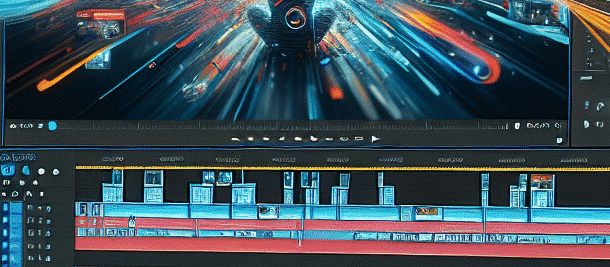
Hey guys!
If you love editing videos and adding cool effects to them, this article is for you. Today we’ll talk about dynamic transitions and how to use them in CapCut to add energy and interest to your videos. Let’s get started!
What are dynamic transitions?
Transitions are tools we use when we want to move from one scene to another in a smooth and cool way. Dynamic transitions take it a step further and allow you to add movement, color, and shape as you move between clips. It gives your videos a more professional look, and it’s just plain fun to watch!
How to use dynamic transitions in CapCut?
CapCut is one of the easiest programs to use when it comes to video editing. Let’s learn how to add dynamic transitions in a simple way:
Step 1: Import your video into CapCut
First, you need to open the app and import your video. Click the button marked with =”+” to create a new project and select the clips you want to edit.
Step 2: Select your clips
Once the video is on the timeline, select the sections you want to add transitions between. Click on the section, and it will be highlighted in a blue frame.
Step 3: Add transitions
Now, click on the transition icon that you set on the timeline between the clips. You will see a cool transition library appear. Scroll to choose the transition you like the most.
Quick tip: When choosing a transition, pay attention to how it fits in with the movement of your clips. Sometimes a smooth transition can emphasize existing movement and create a more impressive effect.
Step 4: Customization
Once you’ve selected a transition, you can adjust its length and how long it appears. Drag the edges of the transition to change the length of time it lasts.
Step 5: Check and save
Done? Great! Now you can play the video and see how the transition blends between the clips. Once you’re happy, click the Save button to export your video.
Tips for using dynamic transitions
Although dynamic transitions do a great job of adding energy to a video, it’s important to use them with caution. Here are some tips:
- Don’t overload your transitions with too many transitions – this can create eye strain for your viewers.
- Choose transitions that fit the theme and style of your video.
- Play with the transition times until you find the right pace for your video.
Another interesting use of CapCut is creating short promotional videos for social media. With the help of dynamic transitions, you can create videos that are eye-catching and convey your message quickly and effectively.
summary
Using dynamic transitions in CapCut is a great way to add life and interest to the videos you create. Come in, try it out for yourself, and don’t be afraid to play around and create cool things. Have fun editing, and don’t forget to share your videos with your friends!
Suggest a screenshot for illustration
Understanding the types of transitions
Dynamic transitions come in a variety of types, and each can add a different effect to your video. Here are some popular types:
- Split transition: This transition divides the screen in half, showing the new section on one side and the previous section on the other.
- Zoom transition: This transition focuses on a specific object and zooms in or out to move to the next section.
- Rotational transition: This transition dynamically rotates the image, adding a sense of movement.
- Fade transition: This transition is performed by fading the previous image and the new image appearing, giving a soft effect.
How to choose the right transition?
Choosing the right transition depends on the message you want to convey and the style of your video. For example, if you’re editing a fast-paced, energetic video, fast, dynamic transitions will be more appropriate. On the other hand, if you’re editing a soft, emotional video, soft transitions like a fade may be more appropriate.
Using transitions in different types of videos
Dynamic transitions can enhance any type of video. Here are some examples:
- Travel videos: Adding dynamic transitions between scenic segments can enhance the experience.
- Recipe videos: Using transitions between preparation steps can make it easier for the viewer to follow the recipe.
- Video commercials: Quick transitions can attract attention and create interest.
- Summary videos: Adding transitions between different sections can emphasize the main points.
Transitioning Between Sections – Advanced Techniques
When using dynamic transitions becomes an essential part of your editing, it’s worth considering advanced techniques:
- Layers: Adding layers of transitions can create stunning effects.
- Timing: Timing the transitions with the music can add another layer of professionalism.
- Additional effects: Combining additional effects such as sound or animations can upgrade the transitions.
Summary and further recommendations
In conclusion, dynamic transitions are a powerful tool that can significantly enhance your videos. It’s important to use them wisely and choose transitions that fit the style and message of the video. Don’t be afraid to experiment and play around with different transitions and see what works best for you.
Good luck with your editing, and don’t forget to share the results with your friends!