
A guide to moving from shared hosting to managed hosting in WordPress
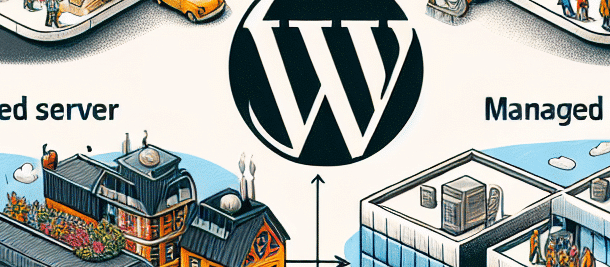
There’s no doubt that WordPress is one of the most popular content management systems out there. But as your site grows and performance becomes more important, moving from shared hosting to managed hosting is a step worth considering. In this guide, we’ll review the benefits of managed WordPress hosting and walk you through the transition process.
There’s no doubt that WordPress is one of the most popular content management systems out there. But as your site grows and performance becomes more important, moving from shared hosting to managed hosting is a step worth considering. In this guide, we’ll review the benefits of managed WordPress hosting and walk you through the transition process.
What is shared storage?
Shared hosting is a type of hosting where multiple websites are hosted on the same server. This means that all the websites share the server resources, such as RAM, CPU, and bandwidth. It is a cheap and accessible solution for beginners, but it has limitations when it comes to customized performance or increased traffic.
What is managed storage?
Managed WordPress hosting is a service where the server and website are controlled, monitored, and maintained by the hosting company. You can get benefits like expert technical support, automatic backups, and enhanced security measures. This solution offers high performance and traffic management customized to your website’s needs.
Why should you switch to managed storage?
- Optimized performance: Managed storage is built to withstand high loads and deliver fast loading speeds.
- Security: Managed hosting companies offer additional layers of protection and regular security scans.
- Technical Support: 24/7 support services from professional sources with a focus on WordPress.
- Backups and recovery: Automatic backups and a quick recovery process in the event of a failure.
How to move from shared storage to managed storage?
Choosing the right provider
Choosing a hosting company is a critical step in the transition. You should check the reputation, user reviews, and features the provider offers such as security, support, and backups. It’s also important to make sure the provider fully supports WordPress.
Compatibility check
Before you begin the migration process, make sure that there is compatibility between the new provider and the old hosting system. This includes PHP versions, databases, and plugins installed on the site.
Website backup
Before making any significant changes, it is extremely important to perform a full backup of your website. There are plugins that can help you perform a full backup including the content and database.
Transferring content and data
There are several methods to migrate content and data from the old server to the new one. You can use dedicated plugins or manually transfer via FTP and import the database into the new system.
Performing tests
Before you launch your site on your new server, make sure everything is working properly. This includes checking links, loading pages, and working various plugins. You can use a test environment to make sure everything is working properly.
Website activation
Once everything is verified, it’s time to point the domain name to the new server. Typically, it takes anywhere from a few hours to a few days for the DNS to propagate across the internet.
summary
Moving from shared hosting to managed WordPress hosting can be an important step in improving the performance and security of your website. Although the process may take time and effort, the results are ultimately worth the investment. With improved performance, technical support, and security, your website will be ready to take on any challenge and deliver an exceptional user experience.
Additional benefits of managed hosting
Managed hosting offers additional benefits that can enhance your WordPress experience. Here are some of them:
Automatic updates
One of the important features of managed hosting is the ability to perform automatic updates of WordPress versions, plugins, and templates. This ensures that your website is always up to date with the latest versions, reducing the risk of security vulnerabilities.
Development environment
Some managed hosting providers also offer a development environment where you can test new changes before implementing them on your live site. This allows you to experiment and make sure everything is working properly before rolling out changes.
SEO improvement
Better website performance can improve your SEO rankings. Faster websites tend to rank higher in search engines, which can lead to more traffic to your site.
When should you consider moving?
There are several signs that may indicate that it’s time to consider moving to managed storage:
- If your website starts to hang or load slowly.
- If you are getting more traffic than your shared server can handle.
- If you are experiencing frequent security issues.
- If you need fast and professional technical support.
summary
Managed WordPress hosting is a great solution for websites that need high performance, enhanced security, and professional technical support. If you’re considering switching to managed hosting, make sure you take the necessary steps to ensure a smooth and secure transition. With the right investment, you can ensure that your website continues to run smoothly and efficiently.
Recommendations for managed hosting providers
Now that you understand the benefits of managed hosting, here are some recommendations for popular managed hosting providers:
- SiteGround: Known for its excellent technical support and high performance.
- WP Engine: Specializes in managed WordPress hosting with advanced solutions.
- Kinsta: Offers high performance with advanced technologies.
- Bluehost: Offers affordable packages with WordPress support.
Final summary
Managed WordPress hosting is not just a technical solution, but also an investment in the future of your website. With all the benefits mentioned, switching to managed hosting can upgrade the user experience, improve performance, and ensure that your website is secure and up-to-date. Don’t hesitate to consider this option, especially if you see that your website is facing technical or security challenges.